
Flutter for OpenHarmony:replay_bloc 状态管理的时间旅行者,撤销重做功能的终极方案(基于 Bloc 生态) 深度解析与鸿蒙适配指南
replay_bloc 是一个轻量级库,为 Flutter/OpenHarmony 应用提供了简单高效的撤销/重做功能。它基于事件溯源思想,通过维护状态历史栈实现时间旅行功能,支持 Bloc 和 Cubit 模式。开发者只需继承 ReplayCubit 或混入 ReplayBlocMixin 即可获得 undo/redo 能力,并可限制历史记录长度以避免内存问题。该库特别适用于表单编辑、配置管理等
欢迎加入开源鸿蒙跨平台社区:https://openharmonycrossplatform.csdn.net

前言
在应用开发中,Undo/Redo (撤销/重做) 是一个非常经典但实现起来颇为棘手的功能。
- 用户不小心删除了一个重要条目,想撤销。
- 设计师想对比调整前后的参数效果,需要来回切换。
如果你使用 Bloc pattern 来管理状态,那么恭喜你,replay_bloc 让这一切变得异常简单。它为标准的 Bloc 或 Cubit 添加了“时间旅行”的能力,自动记录状态历史,让你能够随时回滚到过去或重做未来。
对于 OpenHarmony 应用,无论是复杂的表单填写、画板应用,还是配置管理工具,集成 replay_bloc 能瞬间提升用户体验的容错性。
一、核心概念:Event Sourcing
replay_bloc 的核心思想源于 Event Sourcing (事件溯源) 的简化版。它并不记录每一条指令,而是直接记录了状态序列。
ReplayBloc(或 ReplayCubit)维护了一个状态栈:
- Past: 过去的状态列表。
- Present: 当前状态。
- Future: 被撤销的状态列表(用于重做)。
二、集成与用法详解
2.1 添加依赖
replay_bloc 是 bloc 库的扩展,所以通常需要同时引入。
dependencies:
  flutter_bloc: ^8.1.3
  replay_bloc: ^0.3.0
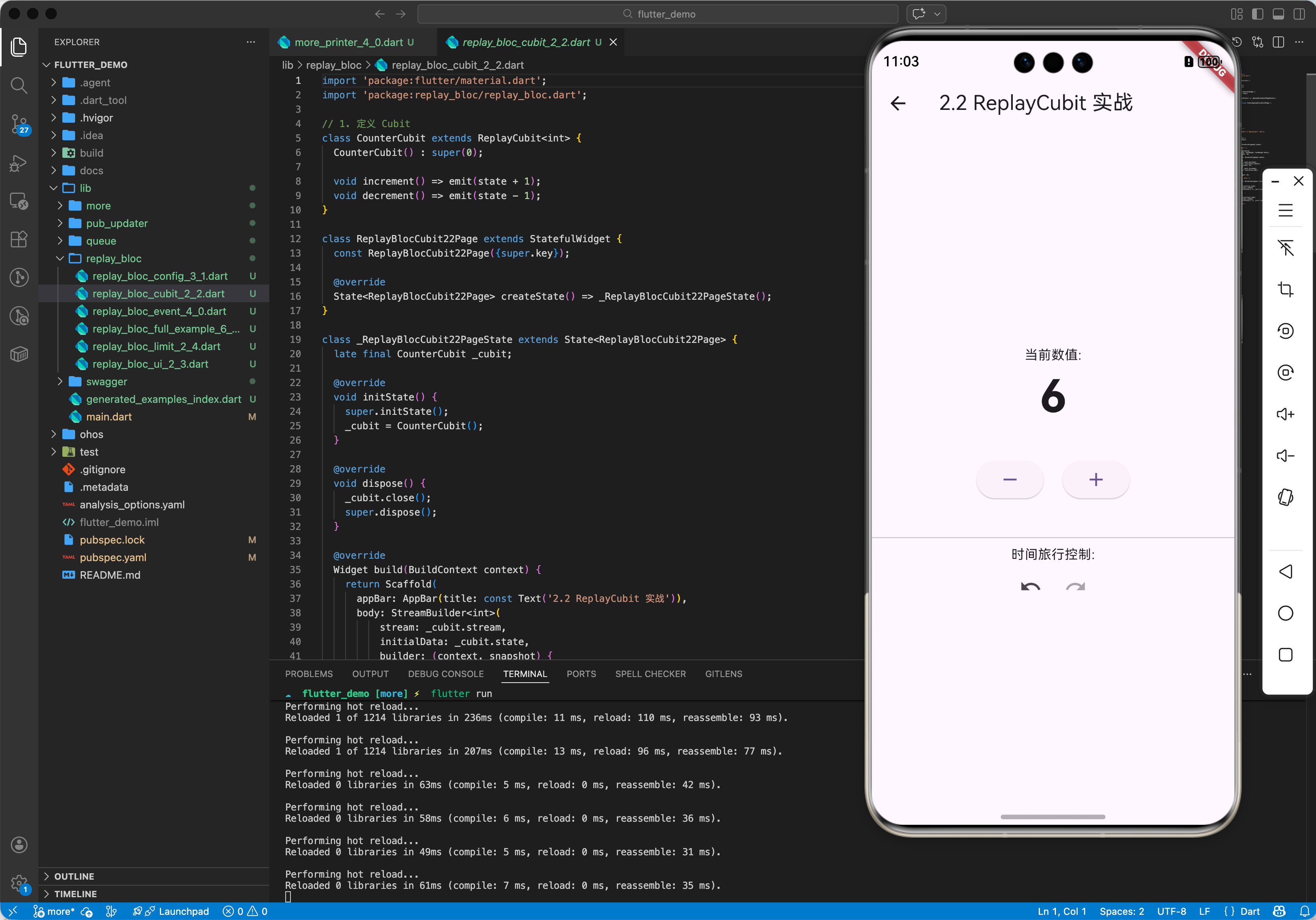
2.2 ReplayCubit 实战
最简单的用法是继承 ReplayCubit。
import 'package:replay_bloc/replay_bloc.dart';

// 1. 定义 Cubit
class CounterCubit extends ReplayCubit<int> {
  CounterCubit() : super(0);

  void increment() => emit(state + 1);
  void decrement() => emit(state - 1);
}

// 2. 使用 Cubit
void main() {
  final cubit = CounterCubit();

  cubit.increment(); // state: 1
  print(cubit.state);

  cubit.increment(); // state: 2
  print(cubit.state);

  cubit.undo(); // state: 1
  print('Undo: ${cubit.state}');

  cubit.redo(); // state: 2
  print('Redo: ${cubit.state}');
}
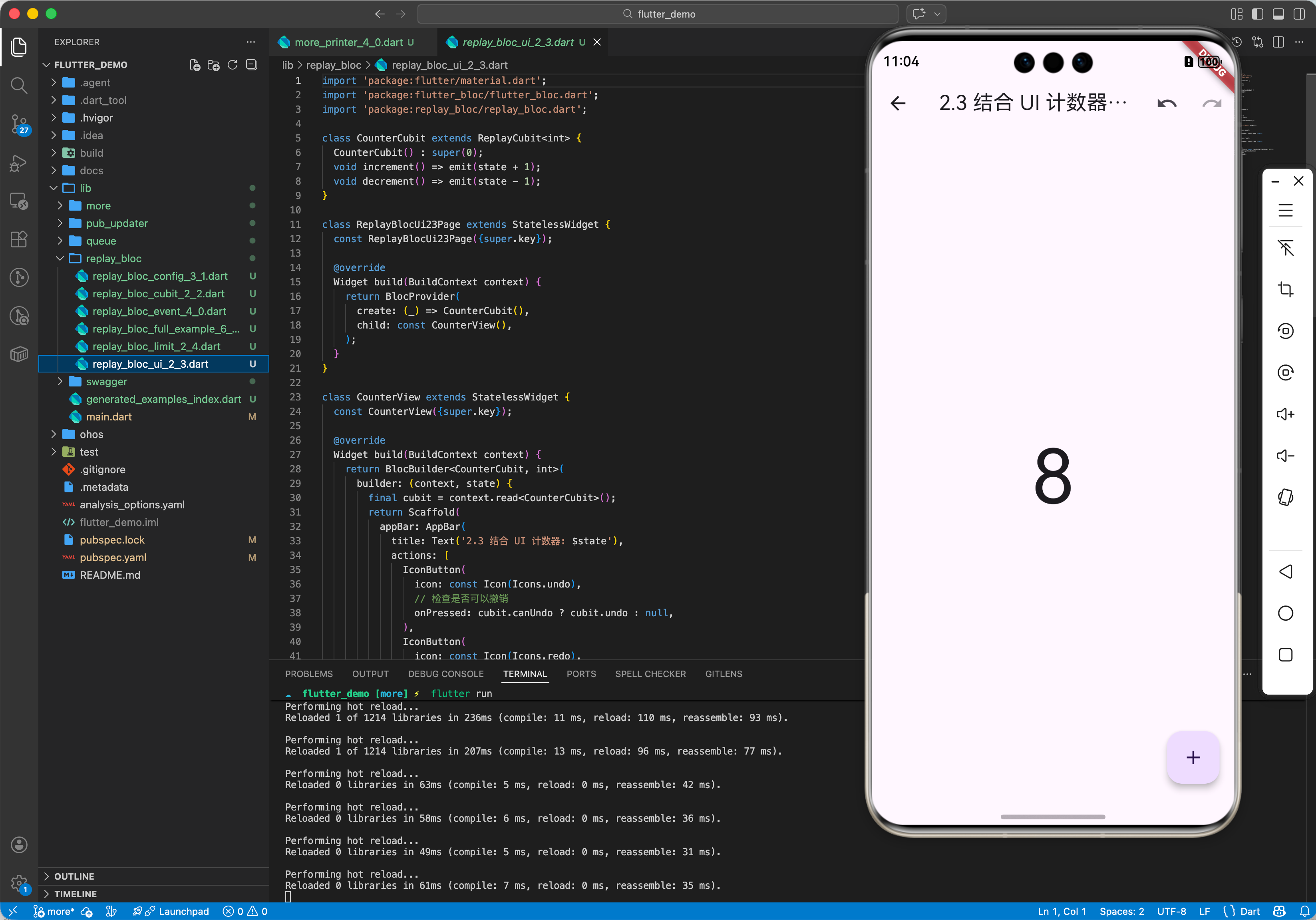
2.3 结合 Flutter UI
在 Flutter 中,你可以像使用普通 Bloc 一样使用 ReplayBloc,唯一的区别是你有了 undo 和 redo 方法。
class CounterPage extends StatelessWidget {
Widget build(BuildContext context) {
return BlocBuilder<CounterCubit, int>(
builder: (context, state) {
final cubit = context.read<CounterCubit>();
return Scaffold(
appBar: AppBar(
title: Text('计数器: $state'),
actions: [
IconButton(
icon: Icon(Icons.undo),
// 检查是否可以撤销
onPressed: cubit.canUndo ? cubit.undo : null,
),
IconButton(
icon: Icon(Icons.redo),
// 检查是否可以重做
onPressed: cubit.canRedo ? cubit.redo : null,
),
],
),
body: Center(child: Text('$state', style: TextStyle(fontSize: 24))),
floatingActionButton: FloatingActionButton(
onPressed: cubit.increment,
child: Icon(Icons.add),
),
);
},
);
}
}
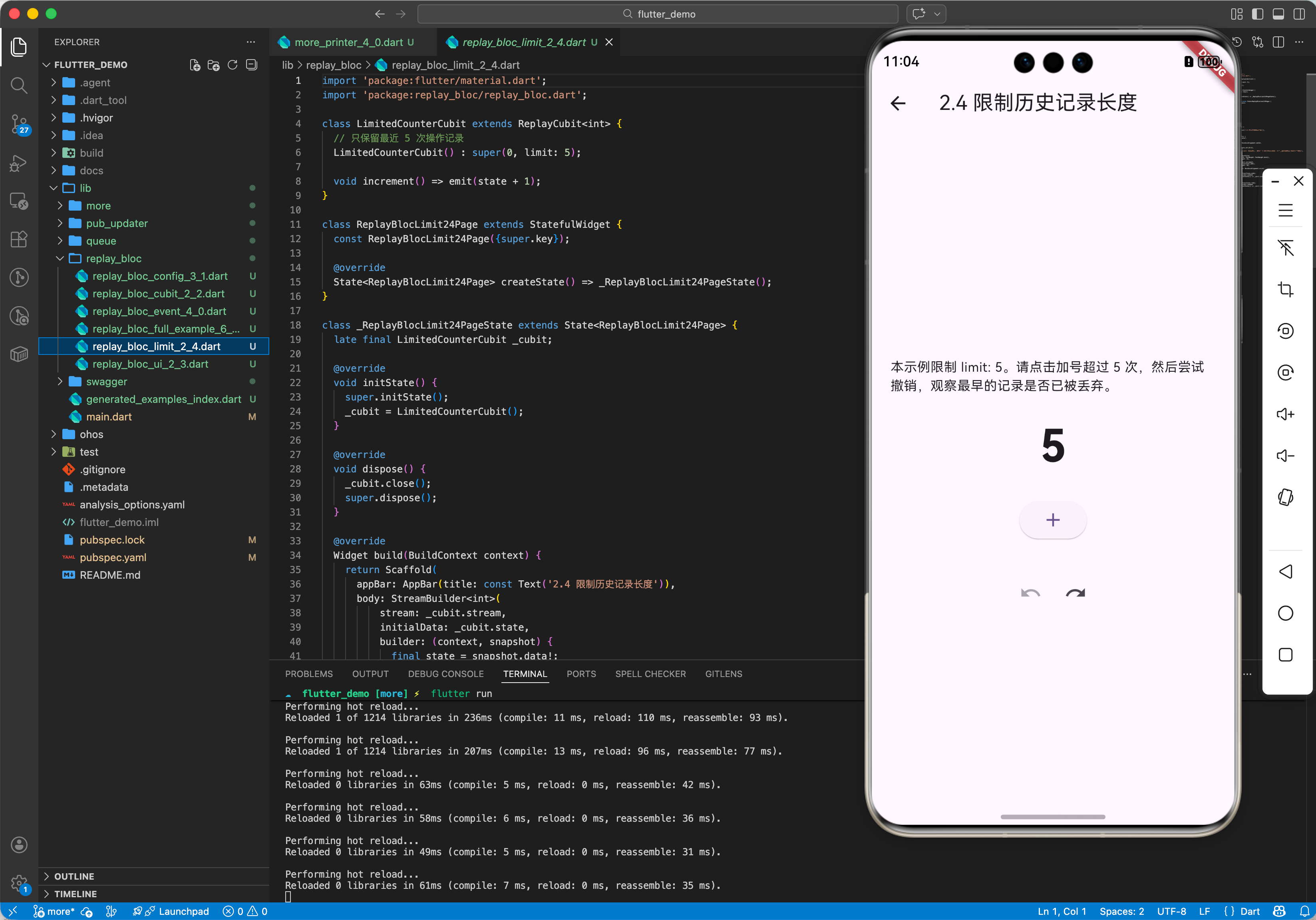
2.4 限制历史记录长度
为了防止内存无限膨胀,特别是在状态对象很大(如包含图片数据)时,你需要限制历史记录的长度。
class MyBigStateCubit extends ReplayCubit<BigState> {
  // 只保留最近 10 次操作
  MyBigStateCubit() : super(BigState(), limit: 10);
}
三、OpenHarmony 适配与实战:表单填写与配置管理
在鸿蒙应用中,表单填写或系统配置是一个常见场景。用户可能会误操作修改了某个配置,希望一键恢复。
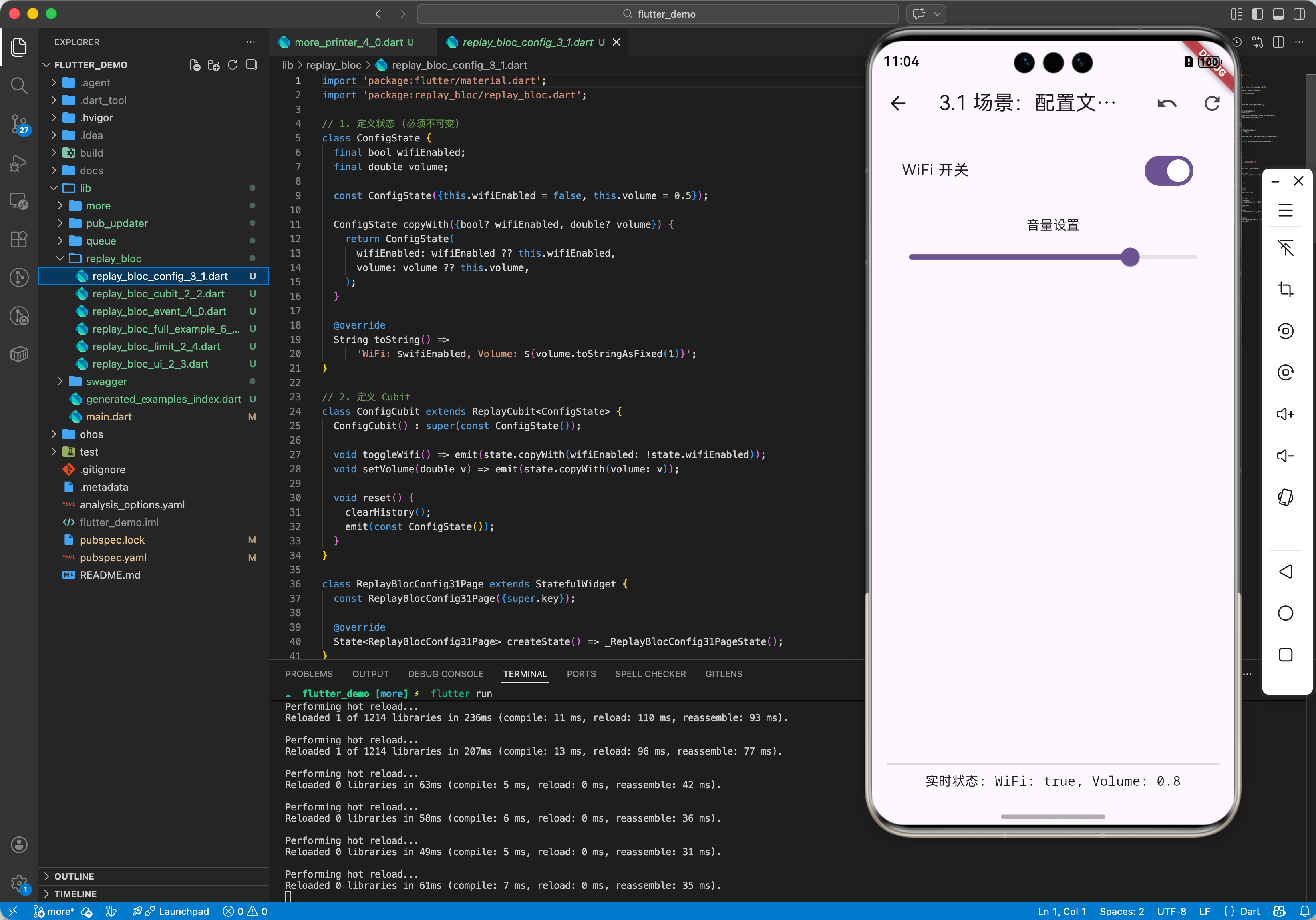
3.1 场景:配置文件编辑器
假设我们有一个 ConfigCubit 管理应用的设置。
class ConfigState {
  final bool wifiEnabled;
  final double volume;
  // ... 其他配置

  const ConfigState({this.wifiEnabled = false, this.volume = 0.5});

  ConfigState copyWith(...) // 标准 copyWith
}

class ConfigCubit extends ReplayCubit<ConfigState> {
  ConfigCubit() : super(const ConfigState());

  void toggleWifi() => emit(state.copyWith(wifiEnabled: !state.wifiEnabled));
  void setVolume(double v) => emit(state.copyWith(volume: v));

  // 自定义重置功能:直接清空历史并回到初始状态
  void reset() {
    clearHistory();
    emit(const ConfigState());
  }
}
3.2 鸿蒙特定的状态持久化
replay_bloc 的状态都在内存中。如果 App 被杀并在后台重启,历史记录会丢失。
虽然 replay_bloc 本身没有持久化功能,但可以结合 hydrated_bloc 使用(需要实现 Mixin),或者手动在 onChange 中保存关键快照到鸿蒙的首选项 (Preferences) 或数据库。
// 示例:结合 shared_preferences 保存当前状态(但不保存 undo 栈)
void onChange(Change<ConfigState> change) {
super.onChange(change);
// 保存 change.nextState 到本地存储
saveToPreferences(change.nextState);
}
四、高级进阶:ReplayBloc (基于事件)
如果你使用的是 Bloc 而不是 Cubit,用法也是类似的,只需混入 ReplayBlocMixin。
class CounterBloc extends Bloc<CounterEvent, int> with ReplayBlocMixin {
  CounterBloc() : super(0) {
    on<Increment>((event, emit) => emit(state + 1));
    on<Decrement>((event, emit) => emit(state - 1));
  }
}
此时,你仍然可以调用 undo() 和 redo(),因为 Mixin 帮你注入了这些方法。但是要注意,undo/redo 本身不是通过 add(Event) 触发的,而是直接调用的方法,这在严格的事件驱动架构中可能是一个特例。
五、总结
replay_bloc 是一个典型的“小而美”的库。它专注于解决状态回滚这一痛点,且实现得非常优雅(几乎零侵入)。
对于 OpenHarmony 开发者:
- 提升交互体验:在绘图板、文本编辑器、复杂表单场景下,Undo/Redo 是标配。
- 调试利器:在开发阶段,利用 Replay 功能可以方便地复现 Bug 步骤。
它完全基于 Dart 内存操作,不涉及任何原生 API,因此在鸿蒙上 100% 兼容,开箱即用。
最佳实践:
- 设置 limit:始终设置一个合理的
limit(如 20-50),避免 OOM (Out Of Memory)。 - 状态不可变性:确保你的 State 类是不可变的 (
immutable)。如果直接修改 State 内部的属性而不是 emit 新对象,Replay 机制会失效(因为历史栈里存的引用都指向同一个被修改的对象)。 - UI 反馈:根据
canUndo/canRedo属性动态禁用按钮,给用户明确的视觉反馈。
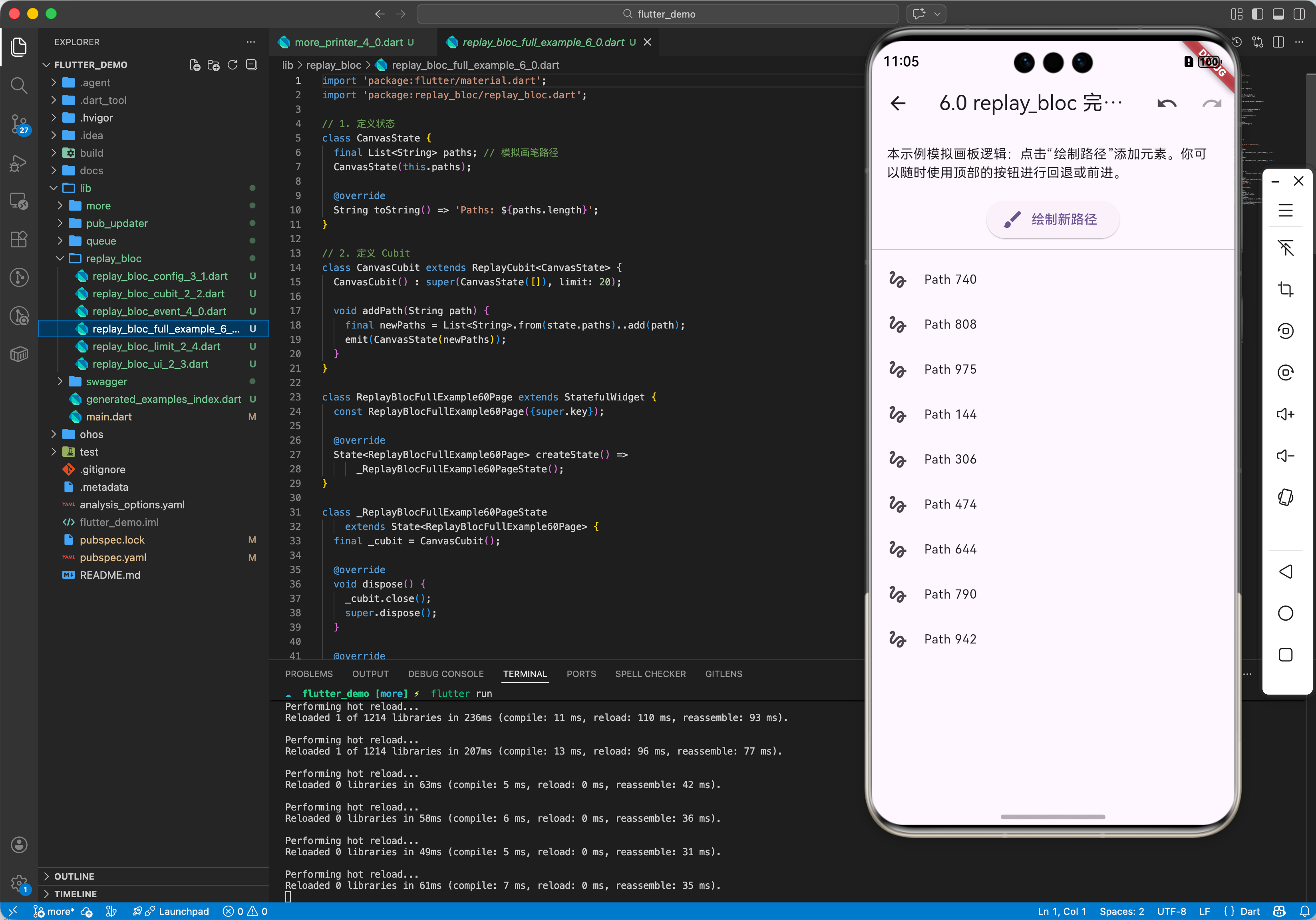
六、完整实战示例
import 'package:flutter_bloc/flutter_bloc.dart';
import 'package:replay_bloc/replay_bloc.dart';
// 1. 定义状态 (必须不可变)
class CanvasState {
final List<String> paths; // 模拟画笔路径
CanvasState(this.paths);
String toString() => 'Paths: ${paths.length}';
}
// 2. 定义 Cubit (混入 ReplayCubit 特性)
class CanvasCubit extends ReplayCubit<CanvasState> {
// 限制只能回退 20 步,防止内存溢出
CanvasCubit() : super(CanvasState([]), limit: 20);
void addPath(String path) {
// 关键:创建新 List,而不是修改旧 List
final newPaths = List<String>.from(state.paths)..add(path);
emit(CanvasState(newPaths));
}
void clear() {
emit(CanvasState([]));
}
}
void main() {
final cubit = CanvasCubit();
print('Initial: ${cubit.state}'); // Paths: 0
print('\n=== 用户操作 ===');
cubit.addPath('Path A');
cubit.addPath('Path B');
print('绘制后: ${cubit.state}'); // Paths: 2
print('\n=== 撤销 (Undo) ===');
cubit.undo();
print('撤销后: ${cubit.state}'); // Paths: 1
print('\n=== 重做 (Redo) ===');
if (cubit.canRedo) {
cubit.redo();
print('重做后: ${cubit.state}'); // Paths: 2
}
print('\n=== 新操作清空未来 ===');
cubit.undo(); //回到 Paths: 1
cubit.addPath('Path C'); // 此时 Future 列表被清空
print('绘制新路径 C: ${cubit.state}');
print('能重做吗? ${cubit.canRedo}'); // false
}

作为“人工智能6S店”的官方数字引擎,为AI开发者与企业提供一个覆盖软硬件全栈、一站式门户。
更多推荐

 19
19 0
0- 0


 已为社区贡献238条内容

所有评论(0)