
Flutter for OpenHarmony 实战之基础组件:第六十一篇 HapticFeedback — 为应用注入灵魂的物理触感
Flutter for OpenHarmony实战:HapticFeedback触觉反馈应用指南 本文介绍了如何在Flutter for OpenHarmony应用中实现触觉反馈功能。HapticFeedback工具类提供了6种系统预置震动模式,包括selectionClick(轻触反馈)、light/medium/heavyImpact(不同强度冲击)和vibrate(持续震动)。文章强调触觉反

Flutter for OpenHarmony 实战之基础组件:第六十一篇 HapticFeedback — 为应用注入灵魂的物理触感
前言
在移动应用开发的“声、光、电”三位一体体验中,触觉(Haptics)往往是被低估但却极其重要的维度。一个没有震动反馈的按钮,就像是一个没有弹性的虚拟投影。而恰到好处的点击震动,能让用户感受到界面的“质量”与“反馈”,建立起一种跨越屏幕的实体感。
在 Flutter for OpenHarmony 平台上,利用鸿蒙系统强大的线性马达调度能力,我们可以通过 HapticFeedback 极速调用系统的各种预置微震模式。本文将带大家深度掌握如何将 UI 动作与物理触感进行同步,构建高质感的鸿蒙应用。
一、什么是 HapticFeedback?
HapticFeedback 是 Flutter 提供的一个用于触发底层触觉反馈系统的工具类。它不直接操作硬件参数,而是调用系统(如鸿蒙)已经调校好的、具有明确语义的震动模式(如“单击”、“长按成功”等)。
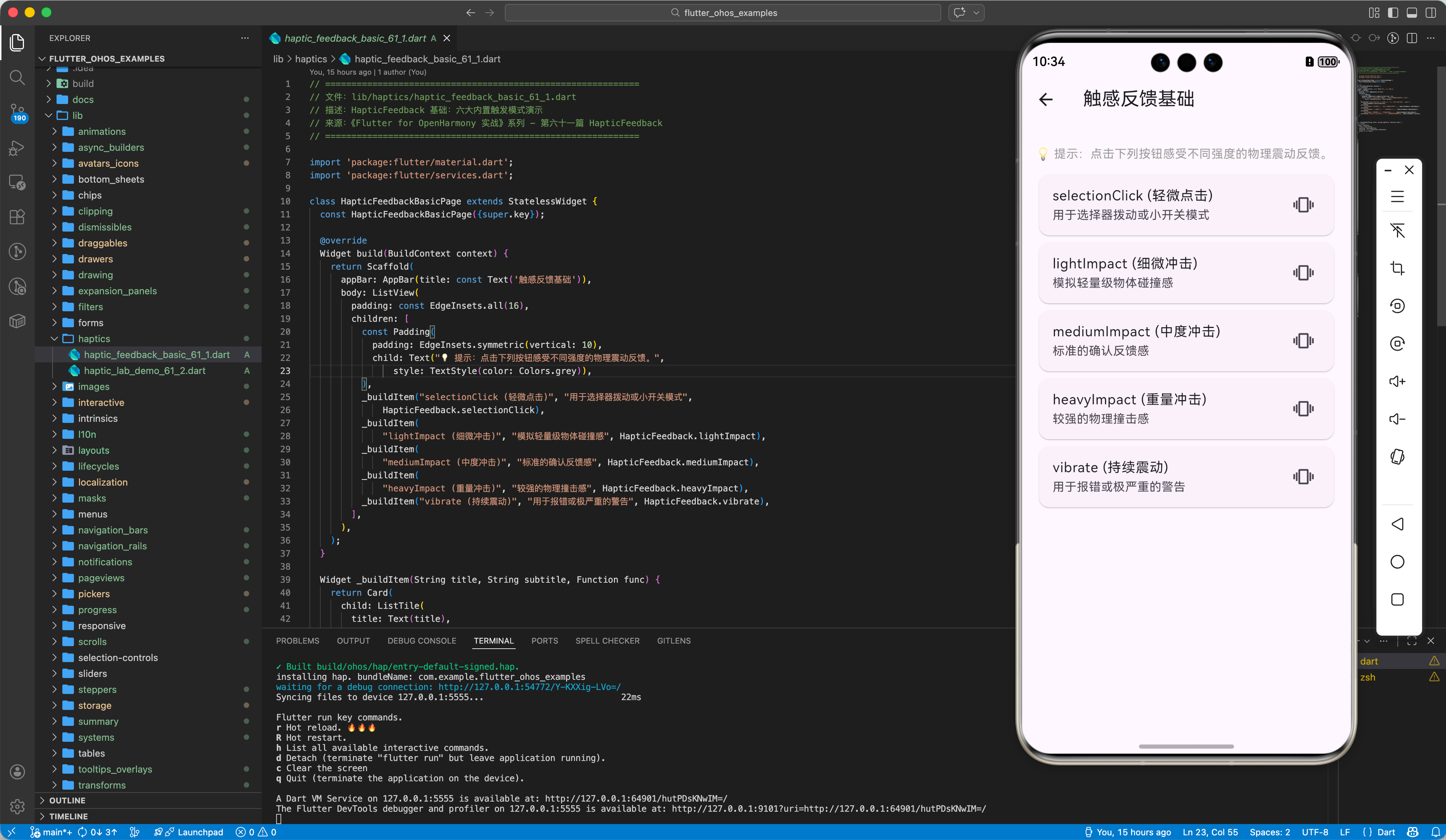
二、六大内置触发模式实战
1.1 selectionClick:选择式点击
最轻微的震动,模拟拨盘拨动或开关切换的“咔哒”声感。
onChanged: (v) {
  HapticFeedback.selectionClick();
  // ...
}
1.2 lightImpact / mediumImpact / heavyImpact:不同强度的冲击
分别模拟轻、中、重三种物体的接触感。
- Light:轻微的成功反馈(如任务完成)。
- Medium:稍强的确认。
- Heavy:重量级反馈(如删除重要文件)。
ElevatedButton(
  onPressed: () => HapticFeedback.lightImpact(),
  child: const Text("成功提交"),
)
3.3 vibrate:持续震动
用于极其严重的警告(如支付失败、格式限制报错)。
三、实战:构建全感官反馈的按钮系统
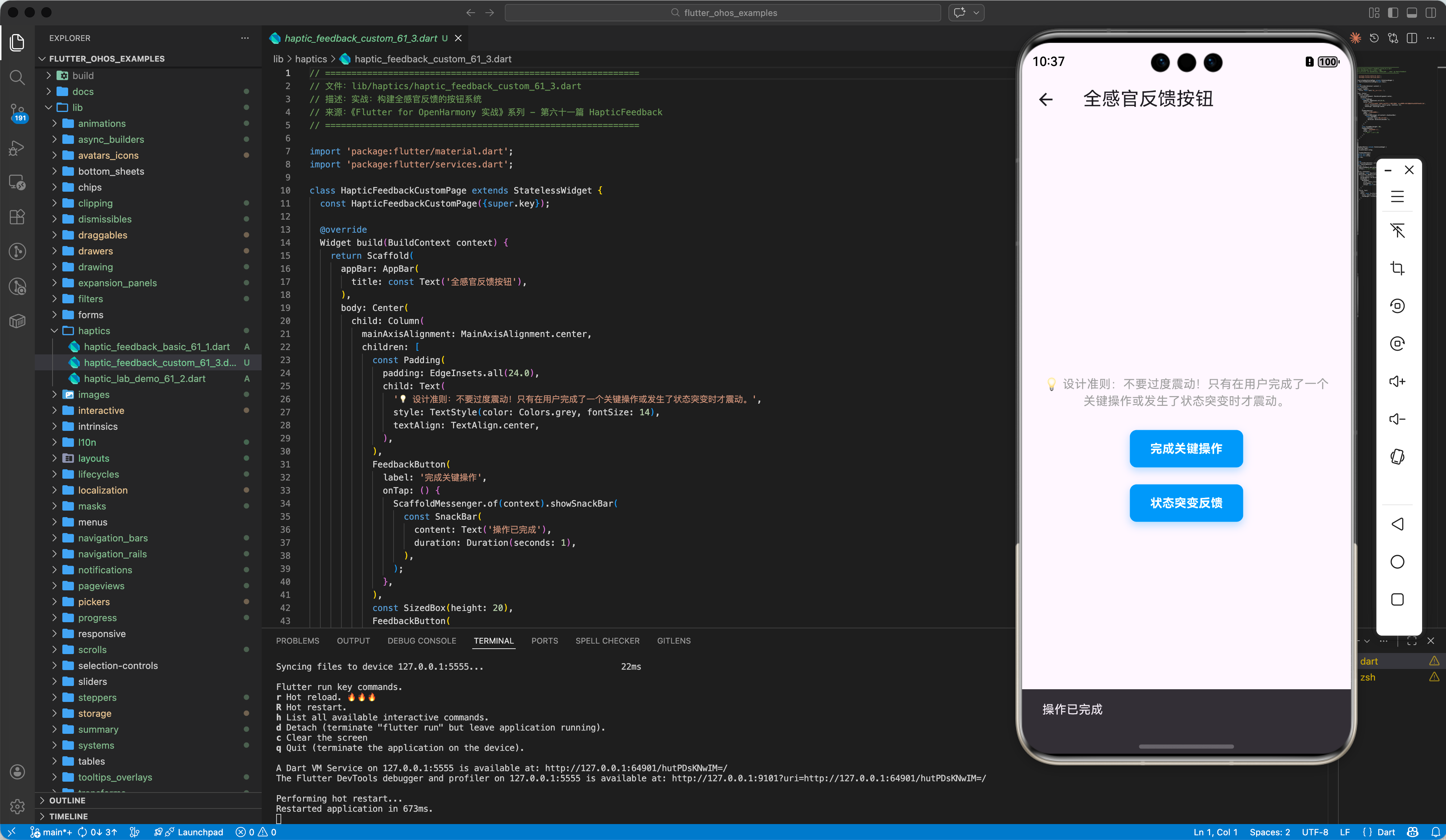
💡 设计准则:不要过度震动!只有在用户完成了一个关键操作或发生了状态突变时才震动。
class FeedbackButton extends StatelessWidget {
final String label;
final VoidCallback onTap;
const FeedbackButton(this.label, this.onTap);
Widget build(BuildContext context) {
return GestureDetector(
onTap: () {
HapticFeedback.mediumImpact(); // 物理反馈优先
onTap(); // 业务逻辑紧随其后
},
child: Container(
padding: EdgeInsets.symmetric(horizontal: 24, vertical: 12),
decoration: BoxDecoration(color: Colors.blue, borderRadius: BorderRadius.circular(8)),
child: Text(label, style: TextStyle(color: Colors.white)),
),
);
}
}
四、OpenHarmony 平台适配建议
4.1 鸿蒙线性马达的调优
鸿蒙设备(如 Mate 60 系列、Mate X5 系列)搭载了顶级的 X 轴线性马达,具有极短的启停时间和极强的方向感。
✅ 推荐方案:
对于滑动列表(Scroll)产生的事件,尽量使用 selectionClick。鸿蒙系统对这种细微震动的处理非常出色,能够模拟出类似“滚珠”在轨道滑动的细腻感。在大列表滑动结束时触发一次,能让用户感知到已经滑动到底部。
4.2 功耗识别与设置避让
如果鸿蒙设备处于“超级省电模式”,系统可能会屏蔽部分触感。
💡 调优方案:
虽然 Flutter 调用是透明的,但建议在应用的设置页面里提供一个“物理反馈开关”。对于鸿蒙平板等较大设备,由于惯性较大,建议在触发 heavyImpact 时同步配合 UI 的微量抖动动画(Shear 变换),实现视觉与触觉的感官联觉(Synesthesia)。
4.3 长按(Long Press)的核心反馈
鸿蒙系统的长按唤出菜单动作非常标准(Vibrate 后显示)。
✅ 最佳实践:
在 onLongPress 触发时,使用 HapticFeedback.heavyImpact() 进行“破冰”反馈。这能消除由于 400ms 的长按等待时间给用户带来的“应用卡死了吗?”的焦虑感,明确告知用户:长按已被识别。
五、完整示例代码
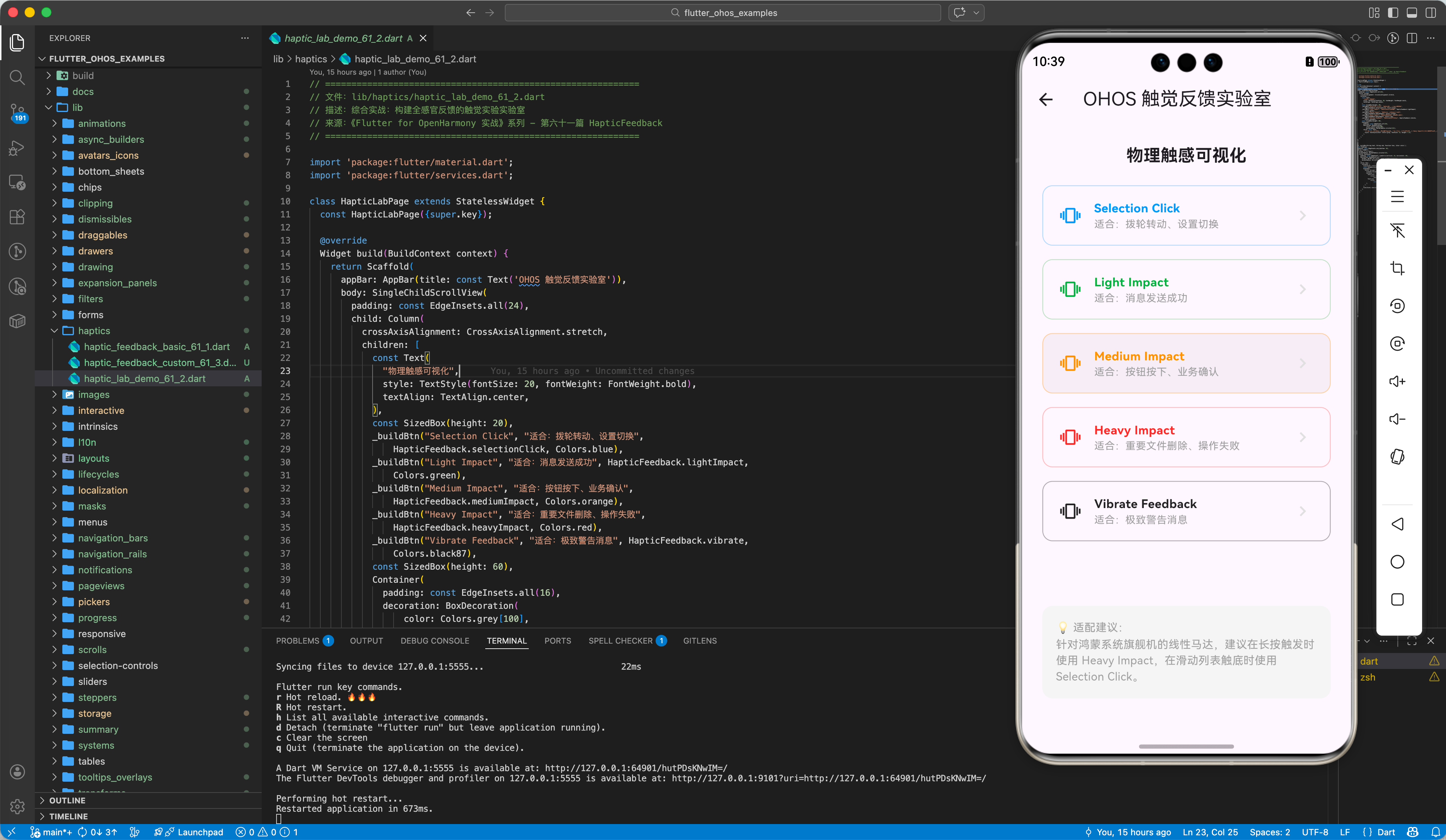
以下代码演示了一个集成多种触控反馈模式的“反馈实验室”页面。
import 'package:flutter/material.dart';
import 'package:flutter/services.dart';
class HapticLabPage extends StatelessWidget {
const HapticLabPage({super.key});
Widget build(BuildContext context) {
return Scaffold(
appBar: AppBar(title: const Text('OHOS 触觉反馈实验室')),
body: SingleChildScrollView(
padding: const EdgeInsets.all(24),
child: Column(
crossAxisAlignment: CrossAxisAlignment.stretch,
children: [
const Text(
"物理触感可视化",
style: TextStyle(fontSize: 20, fontWeight: FontWeight.bold),
textAlign: TextAlign.center,
),
const SizedBox(height: 20),
_buildBtn("Selection Click", "适合:拨轮转动、设置切换",
HapticFeedback.selectionClick, Colors.blue),
_buildBtn("Light Impact", "适合:消息发送成功", HapticFeedback.lightImpact,
Colors.green),
_buildBtn("Medium Impact", "适合:按钮按下、业务确认",
HapticFeedback.mediumImpact, Colors.orange),
_buildBtn("Heavy Impact", "适合:重要文件删除、操作失败",
HapticFeedback.heavyImpact, Colors.red),
_buildBtn("Vibrate Feedback", "适合:极致警告消息", HapticFeedback.vibrate,
Colors.black87),
const SizedBox(height: 60),
Container(
padding: const EdgeInsets.all(16),
decoration: BoxDecoration(
color: Colors.grey[100],
borderRadius: BorderRadius.circular(12)),
child: const Text(
"💡 适配建议:\n针对鸿蒙系统旗舰机的线性马达,建议在长按触发时使用 Heavy Impact,在滑动列表触底时使用 Selection Click。",
style: TextStyle(color: Colors.grey, fontSize: 13, height: 1.5),
),
),
],
),
),
);
}
Widget _buildBtn(String text, String sub, Function func, Color color) {
return Padding(
padding: const EdgeInsets.only(bottom: 16),
child: InkWell(
onTap: () => func(),
borderRadius: BorderRadius.circular(12),
child: Container(
padding: const EdgeInsets.symmetric(vertical: 16, horizontal: 20),
decoration: BoxDecoration(
border: Border.all(color: color.withOpacity(0.3)),
borderRadius: BorderRadius.circular(12),
),
child: Row(
children: [
Icon(Icons.vibration, color: color),
const SizedBox(width: 16),
Expanded(
child: Column(
crossAxisAlignment: CrossAxisAlignment.start,
children: [
Text(text,
style: TextStyle(
fontWeight: FontWeight.bold, color: color)),
Text(sub,
style:
const TextStyle(fontSize: 12, color: Colors.grey)),
],
),
),
Icon(Icons.chevron_right, color: Colors.grey[300]),
],
),
),
),
);
}
}
六、总结
在 Flutter for OpenHarmony 的精品应用开发中,HapticFeedback 不是可有可无的点缀。
- 赋予质感:让虚拟 UI 具有真实世界的物理反馈感。
- 语义明确:根据操作的重要性选择对应的 Impact 级别。
- 鸿蒙优势:在拥有顶级线性马达的鸿蒙平台上,细腻的触感反馈能让你的应用在同类产品中瞬间脱颖而出。
📦 完整代码已上传至 AtomGit:flutter_ohos_examples
🌐 欢迎加入开源鸿蒙跨平台社区:开源鸿蒙跨平台开发者社区

作为“人工智能6S店”的官方数字引擎,为AI开发者与企业提供一个覆盖软硬件全栈、一站式门户。
更多推荐



 11
11 0
0- 0


 已为社区贡献35条内容

所有评论(0)