
企业级架构进化:Flutter flutter_bloc 在鸿蒙开发中的逻辑解耦与工程实践
本文探讨了在企业级鸿蒙应用开发中采用Flutter的flutter_bloc状态管理方案,实现业务逻辑解耦与工程化实践。文章指出BLoC模式完美契合鸿蒙系统的分布式架构思想,通过事件(Event)-状态(State)-逻辑(BLoC)的三层分离,实现UI与业务逻辑的彻底解耦。重点展示了在HarmonyOS NEXT环境下构建电影收藏功能的完整实现流程,包括状态定义、BLoC逻辑实现以及UI层接入方
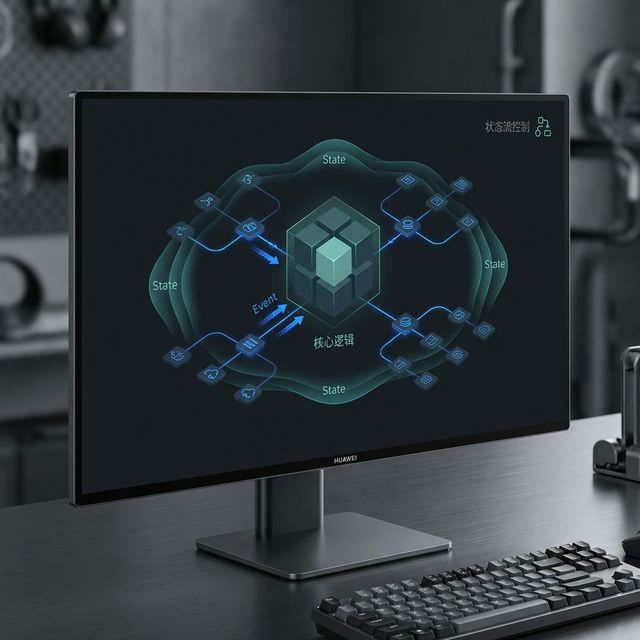
企业级架构进化:Flutter flutter_bloc 在鸿蒙开发中的逻辑解耦与工程实践
前言
当应用规模从单页面 Demo 演进到百万级日活的复杂系统(如金融、电商类 App)时,状态管理就不再仅仅是“传个值”那么简单,而是一场关于逻辑解耦、可测试性与团队协作的革命。
flutter_bloc 结合了 BLoC (Business Logic Component) 模式,是目前 Flutter 生态中最具工业美感的状态管理方案。本文将带大家在 HarmonyOS NEXT 环境下,通过 BLoC 模式构建一个健壮的架构模型。
一、 为什么在鸿蒙大型项目中选择 BLoC?
1.1 绝对的 UI 与 逻辑分离
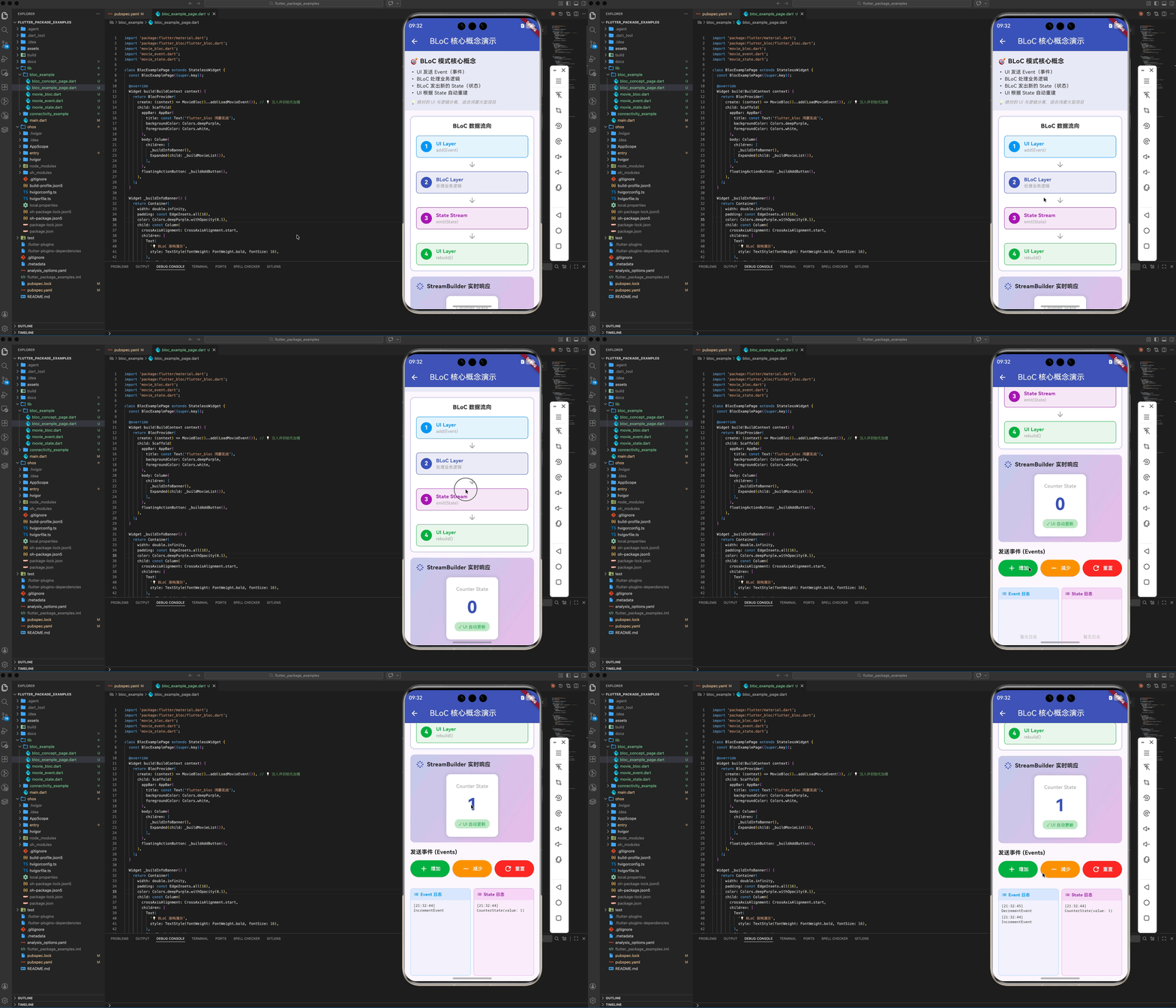
UI 只需要发送 Event (事件),并根据 State (状态) 进行重建。这与鸿蒙系统的分布式解耦思想高度契合。
1.2 单元测试的最佳拍档
由于 BLoC 不直接依赖 BuildContext(纯 Dart 类),我们可以针对鸿蒙业务逻辑编写 100% 覆盖率的单元测试,而无需启动真机环境。
二、 工程集成
2.1 添加依赖
dependencies:
  flutter_bloc: ^8.1.3
  equatable: ^2.0.5 # 核心:用于状态对比,避免无效重绘
2.2 核心三要素定义
以一个简单的“电影收藏”逻辑为例:
- Event: 用户的原始意图(如
AddMovieEvent)。 - State: UI 的各种切面(如
LoadingState、LoadedState、ErrorState)。 - BLoC: 逻辑处理器,将 Event 映射为 State 流。
三、 实战:构建电影收藏 BLoC
3.1 定义状态 (利用 Equatable)
abstract class MovieState extends Equatable {
List<Object> get props => [];
}
class MovieInitial extends MovieState {}
class MovieLoading extends MovieState {}
class MovieLoaded extends MovieState {
final List<String> list;
MovieLoaded(this.list);
List<Object> get props => [list]; // 💡 只有列表内容变了,UI 才刷新
}
3.2 逻辑实现
class MovieBloc extends Bloc<MovieEvent, MovieState> {
  MovieBloc() : super(MovieInitial()) {
    on<LoadMovieEvent>((event, emit) async {
      emit(MovieLoading());
      // 模拟鸿蒙本地数据库查询 (sqflite)
      await Future.delayed(const Duration(seconds: 1));
      emit(MovieLoaded(['流浪地球', '长津湖']));
    });
  }
}
四、 鸿蒙 UI 层接入:BlocProvider 与 BlocBuilder
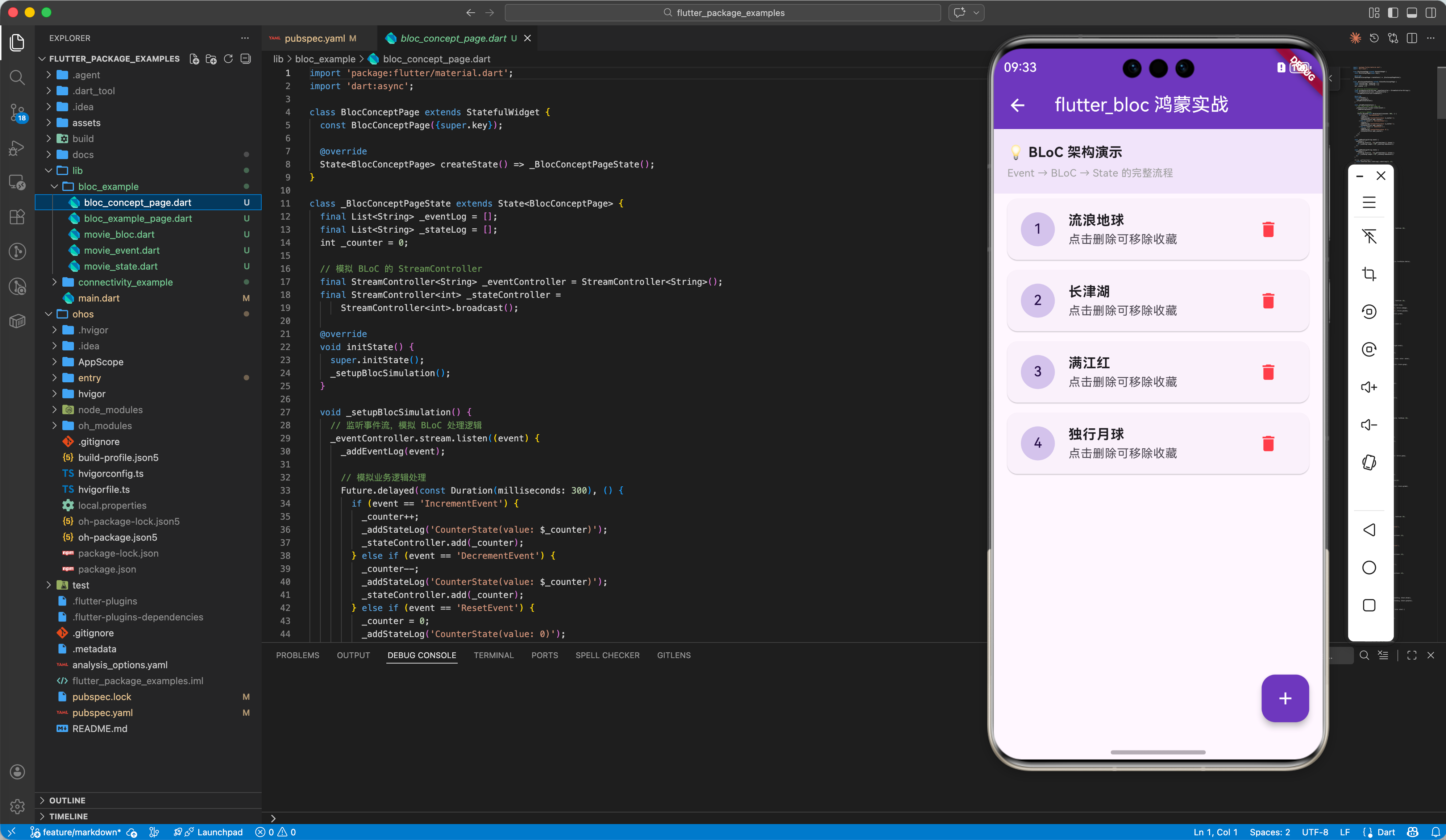
良好的架构应当在页面顶层注入依赖。
Widget build(BuildContext context) {
  return BlocProvider(
    create: (context) => MovieBloc()..add(LoadMovieEvent()), // 💡 注入并初始化加载
    child: Scaffold(
      body: BlocBuilder<MovieBloc, MovieState>(
        builder: (context, state) {
          if (state is MovieLoading) return const Center(child: CircularProgressIndicator());
          if (state is MovieLoaded) {
            return ListView.builder(
              itemCount: state.list.length,
              itemBuilder: (context, i) => ListTile(title: Text(state.list[i])),
            );
          }
          return const Text('出现错误');
        },
      ),
    ),
  );
}
五、 鸿蒙端的工程化进阶
5.1 全局拦截 (BlocObserver)
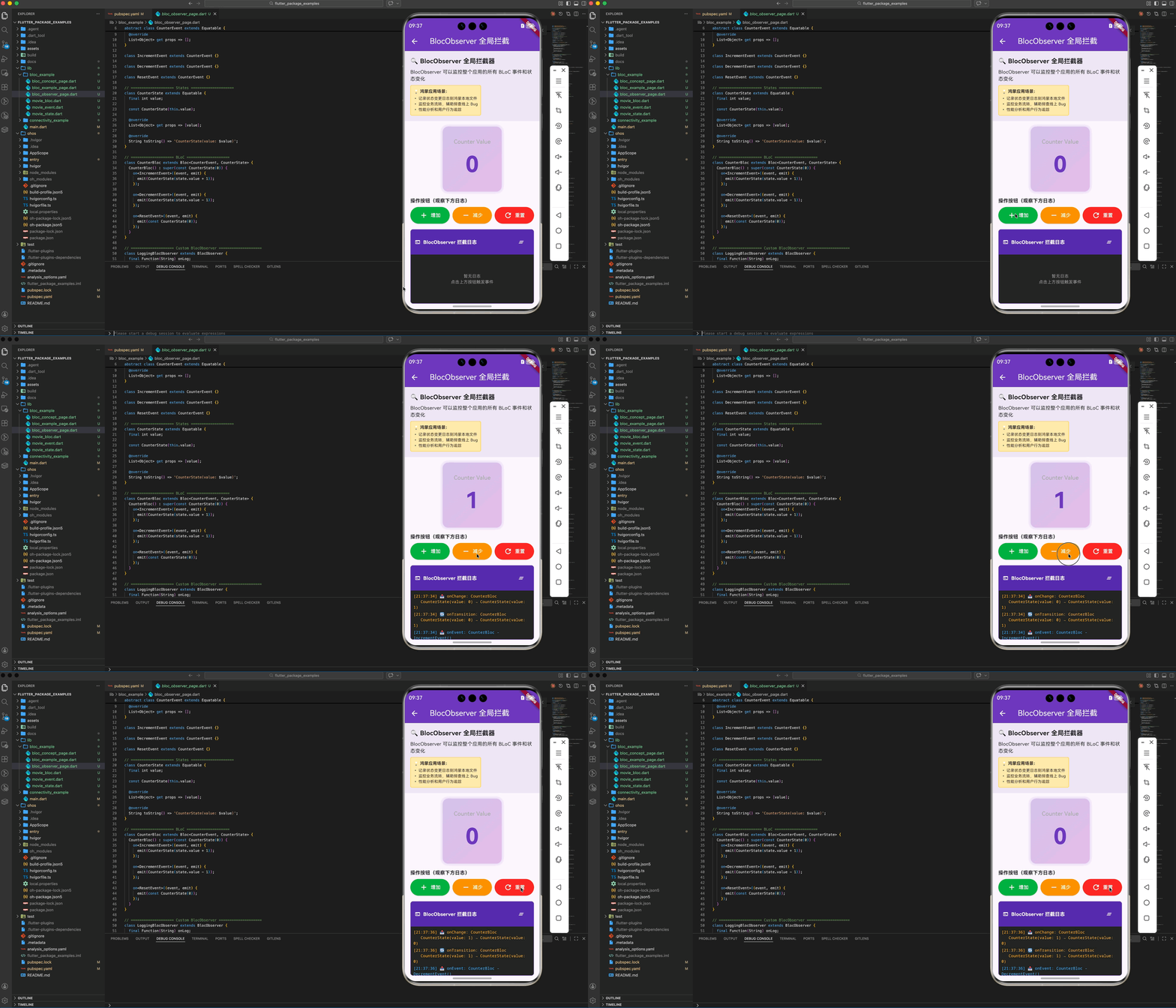
在鸿蒙应用的根目录,我们可以注入一个全局拦截器,监控整个应用的业务流转情况,这对于定位鸿蒙线上 Bug 极其有用。
import 'package:flutter/material.dart';
import 'package:flutter_bloc/flutter_bloc.dart';
import 'package:equatable/equatable.dart';
// ==================== Events ====================
abstract class CounterEvent extends Equatable {
const CounterEvent();
List<Object> get props => [];
}
class IncrementEvent extends CounterEvent {}
class DecrementEvent extends CounterEvent {}
class ResetEvent extends CounterEvent {}
// ==================== States ====================
class CounterState extends Equatable {
final int value;
const CounterState(this.value);
List<Object> get props => [value];
String toString() => 'CounterState(value: $value)';
}
// ==================== BLoC ====================
class CounterBloc extends Bloc<CounterEvent, CounterState> {
CounterBloc() : super(const CounterState(0)) {
on<IncrementEvent>((event, emit) {
emit(CounterState(state.value + 1));
});
on<DecrementEvent>((event, emit) {
emit(CounterState(state.value - 1));
});
on<ResetEvent>((event, emit) {
emit(const CounterState(0));
});
}
}
// ==================== Custom BlocObserver ====================
class LoggingBlocObserver extends BlocObserver {
final Function(String) onLog;
LoggingBlocObserver(this.onLog);
void onCreate(BlocBase bloc) {
super.onCreate(bloc);
onLog('🟢 onCreate: ${bloc.runtimeType}');
}
void onEvent(Bloc bloc, Object? event) {
super.onEvent(bloc, event);
onLog('📥 onEvent: ${bloc.runtimeType} - $event');
}
void onTransition(Bloc bloc, Transition transition) {
super.onTransition(bloc, transition);
onLog(
'🔄 onTransition: ${bloc.runtimeType}\n ${transition.currentState} → ${transition.nextState}');
}
void onChange(BlocBase bloc, Change change) {
super.onChange(bloc, change);
onLog(
'📤 onChange: ${bloc.runtimeType}\n ${change.currentState} → ${change.nextState}');
}
void onError(BlocBase bloc, Object error, StackTrace stackTrace) {
super.onError(bloc, error, stackTrace);
onLog('❌ onError: ${bloc.runtimeType} - $error');
}
void onClose(BlocBase bloc) {
super.onClose(bloc);
onLog('🔴 onClose: ${bloc.runtimeType}');
}
}
// ==================== Page ====================
class BlocObserverPage extends StatefulWidget {
const BlocObserverPage({super.key});
State<BlocObserverPage> createState() => _BlocObserverPageState();
}
class _BlocObserverPageState extends State<BlocObserverPage> {
final List<String> _observerLogs = [];
late LoggingBlocObserver _observer;
void initState() {
super.initState();
_observer = LoggingBlocObserver(_addLog);
// 注意:在实际应用中,BlocObserver 应该在 main() 中设置
// 这里仅用于演示目的
Bloc.observer = _observer;
}
void _addLog(String log) {
// 使用 SchedulerBinding 延迟到 build 完成后再调用 setState
WidgetsBinding.instance.addPostFrameCallback((_) {
if (mounted) {
setState(() {
final timestamp = DateTime.now().toString().substring(11, 19);
_observerLogs.insert(0, '[$timestamp] $log');
if (_observerLogs.length > 50) {
_observerLogs.removeLast();
}
});
}
});
}
Widget build(BuildContext context) {
return BlocProvider(
create: (context) => CounterBloc(),
child: Scaffold(
appBar: AppBar(
title: const Text('BlocObserver 全局拦截'),
backgroundColor: Colors.deepPurple,
foregroundColor: Colors.white,
),
body: Column(
children: [
_buildInfoBanner(),
_buildCounterDisplay(),
_buildControlButtons(),
_buildObserverLogs(),
],
),
),
);
}
Widget _buildInfoBanner() {
return Container(
width: double.infinity,
padding: const EdgeInsets.all(16),
color: Colors.deepPurple[50],
child: Column(
crossAxisAlignment: CrossAxisAlignment.start,
children: [
const Text(
'🔍 BlocObserver 全局拦截器',
style: TextStyle(fontWeight: FontWeight.bold, fontSize: 18),
),
const SizedBox(height: 8),
const Text(
'BlocObserver 可以监控整个应用的所有 BLoC 事件和状态变化',
style: TextStyle(fontSize: 14),
),
const SizedBox(height: 8),
Container(
padding: const EdgeInsets.all(8),
decoration: BoxDecoration(
color: Colors.amber[100],
borderRadius: BorderRadius.circular(4),
border: Border.all(color: Colors.amber[300]!),
),
child: const Column(
crossAxisAlignment: CrossAxisAlignment.start,
children: [
Text(
'💡 鸿蒙应用场景:',
style: TextStyle(fontWeight: FontWeight.bold, fontSize: 12),
),
SizedBox(height: 4),
Text(
'• 记录状态变更日志到鸿蒙本地文件',
style: TextStyle(fontSize: 11),
),
Text(
'• 监控业务流转,辅助排查线上 Bug',
style: TextStyle(fontSize: 11),
),
Text(
'• 性能分析和用户行为追踪',
style: TextStyle(fontSize: 11),
),
],
),
),
],
),
);
}
Widget _buildCounterDisplay() {
return BlocBuilder<CounterBloc, CounterState>(
builder: (context, state) {
return Container(
margin: const EdgeInsets.all(16),
padding: const EdgeInsets.all(32),
decoration: BoxDecoration(
gradient: LinearGradient(
colors: [Colors.deepPurple[100]!, Colors.purple[100]!],
begin: Alignment.topLeft,
end: Alignment.bottomRight,
),
borderRadius: BorderRadius.circular(16),
boxShadow: [
BoxShadow(
color: Colors.deepPurple.withOpacity(0.2),
spreadRadius: 2,
blurRadius: 8,
),
],
),
child: Column(
children: [
const Text(
'Counter Value',
style: TextStyle(fontSize: 16, color: Colors.grey),
),
const SizedBox(height: 8),
Text(
'${state.value}',
style: const TextStyle(
fontSize: 64,
fontWeight: FontWeight.bold,
color: Colors.deepPurple,
),
),
],
),
);
},
);
}
Widget _buildControlButtons() {
return BlocBuilder<CounterBloc, CounterState>(
builder: (context, state) {
return Container(
margin: const EdgeInsets.symmetric(horizontal: 16),
child: Column(
crossAxisAlignment: CrossAxisAlignment.start,
children: [
const Text(
'操作按钮(观察下方日志)',
style: TextStyle(fontWeight: FontWeight.bold, fontSize: 14),
),
const SizedBox(height: 8),
Row(
children: [
Expanded(
child: ElevatedButton.icon(
onPressed: () {
context.read<CounterBloc>().add(IncrementEvent());
},
icon: const Icon(Icons.add),
label: const Text('增加'),
style: ElevatedButton.styleFrom(
backgroundColor: Colors.green,
foregroundColor: Colors.white,
padding: const EdgeInsets.symmetric(vertical: 12),
),
),
),
const SizedBox(width: 8),
Expanded(
child: ElevatedButton.icon(
onPressed: () {
context.read<CounterBloc>().add(DecrementEvent());
},
icon: const Icon(Icons.remove),
label: const Text('减少'),
style: ElevatedButton.styleFrom(
backgroundColor: Colors.orange,
foregroundColor: Colors.white,
padding: const EdgeInsets.symmetric(vertical: 12),
),
),
),
const SizedBox(width: 8),
Expanded(
child: ElevatedButton.icon(
onPressed: () {
context.read<CounterBloc>().add(ResetEvent());
},
icon: const Icon(Icons.refresh),
label: const Text('重置'),
style: ElevatedButton.styleFrom(
backgroundColor: Colors.red,
foregroundColor: Colors.white,
padding: const EdgeInsets.symmetric(vertical: 12),
),
),
),
],
),
],
),
);
},
);
}
Widget _buildObserverLogs() {
return Expanded(
child: Container(
margin: const EdgeInsets.all(16),
decoration: BoxDecoration(
color: Colors.grey[900],
borderRadius: BorderRadius.circular(8),
border: Border.all(color: Colors.deepPurple[300]!),
),
child: Column(
crossAxisAlignment: CrossAxisAlignment.start,
children: [
Container(
padding: const EdgeInsets.all(12),
decoration: BoxDecoration(
color: Colors.deepPurple[700],
borderRadius: const BorderRadius.only(
topLeft: Radius.circular(8),
topRight: Radius.circular(8),
),
),
child: Row(
children: [
const Icon(Icons.terminal, color: Colors.white, size: 16),
const SizedBox(width: 8),
const Text(
'BlocObserver 拦截日志',
style: TextStyle(
color: Colors.white,
fontWeight: FontWeight.bold,
fontSize: 14,
),
),
const Spacer(),
IconButton(
icon: const Icon(Icons.clear_all,
color: Colors.white, size: 18),
onPressed: () {
setState(() {
_observerLogs.clear();
});
},
tooltip: '清空日志',
),
],
),
),
Expanded(
child: _observerLogs.isEmpty
? const Center(
child: Text(
'暂无日志\n点击上方按钮触发事件',
textAlign: TextAlign.center,
style: TextStyle(color: Colors.grey, fontSize: 12),
),
)
: ListView.builder(
padding: const EdgeInsets.all(8),
itemCount: _observerLogs.length,
itemBuilder: (context, index) {
final log = _observerLogs[index];
Color logColor = Colors.white;
if (log.contains('🟢')) {
logColor = Colors.green[300]!;
} else if (log.contains('📥')) {
logColor = Colors.blue[300]!;
} else if (log.contains('🔄') || log.contains('📤')) {
logColor = Colors.orange[300]!;
} else if (log.contains('❌')) {
logColor = Colors.red[300]!;
} else if (log.contains('🔴')) {
logColor = Colors.grey[400]!;
}
return Padding(
padding: const EdgeInsets.only(bottom: 4),
child: Text(
log,
style: TextStyle(
fontSize: 11,
fontFamily: 'monospace',
color: logColor,
),
),
);
},
),
),
],
),
),
);
}
}
六、 总结
flutter_bloc 让鸿蒙跨平台应用具备了“工业级”的生命力:
- 逻辑清晰:新同事入职,只需看 Event 和 State 即可上手业务。
- 极度稳定:通过强类型的状态流,规避了鸿蒙复杂 UI 下常见的空指针或竞态条件。
- 高性能:借助于
Equatable,仅重绘必须更新的组件。
🌐 欢迎加入开源鸿蒙跨平台社区:开源鸿蒙跨平台开发者社区

作为“人工智能6S店”的官方数字引擎,为AI开发者与企业提供一个覆盖软硬件全栈、一站式门户。
更多推荐
 15
15 0
0- 0


 已为社区贡献2条内容

所有评论(0)