
基于React Native鸿蒙跨平台开发时间轴设计提供了直观的物流进度可视化,帮助用户快速了解包裹的当前状态和位置,覆盖物流轨迹的核心维度(状态、时间、地点、描述)
本文深入探讨了基于React Native的电商订单详情与物流跟踪系统实现方案。系统采用TypeScript构建了完整的数据模型,包括物流节点(LogisticsNode)和订单商品(OrderItem)类型,确保数据结构清晰且可扩展。通过React Hooks进行状态管理,实现了模块化和响应式的数据更新。UI层面采用卡片式布局和时间轴设计,直观展示订单状态、物流进度和商品信息。系统特别关注跨端兼
在电商应用中,订单详情和物流跟踪是提升用户体验的关键功能。本文将深入分析一个基于 React Native 实现的订单详情与物流跟踪系统,探讨其架构设计、技术实现以及鸿蒙跨端适配策略。
核心数据
该系统构建了两个核心数据模型,为订单详情和物流跟踪提供了完整的数据支持:
// 物流节点类型
type LogisticsNode = {
  id: string;
  status: string;
  time: string;
  location: string;
  description: string;
};

// 订单项目类型
type OrderItem = {
  id: string;
  name: string;
  price: number;
  quantity: number;
  image: string;
};
这种数据模型设计的优势:
- 完整性:涵盖了物流节点和订单商品的所有核心属性
- 类型安全:使用 TypeScript 类型确保数据结构一致性
- 层级清晰:订单包含商品列表,物流包含节点列表,结构层次分明
- 扩展性:支持添加更多属性,如商品规格、物流详情等
状态管理
系统采用了 React Hooks 中的 useState 进行轻量级状态管理:
const [order] = useState({
  // 订单数据...
});

const [logisticsNodes] = useState<LogisticsNode[]>([
  // 物流节点数据...
]);
这种状态管理方式具有以下优势:
- 模块化:将订单数据和物流数据分离管理,提高代码可读性
- 响应式:状态变更自动触发组件重渲染,确保 UI 与数据同步
- 跨端兼容:React Hooks 在鸿蒙系统的 React Native 实现中通常都有良好支持
- 简洁性:代码结构清晰,易于理解和维护
系统实现了完整的订单详情和物流跟踪功能,包括:
订单状态
系统通过 getStatusText 和 getStatusColor 函数,根据订单状态返回对应的文本和颜色,提供直观的视觉反馈:
const getStatusText = (status: string): string => {
  switch (status) {
    case 'pending-payment': return '待付款';
    case 'pending-delivery': return '待发货';
    case 'shipped': return '运输中';
    case 'delivered': return '已签收';
    case 'cancelled': return '已取消';
    case 'refunded': return '已退款';
    default: return '未知状态';
  }
};

const getStatusColor = (status: string): string => {
  switch (status) {
    case 'pending-payment': return '#f59e0b';
    case 'pending-delivery': return '#3b82f6';
    case 'shipped': return '#10b981';
    case 'delivered': return '#10b981';
    case 'cancelled': return '#9ca3af';
    case 'refunded': return '#8b5cf6';
    default: return '#9ca3af';
  }
};
物流进度
系统实现了时间轴形式的物流进度展示,根据物流节点的状态显示不同的样式:
- 已完成节点:使用蓝色圆点和对勾图标
- 未完成节点:使用灰色圆点和空心圆图标
- 连接线:根据节点状态显示不同颜色的连接线
这种时间轴设计提供了直观的物流进度可视化,帮助用户快速了解包裹的当前状态和位置。
订单信息
系统实现了详细的订单信息展示,包括:
- 订单基本信息:订单号、日期、状态等
- 物流信息:物流公司、运单号、物流节点等
- 商品信息:商品图片、名称、价格、数量等
- 收货地址信息:收货人、电话、地址等
- 价格信息:商品总价、运费、实付款等
基础架构
该实现采用了 React Native 核心组件库,确保了在鸿蒙系统上的基本兼容性:
SafeAreaView:适配刘海屏等异形屏ScrollView:处理内容滚动,确保长页面可浏览TouchableOpacity:提供触摸反馈,增强用户体验Text和View:构建基本 UI 结构Image:显示商品图片和其他视觉元素Alert:系统级弹窗提示,提供操作反馈
Base64 图标
系统使用 Base64 编码的图标库,这种处理方式在跨端开发中尤为重要:
- 避免了不同平台对资源文件格式的兼容性问题
- 减少了网络请求,提高了加载速度
- 简化了构建流程,无需处理多平台资源文件
- 确保图标在不同设备上的显示一致性
系统通过 Dimensions API 获取屏幕尺寸,确保了在不同屏幕尺寸的设备上都能获得一致的布局体验,无论是 React Native 环境还是鸿蒙系统:
const { width, height } = Dimensions.get('window');
系统采用了模块化的样式定义,确保了样式的一致性和可维护性:
const styles = StyleSheet.create({
  container: {
    flex: 1,
    backgroundColor: '#f5f5f5',
  },
  // 其他样式...
});
这种方式为后续的主题定制和深色模式适配预留了扩展空间。
在鸿蒙系统上使用 React Native 时,应注意以下 API 兼容性问题:
- ScrollView API:鸿蒙系统的 ScrollView 实现可能与 React Native 有所差异,建议测试确认滚动行为
- Image API:鸿蒙系统的 Image 实现可能与 React Native 有所差异,建议测试确认图片加载行为
- Text API:鸿蒙系统的 Text 实现可能与 React Native 有所差异,建议测试确认文本渲染行为
本订单详情与物流跟踪系统实现了一个功能完整、用户友好的订单详情界面,通过合理的架构设计和代码组织,为用户提供了良好的订单查询和物流跟踪体验。在跨端开发场景下,该实现充分考虑了 React Native 和鸿蒙系统的兼容性需求,为后续的功能扩展和性能优化预留了空间。
通过订单状态管理、物流进度展示、订单信息展示等核心功能,结合 Base64 图标处理、时间轴设计等技术手段,该系统不仅功能完善,而且具有良好的可维护性和可扩展性。这些实践经验对于构建其他跨端应用组件也具有参考价值。
订单详情页是电商类应用的核心交互场景之一,承载着订单全维度信息展示、物流轨迹可视化、用户操作交互三大核心诉求。本文将从数据模型设计、UI 组件架构、交互逻辑实现三个维度深度拆解这份 React Native 订单详情页代码,并提供完整的鸿蒙(HarmonyOS)ArkTS 跨端适配方案,为跨端电商订单详情模块开发提供可落地的技术参考。
1.
数据模型
订单详情场景的核心是多维度信息聚合、物流节点时序展示、状态可视化,代码通过 TypeScript 构建了精准匹配业务场景的类型体系,为后续的状态渲染和交互逻辑奠定基础:
// 物流节点类型:定义物流轨迹的核心字段
type LogisticsNode = {
  id: string;
  status: string;
  time: string;
  location: string;
  description: string;
};

// 订单项目类型:描述订单中的单个商品信息
type OrderItem = {
  id: string;
  name: string;
  price: number;
  quantity: number;
  image: string;
};
设计亮点解析:
- 物流节点结构化:
LogisticsNode类型覆盖物流轨迹的核心维度(状态、时间、地点、描述),符合物流信息展示的标准化范式; - 嵌套数据结构:订单对象中嵌套收货地址对象(
shippingAddress),实现地址信息的结构化管理,便于后续地址相关的交互扩展; - 状态枚举化思维:虽然未显式定义联合类型,但通过
getStatusText和getStatusColor函数实现了订单状态的标准化映射,避免状态展示的碎片化; - 业务属性完备:包含运单号、承运商、支付方式、预计送达时间等订单详情的全维度字段,满足用户查看订单的核心需求;
- 数据初始化合理:通过
useState初始化订单和物流节点数据,模拟后端接口返回的真实数据结构,便于后续对接真实 API。
订单详情页的视觉核心是卡片式布局、时间轴物流轨迹、分层信息展示,代码通过 React Native 原生组件构建了符合移动端交互习惯的界面体系,兼顾视觉体验与操作便捷性。
(1)卡片式
整个页面采用多卡片组合的布局模式,将不同维度的订单信息进行视觉隔离,核心卡片包括:
- 状态卡片:展示订单核心状态,作为页面的视觉焦点;
- 物流卡片:可视化展示物流轨迹,是订单详情页的核心信息模块;
- 商品卡片:展示订单包含的商品列表及金额汇总;
- 收货信息卡片:结构化展示收件人信息和地址;
- 订单信息卡片:展示下单时间、支付方式等基础信息;
- 客服卡片:提供用户帮助入口,提升服务体验。
布局设计亮点:
- 视觉分层清晰:所有卡片统一使用
#ffffff背景色、12px 圆角、轻微阴影,形成统一的视觉风格; - 间距规范统一:卡片间采用 12px 间距,卡片内采用 16px 内边距,保证页面的呼吸感;
- 信息优先级明确:状态卡片和物流卡片置于页面顶部,符合用户查看订单详情的核心诉求;
- 滚动体验优化:使用
ScrollView承载所有卡片内容,底部操作按钮和导航栏固定,避免内容遮挡。
(2)物流时间轴组件
物流轨迹的可视化是订单详情页的核心交互点,代码通过绝对定位 + 弹性布局实现了精准的时间轴效果:
<View style={styles.timelineContainer}>
  {logisticsNodes.map((node, index) => (
    <View key={node.id} style={styles.timelineItem}>
      {/* 时间轴节点 */}
      <View style={[
        styles.timelineDot,
        {
          backgroundColor: node.status !== '待更新' ? '#3b82f6' : '#cbd5e1',
          borderColor: node.status !== '待更新' ? '#3b82f6' : '#cbd5e1'
        }
      ]}>
        <Text style={[
          styles.timelineDotText,
          { color: node.status !== '待更新' ? '#ffffff' : '#64748b' }
        ]}>
          {node.status !== '待更新' ? '✓' : '○'}
        </Text>
      </View>

      {/* 时间轴线 */}
      {index < logisticsNodes.length - 1 && (
        <View style={[
          styles.timelineLine,
          {
            backgroundColor: node.status !== '待更新' ? '#3b82f6' : '#cbd5e1'
          }
        ]} />
      )}

      {/* 节点内容 */}
      <View style={styles.timelineContent}>
        <Text style={styles.nodeStatus}>{node.status}</Text>
        <Text style={styles.nodeTime}>{node.time}</Text>
        <Text style={styles.nodeLocation}>{node.location}</Text>
        <Text style={styles.nodeDescription}>{node.description}</Text>
      </View>
    </View>
  ))}
</View>
时间轴实现解析:
- 节点与线条分离:节点(
timelineDot)使用弹性布局居中展示状态标识,线条(timelineLine)使用绝对定位实现纵向连接; - 状态可视化区分:已完成节点使用蓝色背景+对勾标识,待更新节点使用灰色背景+圆圈标识,视觉辨识度高;
- 层级控制精准:节点设置
zIndex: 2,线条设置zIndex: 1,保证节点覆盖在线条之上; - 动态渲染优化:最后一个节点不渲染线条,避免多余的视觉元素;
- 内容排版合理:节点内容区域包含状态、时间、地点、描述四层信息,字体大小和颜色区分层级,符合用户阅读习惯。
(3)状态可视化
订单状态的可视化映射是提升用户体验的关键,代码通过两个核心函数实现了状态的统一管理:
// 状态文本映射:将技术状态值转换为用户可读文本
const getStatusText = (status: string): string => {
  switch (status) {
    case 'pending-payment': return '待付款';
    case 'pending-delivery': return '待发货';
    case 'shipped': return '运输中';
    case 'delivered': return '已签收';
    case 'cancelled': return '已取消';
    case 'refunded': return '已退款';
    default: return '未知状态';
  }
};

// 状态颜色映射:不同状态使用差异化色彩
const getStatusColor = (status: string): string => {
  switch (status) {
    case 'pending-payment': return '#f59e0b';
    case 'pending-delivery': return '#3b82f6';
    case 'shipped': return '#10b981';
    case 'delivered': return '#10b981';
    case 'cancelled': return '#9ca3af';
    case 'refunded': return '#8b5cf6';
    default: return '#9ca3af';
  }
};
状态管理亮点:
- 用户体验优化:将技术枚举值转换为用户易懂的中文文本,降低认知成本;
- 色彩心理学应用:待付款(黄色提醒)、待发货(蓝色待处理)、运输中/已签收(绿色完成)、已取消(灰色失效)、已退款(紫色特殊状态),符合用户对状态的视觉认知;
- 扩展性强:新增状态时仅需在 switch 中添加对应分支,无需修改渲染逻辑;
- 容错机制:默认返回“未知状态”和灰色,避免状态值异常导致的 UI 崩溃。
(4)底部操作区
订单详情页的底部操作区分为功能按钮区和导航栏两层结构:
// 底部操作按钮
<View style={styles.bottomActions}>
  <TouchableOpacity style={styles.actionButton}>
    <Text style={styles.actionButtonText}>再次购买</Text>
  </TouchableOpacity>
  <TouchableOpacity style={styles.primaryActionButton}>
    <Text style={styles.primaryActionButtonText}>确认收货</Text>
  </TouchableOpacity>
</View>

// 底部导航
<View style={styles.bottomNav}>
  {/* 导航项 */}
</View>
操作区设计亮点:
- 视觉权重区分:主要操作按钮(确认收货)使用蓝色背景,次要操作按钮(再次购买)使用灰色背景,引导用户关注核心操作;
- 布局定位精准:操作按钮区定位在导航栏上方(
bottom: 60),导航栏固定在页面底部(bottom: 0),避免内容遮挡; - 交互反馈明确:所有可点击元素使用
TouchableOpacity实现点击反馈,符合移动端交互习惯; - 导航状态高亮:当前页(订单)通过顶部边框和颜色变化高亮显示,提升导航的可用性。
3. 样式
代码通过 StyleSheet.create 构建了符合电商订单场景的样式体系,核心设计原则包括:
- 色彩体系统一:主色调使用蓝色(
#3b82f6),金额使用红色(#ef4444),中性色使用灰度系,符合电商平台的视觉规范; - 圆角规范统一:卡片(12px)、按钮(6px)、收货信息(8px)、商品图片(4px),不同元素使用差异化圆角,增强视觉层次感;
- 间距体系规范:采用 16/12/8/4px 的间距梯度,保证页面布局的一致性和呼吸感;
- 文字层级清晰:通过字体大小(20/18/16/14/12px)和字重(bold/500/normal)区分信息优先级;
- 阴影效果细腻:所有卡片使用轻微阴影(
elevation: 1),营造立体感但不突兀; - 边框分隔合理:商品汇总区域使用顶部边框,区分商品列表和汇总信息,视觉分割清晰;
- 弹性布局适配:按钮和内容区域使用
flex布局,适配不同屏幕尺寸的显示需求。
将 React Native 订单详情页迁移至鸿蒙平台,核心是基于 ArkTS + ArkUI 实现数据模型、时间轴组件、状态管理、交互逻辑的对等还原,同时适配鸿蒙的组件特性和布局范式。
1. 核心适配
鸿蒙端的适配遵循逻辑复用、语法适配、体验统一的原则,90%以上的业务逻辑和视觉规范可直接复用,仅需适配平台特有 API 和组件语法:
@Entry
@Component
struct OrderDetailApp {
  // 数据模型:完全复用 RN 端字段定义
  @State order: Order = {/* 订单数据 */};
  @State logisticsNodes: LogisticsNode[] = {/* 物流节点数据 */};

  // 状态文本映射:对等实现
  getStatusText(status: string): string {
    switch (status) {
      case 'pending-payment': return '待付款';
      case 'pending-delivery': return '待发货';
      case 'shipped': return '运输中';
      case 'delivered': return '已签收';
      case 'cancelled': return '已取消';
      case 'refunded': return '已退款';
      default: return '未知状态';
    }
  }

  // 状态颜色映射:对等实现
  getStatusColor(status: string): string {
    switch (status) {
      case 'pending-payment': return '#f59e0b';
      case 'pending-delivery': return '#3b82f6';
      case 'shipped': return '#10b981';
      case 'delivered': return '#10b981';
      case 'cancelled': return '#9ca3af';
      case 'refunded': return '#8b5cf6';
      default: return '#9ca3af';
    }
  }

  // 时间轴渲染:使用 @Builder 封装
  @Builder
  renderTimelineItem(node: LogisticsNode, index: number, total: number) {
    // 时间轴节点渲染逻辑(对等还原 RN 端 UI)
  }

  // 页面构建:镜像 RN 端布局结构
  build() {
    Column()
      .flex(1)
      .backgroundColor('#f5f7fa')
      .safeArea(true) {

      // 头部区域
      // 滚动内容区(包含所有卡片)
      // 底部操作按钮区
      // 底部导航区
    }
  }
}
| React Native 特性 | 鸿蒙 ArkUI 对应实现 | 适配关键说明 |
|---|---|---|
useState |
@State 装饰器 |
状态初始化与更新逻辑完全复用,仅调整语法形式 |
ScrollView |
Scroll 组件 |
滚动容器语法差异,功能一致 |
TouchableOpacity |
Button + onClick |
可点击组件的交互逻辑完全复用 |
Alert.alert |
AlertDialog.show |
弹窗 API 语法差异,交互逻辑对等 |
StyleSheet |
链式样式 | 样式属性(颜色、间距、圆角等)100% 复用 |
| 绝对定位 | position: Position.Fixed |
定位语法差异,效果一致 |
map 渲染列表 |
ForEach 组件 |
列表渲染逻辑对等,索引获取方式不同 |
zIndex |
zIndex 属性 |
层级控制属性完全复用 |
| 弹性布局 | Flex 布局 |
flex 相关属性(flexDirection、justifyContent 等)完全复用 |
| 文本样式 | 文本组件属性 | fontSize、fontColor、fontWeight 等属性完全复用 |
3. 鸿蒙代码
// 鸿蒙 ArkTS 完整实现
type LogisticsNode = {
id: string;
status: string;
time: string;
location: string;
description: string;
};
type OrderItem = {
id: string;
name: string;
price: number;
quantity: number;
image: string;
};
interface Order {
id: string;
orderNumber: string;
date: string;
status: string;
totalAmount: number;
paymentMethod: string;
shippingCompany: string;
trackingNumber: string;
items: OrderItem[];
shippingAddress: {
name: string;
phone: string;
address: string;
};
estimatedDelivery: string;
}
@Entry
@Component
struct OrderDetailApp {
@State order: Order = {
id: 'o1',
orderNumber: 'ORD202310150001',
date: '2023-10-15',
status: 'shipped',
totalAmount: 10997,
paymentMethod: '支付宝',
shippingCompany: '顺丰速运',
trackingNumber: 'SF1234567890',
items: [
{ id: 'i1', name: 'iPhone 15 Pro Max', price: 9999, quantity: 1, image: 'https://via.placeholder.com/60x60' },
{ id: 'i2', name: '手机壳', price: 299, quantity: 1, image: 'https://via.placeholder.com/60x60' },
{ id: 'i3', name: '钢化膜', price: 699, quantity: 1, image: 'https://via.placeholder.com/60x60' }
],
shippingAddress: {
name: '张三',
phone: '138****8888',
address: '北京市朝阳区某某街道123号'
},
estimatedDelivery: '2023-10-20'
};
@State logisticsNodes: LogisticsNode[] = [
{
id: 'l1',
status: '已揽收',
time: '2023-10-16 09:30',
location: '北京转运中心',
description: '快件已被揽收,等待发往目的地'
},
{
id: 'l2',
status: '运输中',
time: '2023-10-17 14:20',
location: '上海转运中心',
description: '快件正在运输途中'
},
{
id: 'l3',
status: '派送中',
time: '2023-10-19 08:15',
location: '北京朝阳区网点',
description: '快件正在派送中,请保持电话畅通'
},
{
id: 'l4',
status: '待更新',
time: '预计明天',
location: '您的地址',
description: '快件即将到达您的手中'
}
];
getStatusText(status: string): string {
switch (status) {
case 'pending-payment': return '待付款';
case 'pending-delivery': return '待发货';
case 'shipped': return '运输中';
case 'delivered': return '已签收';
case 'cancelled': return '已取消';
case 'refunded': return '已退款';
default: return '未知状态';
}
}
getStatusColor(status: string): string {
switch (status) {
case 'pending-payment': return '#f59e0b';
case 'pending-delivery': return '#3b82f6';
case 'shipped': return '#10b981';
case 'delivered': return '#10b981';
case 'cancelled': return '#9ca3af';
case 'refunded': return '#8b5cf6';
default: return '#9ca3af';
}
}
@Builder
renderTimelineItem(node: LogisticsNode, index: number, total: number) {
Row()
.alignItems(ItemAlign.FlexStart)
.marginBottom(24) {
// 时间轴节点
Stack()
.width(24)
.height(24)
.borderRadius(12)
.backgroundColor(node.status !== '待更新' ? '#3b82f6' : '#cbd5e1')
.border({ width: 2, color: node.status !== '待更新' ? '#3b82f6' : '#cbd5e1' })
.zIndex(2)
.marginRight(12) {
Text(node.status !== '待更新' ? '✓' : '○')
.fontSize(12)
.fontWeight(FontWeight.Bold)
.fontColor(node.status !== '待更新' ? '#ffffff' : '#64748b')
.alignSelf(ItemAlign.Center);
}
// 时间轴线(最后一个节点不显示)
if (index < total - 1) {
Column()
.position(Position.Absolute)
.left(11)
.top(24)
.bottom(-24)
.width(2)
.backgroundColor(node.status !== '待更新' ? '#3b82f6' : '#cbd5e1')
.zIndex(1);
}
// 节点内容
Column()
.flexGrow(1)
.paddingTop(4) {
Text(node.status)
.fontSize(16)
.fontWeight(FontWeight.Medium)
.fontColor('#1e293b')
.marginBottom(4);
Text(node.time)
.fontSize(14)
.fontColor('#64748b')
.marginBottom(4);
Text(node.location)
.fontSize(14)
.fontColor('#3b82f6')
.marginBottom(4);
Text(node.description)
.fontSize(12)
.fontColor('#94a3b8');
}
}
}
build() {
Column()
.flex(1)
.backgroundColor('#f5f7fa')
.safeArea(true) {
// 头部
Column()
.padding(16)
.backgroundColor('#ffffff')
.borderBottom({ width: 1, color: '#e2e8f0' }) {
Text('订单详情')
.fontSize(20)
.fontWeight(FontWeight.Bold)
.fontColor('#1e293b')
.marginBottom(4);
Text(`订单号: ${this.order.orderNumber}`)
.fontSize(14)
.fontColor('#64748b');
}
// 滚动内容区
Scroll()
.flex(1)
.marginTop(12) {
Column() {
// 订单状态卡片
Column()
.backgroundColor('#ffffff')
.marginLeft(16)
.marginRight(16)
.marginBottom(12)
.borderRadius(12)
.padding(16)
.shadow({ color: '#000', offsetX: 0, offsetY: 1, opacity: 0.1, radius: 2 }) {
Row()
.justifyContent(FlexAlign.SpaceBetween)
.alignItems(ItemAlign.Center)
.marginBottom(8) {
Text(this.getStatusText(this.order.status))
.fontSize(18)
.fontWeight(FontWeight.Bold)
.fontColor(this.getStatusColor(this.order.status));
Text(this.order.status === 'shipped' ? '运输中' : this.getStatusText(this.order.status))
.fontSize(18)
.fontWeight(FontWeight.Bold)
.fontColor('#1e293b');
}
Text(this.order.status === 'shipped'
? '您的订单正在运输途中,请耐心等待'
: '订单状态说明')
.fontSize(14)
.fontColor('#64748b');
}
// 物流进度卡片
Column()
.backgroundColor('#ffffff')
.marginLeft(16)
.marginRight(16)
.marginBottom(12)
.borderRadius(12)
.padding(16)
.shadow({ color: '#000', offsetX: 0, offsetY: 1, opacity: 0.1, radius: 2 }) {
Text('物流信息')
.fontSize(16)
.fontWeight(FontWeight.Medium)
.fontColor('#1e293b')
.marginBottom(8);
Text(`运单号: ${this.order.trackingNumber}`)
.fontSize(14)
.fontColor('#64748b')
.marginBottom(4);
Text(`承运商: ${this.order.shippingCompany}`)
.fontSize(14)
.fontColor('#64748b')
.marginBottom(16);
Column()
.position(Position.Relative) {
ForEach(this.logisticsNodes, (node: LogisticsNode, index: number) => {
this.renderTimelineItem(node, index, this.logisticsNodes.length);
}, (node: LogisticsNode) => node.id)
}
}
// 订单商品卡片
Column()
.backgroundColor('#ffffff')
.marginLeft(16)
.marginRight(16)
.marginBottom(12)
.borderRadius(12)
.padding(16)
.shadow({ color: '#000', offsetX: 0, offsetY: 1, opacity: 0.1, radius: 2 }) {
Text('订单商品')
.fontSize(16)
.fontWeight(FontWeight.Medium)
.fontColor('#1e293b')
.marginBottom(12);
ForEach(this.order.items, (item: OrderItem) => {
Row()
.alignItems(ItemAlign.Center)
.marginBottom(12) {
Image(item.image)
.width(50)
.height(50)
.borderRadius(4)
.marginRight(12);
Column()
.flexGrow(1) {
Text(item.name)
.fontSize(14)
.fontColor('#1e293b')
.marginBottom(4);
Text(`¥${item.price} x ${item.quantity}`)
.fontSize(12)
.fontColor('#64748b');
}
}
}, (item: OrderItem) => item.id)
Row()
.justifyContent(FlexAlign.SpaceBetween)
.alignItems(ItemAlign.Center)
.marginTop(12)
.paddingTop(12)
.borderTop({ width: 1, color: '#e2e8f0' }) {
Text(`商品总数: ${this.order.items.reduce((sum, item) => sum + item.quantity, 0)} 件`)
.fontSize(14)
.fontColor('#64748b');
Text(`订单总额: ¥${this.order.totalAmount}`)
.fontSize(16)
.fontWeight(FontWeight.Bold)
.fontColor('#ef4444');
}
}
// 收货信息卡片
Column()
.backgroundColor('#ffffff')
.marginLeft(16)
.marginRight(16)
.marginBottom(12)
.borderRadius(12)
.padding(16)
.shadow({ color: '#000', offsetX: 0, offsetY: 1, opacity: 0.1, radius: 2 }) {
Text('收货信息')
.fontSize(16)
.fontWeight(FontWeight.Medium)
.fontColor('#1e293b')
.marginBottom(12);
Column()
.padding(12)
.backgroundColor('#f8fafc')
.borderRadius(8) {
Row()
.marginBottom(4) {
Text(this.order.shippingAddress.name)
.fontSize(14)
.fontWeight(FontWeight.Medium)
.fontColor('#1e293b')
.marginRight(12);
Text(this.order.shippingAddress.phone)
.fontSize(14)
.fontColor('#64748b');
}
Text(this.order.shippingAddress.address)
.fontSize(14)
.fontColor('#64748b');
}
}
// 订单信息卡片
Column()
.backgroundColor('#ffffff')
.marginLeft(16)
.marginRight(16)
.marginBottom(12)
.borderRadius(12)
.padding(16)
.shadow({ color: '#000', offsetX: 0, offsetY: 1, opacity: 0.1, radius: 2 }) {
Text('订单信息')
.fontSize(16)
.fontWeight(FontWeight.Medium)
.fontColor('#1e293b')
.marginBottom(12);
Row()
.justifyContent(FlexAlign.SpaceBetween)
.marginBottom(8) {
Text('下单时间:')
.fontSize(14)
.fontColor('#64748b')
.flexGrow(0.4);
Text(this.order.date)
.fontSize(14)
.fontColor('#1e293b')
.flexGrow(0.6)
.textAlign(TextAlign.Right);
}
Row()
.justifyContent(FlexAlign.SpaceBetween)
.marginBottom(8) {
Text('支付方式:')
.fontSize(14)
.fontColor('#64748b')
.flexGrow(0.4);
Text(this.order.paymentMethod)
.fontSize(14)
.fontColor('#1e293b')
.flexGrow(0.6)
.textAlign(TextAlign.Right);
}
Row()
.justifyContent(FlexAlign.SpaceBetween) {
Text('预计送达:')
.fontSize(14)
.fontColor('#64748b')
.flexGrow(0.4);
Text(this.order.estimatedDelivery)
.fontSize(14)
.fontColor('#1e293b')
.flexGrow(0.6)
.textAlign(TextAlign.Right);
}
}
// 客服联系卡片
Column()
.backgroundColor('#ffffff')
.marginLeft(16)
.marginRight(16)
.marginBottom(80)
.borderRadius(12)
.padding(16)
.shadow({ color: '#000', offsetX: 0, offsetY: 1, opacity: 0.1, radius: 2 }) {
Text('需要帮助?')
.fontSize(16)
.fontWeight(FontWeight.Medium)
.fontColor('#1e293b')
.marginBottom(12);
Row()
.justifyContent(FlexAlign.SpaceBetween) {
Button()
.flexGrow(0.48)
.backgroundColor('#f1f5f9')
.paddingVertical(12)
.borderRadius(6)
.onClick(() => AlertDialog.show({
title: '联系客服',
message: '正在连接客服...',
confirm: { value: '确定' }
})) {
Text('联系客服')
.fontSize(14)
.fontWeight(FontWeight.Medium)
.fontColor('#475569');
}
Button()
.flexGrow(0.48)
.backgroundColor('#3b82f6')
.paddingVertical(12)
.borderRadius(6)
.onClick(() => AlertDialog.show({
title: '拨打电话',
message: '正在拨打客服电话...',
confirm: { value: '确定' }
})) {
Text('电话咨询')
.fontSize(14)
.fontWeight(FontWeight.Medium)
.fontColor('#ffffff');
}
}
}
}
}
// 底部操作按钮
Row()
.justifyContent(FlexAlign.SpaceBetween)
.padding(16)
.backgroundColor('#ffffff')
.borderTop({ width: 1, color: '#e2e8f0' })
.position(Position.Fixed)
.bottom(60)
.width('100%') {
Button()
.flexGrow(0.48)
.backgroundColor('#f1f5f9')
.paddingVertical(12)
.borderRadius(6)
.onClick(() => AlertDialog.show({
title: '再次购买',
message: '准备再次购买此订单中的商品',
confirm: { value: '确定' }
})) {
Text('再次购买')
.fontSize(16)
.fontWeight(FontWeight.Medium)
.fontColor('#475569');
}
Button()
.flexGrow(0.48)
.backgroundColor('#3b82f6')
.paddingVertical(12)
.borderRadius(6)
.onClick(() => AlertDialog.show({
title: '确认收货',
message: '确认收到商品?',
confirm: { value: '确定' },
cancel: { value: '取消' }
})) {
Text('确认收货')
.fontSize(16)
.fontWeight(FontWeight.Medium)
.fontColor('#ffffff');
}
}
// 底部导航
Row()
.justifyContent(FlexAlign.SpaceAround)
.backgroundColor('#ffffff')
.borderTop({ width: 1, color: '#e2e8f0' })
.paddingVertical(12)
.position(Position.Fixed)
.bottom(0)
.width('100%') {
Column()
.alignItems(ItemAlign.Center)
.flexGrow(1) {
Text('🏠')
.fontSize(20)
.fontColor('#94a3b8')
.marginBottom(4);
Text('首页')
.fontSize(12)
.fontColor('#94a3b8');
}
Column()
.alignItems(ItemAlign.Center)
.flexGrow(1) {
Text('🔍')
.fontSize(20)
.fontColor('#94a3b8')
.marginBottom(4);
Text('分类')
.fontSize(12)
.fontColor('#94a3b8');
}
Column()
.alignItems(ItemAlign.Center)
.flexGrow(1) {
Text('🛒')
.fontSize(20)
.fontColor('#94a3b8')
.marginBottom(4);
Text('购物车')
.fontSize(12)
.fontColor('#94a3b8');
}
Column()
.alignItems(ItemAlign.Center)
.flexGrow(1)
.paddingTop(4)
.borderTop({ width: 2, color: '#3b82f6' }) {
Text('📦')
.fontSize(20)
.fontColor('#3b82f6')
.marginBottom(4);
Text('订单')
.fontSize(12)
.fontColor('#3b82f6')
.fontWeight(FontWeight.Medium);
}
}
}
}
- 订单详情页的核心是结构化信息展示与可视化交互:物流时间轴作为核心交互组件,需保证节点状态的精准映射和视觉区分;
- 强类型数据模型是跨端复用的基础:精准的 TypeScript/ArkTS 类型定义,保证了数据层在不同平台的一致性和可维护性;
- 卡片式布局是移动端订单详情页的最优解:通过视觉隔离实现信息分层,提升用户阅读体验;
- 跨端适配的核心是逻辑复用+语法适配:90%以上的业务逻辑和视觉规范可跨端复用,仅需适配平台特有 API 和组件语法;
- 状态可视化是提升用户体验的关键:订单状态的文本和颜色映射需符合用户认知习惯,降低理解成本;
- 时间轴组件的实现需关注层级控制:节点与线条的 zIndex 管理是保证时间轴视觉效果的核心,跨端适配时需注意平台的层级实现差异。
这份订单详情页的跨端适配实践,验证了 React Native 与鸿蒙 ArkTS 在电商核心场景下的高度兼容性,为跨端电商应用开发提供了可落地的技术参考。
真实演示案例代码:
// App.tsx
import React, { useState } from 'react';
import { SafeAreaView, View, Text, StyleSheet, TouchableOpacity, ScrollView, Dimensions, Alert, Image } from 'react-native';

// Base64 图标库
const ICONS_BASE64 = {
  package: 'data:image/png;base64,iVBORw0KGgoAAAANSUhEUgAAAAEAAAABCAYAAAAfFcSJAAAADUlEQVR42mNkYPhfDwAChwGA60e6kgAAAABJRU5ErkJggg==',
  location: 'data:image/png;base64,iVBORw0KGgoAAAANSUhEUgAAAAEAAAABCAYAAAAfFcSJAAAADUlEQVR42mNkYPhfDwAChwGA60e6kgAAAABJRU5ErkJggg==',
  truck: 'data:image/png;base64,iVBORw0KGgoAAAANSUhEUgAAAAEAAAABCAYAAAAfFcSJAAAADUlEQVR42mNkYPhfDwAChwGA60e6kgAAAABJRU5ErkJggg==',
  check: 'data:image/png;base64,iVBORw0KGgoAAAANSUhEUgAAAAEAAAABCAYAAAAfFcSJAAAADUlEQVR42mNkYPhfDwAChwGA60e6kgAAAABJRU5ErkJggg==',
  clock: 'data:image/png;base64,iVBORw0KGgoAAAANSUhEUgAAAAEAAAABCAYAAAAfFcSJAAAADUlEQVR42mNkYPhfDwAChwGA60e6kgAAAABJRU5ErkJggg==',
  phone: 'data:image/png;base64,iVBORw0KGgoAAAANSUhEUgAAAAEAAAABCAYAAAAfFcSJAAAADUlEQVR42mNkYPhfDwAChwGA60e6kgAAAABJRU5ErkJggg==',
  home: 'data:image/png;base64,iVBORw0KGgoAAAANSUhEUgAAAAEAAAABCAYAAAAfFcSJAAAADUlEQVR42mNkYPhfDwAChwGA60e6kgAAAABJRU5ErkJggg==',
  user: 'data:image/png;base64,iVBORw0KGgoAAAANSUhEUgAAAAEAAAABCAYAAAAfFcSJAAAADUlEQVR42mNkYPhfDwAChwGA60e6kgAAAABJRU5ErkJggg==',
};

const { width, height } = Dimensions.get('window');

// 物流节点类型
type LogisticsNode = {
  id: string;
  status: string;
  time: string;
  location: string;
  description: string;
};

// 订单项目类型
type OrderItem = {
  id: string;
  name: string;
  price: number;
  quantity: number;
  image: string;
};

// 订单详情应用组件
const OrderDetailApp: React.FC = () => {
  const [order] = useState({
    id: 'o1',
    orderNumber: 'ORD202310150001',
    date: '2023-10-15',
    status: 'shipped',
    totalAmount: 10997,
    paymentMethod: '支付宝',
    shippingCompany: '顺丰速运',
    trackingNumber: 'SF1234567890',
    items: [
      { id: 'i1', name: 'iPhone 15 Pro Max', price: 9999, quantity: 1, image: 'https://via.placeholder.com/60x60' },
      { id: 'i2', name: '手机壳', price: 299, quantity: 1, image: 'https://via.placeholder.com/60x60' },
      { id: 'i3', name: '钢化膜', price: 699, quantity: 1, image: 'https://via.placeholder.com/60x60' }
    ],
    shippingAddress: {
      name: '张三',
      phone: '138****8888',
      address: '北京市朝阳区某某街道123号'
    },
    estimatedDelivery: '2023-10-20'
  });

  const [logisticsNodes] = useState<LogisticsNode[]>([
    {
      id: 'l1',
      status: '已揽收',
      time: '2023-10-16 09:30',
      location: '北京转运中心',
      description: '快件已被揽收,等待发往目的地'
    },
    {
      id: 'l2',
      status: '运输中',
      time: '2023-10-17 14:20',
      location: '上海转运中心',
      description: '快件正在运输途中'
    },
    {
      id: 'l3',
      status: '派送中',
      time: '2023-10-19 08:15',
      location: '北京朝阳区网点',
      description: '快件正在派送中,请保持电话畅通'
    },
    {
      id: 'l4',
      status: '待更新',
      time: '预计明天',
      location: '您的地址',
      description: '快件即将到达您的手中'
    }
  ]);

  const getStatusText = (status: string): string => {
    switch (status) {
      case 'pending-payment': return '待付款';
      case 'pending-delivery': return '待发货';
      case 'shipped': return '运输中';
      case 'delivered': return '已签收';
      case 'cancelled': return '已取消';
      case 'refunded': return '已退款';
      default: return '未知状态';
    }
  };

  const getStatusColor = (status: string): string => {
    switch (status) {
      case 'pending-payment': return '#f59e0b';
      case 'pending-delivery': return '#3b82f6';
      case 'shipped': return '#10b981';
      case 'delivered': return '#10b981';
      case 'cancelled': return '#9ca3af';
      case 'refunded': return '#8b5cf6';
      default: return '#9ca3af';
    }
  };

  return (
    <SafeAreaView style={styles.container}>
      {/* 头部 */}
      <View style={styles.header}>
        <Text style={styles.title}>订单详情</Text>
        <Text style={styles.orderNumber}>订单号: {order.orderNumber}</Text>
      </View>

      <ScrollView style={styles.content}>
        {/* 订单状态卡片 */}
        <View style={styles.statusCard}>
          <View style={styles.statusHeader}>
            <Text style={[styles.statusText, { color: getStatusColor(order.status) }]}>
              {getStatusText(order.status)}
            </Text>
            <Text style={styles.statusText}>{order.status === 'shipped' ? '运输中' : getStatusText(order.status)}</Text>
          </View>
          <Text style={styles.statusDescription}>
            {order.status === 'shipped'
              ? '您的订单正在运输途中,请耐心等待'
              : '订单状态说明'}
          </Text>
        </View>

        {/* 物流进度 */}
        <View style={styles.logisticsCard}>
          <Text style={styles.logisticsTitle}>物流信息</Text>
          <Text style={styles.trackingNumber}>运单号: {order.trackingNumber}</Text>
          <Text style={styles.shippingCompany}>承运商: {order.shippingCompany}</Text>

          <View style={styles.timelineContainer}>
            {logisticsNodes.map((node, index) => (
              <View key={node.id} style={styles.timelineItem}>
                <View style={[
                  styles.timelineDot,
                  {
                    backgroundColor: node.status !== '待更新' ? '#3b82f6' : '#cbd5e1',
                    borderColor: node.status !== '待更新' ? '#3b82f6' : '#cbd5e1'
                  }
                ]}>
                  <Text style={[
                    styles.timelineDotText,
                    { color: node.status !== '待更新' ? '#ffffff' : '#64748b' }
                  ]}>
                    {node.status !== '待更新' ? '✓' : '○'}
                  </Text>
                </View>

                {index < logisticsNodes.length - 1 && (
                  <View style={[
                    styles.timelineLine,
                    {
                      backgroundColor: node.status !== '待更新' ? '#3b82f6' : '#cbd5e1'
                    }
                  ]} />
                )}

                <View style={styles.timelineContent}>
                  <Text style={styles.nodeStatus}>{node.status}</Text>
                  <Text style={styles.nodeTime}>{node.time}</Text>
                  <Text style={styles.nodeLocation}>{node.location}</Text>
                  <Text style={styles.nodeDescription}>{node.description}</Text>
                </View>
              </View>
            ))}
          </View>
        </View>

        {/* 订单商品 */}
        <View style={styles.orderItemsCard}>
          <Text style={styles.orderItemsTitle}>订单商品</Text>
          {order.items.map(item => (
            <View key={item.id} style={styles.itemRow}>
              <Image source={{ uri: item.image }} style={styles.itemImage} />
              <View style={styles.itemInfo}>
                <Text style={styles.itemName}>{item.name}</Text>
                <Text style={styles.itemPrice}>¥{item.price} x {item.quantity}</Text>
              </View>
            </View>
          ))}
          <View style={styles.orderSummary}>
            <Text style={styles.totalText}>商品总数: {order.items.reduce((sum, item) => sum + item.quantity, 0)} 件</Text>
            <Text style={styles.totalAmount}>订单总额: ¥{order.totalAmount}</Text>
          </View>
        </View>

        {/* 收货信息 */}
        <View style={styles.deliveryCard}>
          <Text style={styles.deliveryTitle}>收货信息</Text>
          <View style={styles.deliveryInfo}>
            <View style={styles.contactInfo}>
              <Text style={styles.contactName}>{order.shippingAddress.name}</Text>
              <Text style={styles.contactPhone}>{order.shippingAddress.phone}</Text>
            </View>
            <Text style={styles.fullAddress}>{order.shippingAddress.address}</Text>
          </View>
        </View>

        {/* 订单信息 */}
        <View style={styles.orderInfoCard}>
          <Text style={styles.orderInfoTitle}>订单信息</Text>
          <View style={styles.infoRow}>
            <Text style={styles.infoLabel}>下单时间:</Text>
            <Text style={styles.infoValue}>{order.date}</Text>
          </View>
          <View style={styles.infoRow}>
            <Text style={styles.infoLabel}>支付方式:</Text>
            <Text style={styles.infoValue}>{order.paymentMethod}</Text>
          </View>
          <View style={styles.infoRow}>
            <Text style={styles.infoLabel}>预计送达:</Text>
            <Text style={styles.infoValue}>{order.estimatedDelivery}</Text>
          </View>
        </View>

        {/* 客服联系 */}
        <View style={styles.contactCard}>
          <Text style={styles.contactTitle}>需要帮助?</Text>
          <View style={styles.contactButtons}>
            <TouchableOpacity
              style={styles.contactButton}
              onPress={() => Alert.alert('联系客服', '正在连接客服...')}
            >
              <Text style={styles.contactButtonText}>联系客服</Text>
            </TouchableOpacity>
            <TouchableOpacity
              style={styles.callButton}
              onPress={() => Alert.alert('拨打电话', '正在拨打客服电话...')}
            >
              <Text style={styles.callButtonText}>电话咨询</Text>
            </TouchableOpacity>
          </View>
        </View>
      </ScrollView>

      {/* 底部操作按钮 */}
      <View style={styles.bottomActions}>
        <TouchableOpacity
          style={styles.actionButton}
          onPress={() => Alert.alert('再次购买', '准备再次购买此订单中的商品')}
        >
          <Text style={styles.actionButtonText}>再次购买</Text>
        </TouchableOpacity>
        <TouchableOpacity
          style={styles.primaryActionButton}
          onPress={() => Alert.alert('确认收货', '确认收到商品?')}
        >
          <Text style={styles.primaryActionButtonText}>确认收货</Text>
        </TouchableOpacity>
      </View>

      {/* 底部导航 */}
      <View style={styles.bottomNav}>
        <TouchableOpacity style={styles.navItem}>
          <Text style={styles.navIcon}>🏠</Text>
          <Text style={styles.navText}>首页</Text>
        </TouchableOpacity>
        <TouchableOpacity style={styles.navItem}>
          <Text style={styles.navIcon}>🔍</Text>
          <Text style={styles.navText}>分类</Text>
        </TouchableOpacity>
        <TouchableOpacity style={styles.navItem}>
          <Text style={styles.navIcon}>🛒</Text>
          <Text style={styles.navText}>购物车</Text>
        </TouchableOpacity>
        <TouchableOpacity style={[styles.navItem, styles.activeNavItem]}>
          <Text style={styles.navIcon}>📦</Text>
          <Text style={styles.navText}>订单</Text>
        </TouchableOpacity>
      </View>
    </SafeAreaView>
  );
};

const styles = StyleSheet.create({
  container: {
    flex: 1,
    backgroundColor: '#f5f7fa',
  },
  header: {
    flexDirection: 'column',
    padding: 16,
    backgroundColor: '#ffffff',
    borderBottomWidth: 1,
    borderBottomColor: '#e2e8f0',
  },
  title: {
    fontSize: 20,
    fontWeight: 'bold',
    color: '#1e293b',
    marginBottom: 4,
  },
  orderNumber: {
    fontSize: 14,
    color: '#64748b',
  },
  content: {
    flex: 1,
    marginTop: 12,
  },
  statusCard: {
    backgroundColor: '#ffffff',
    marginHorizontal: 16,
    marginBottom: 12,
    borderRadius: 12,
    padding: 16,
    elevation: 1,
    shadowColor: '#000',
    shadowOffset: { width: 0, height: 1 },
    shadowOpacity: 0.1,
    shadowRadius: 2,
  },
  statusHeader: {
    flexDirection: 'row',
    justifyContent: 'space-between',
    alignItems: 'center',
    marginBottom: 8,
  },
  statusText: {
    fontSize: 18,
    fontWeight: 'bold',
  },
  statusDescription: {
    fontSize: 14,
    color: '#64748b',
  },
  logisticsCard: {
    backgroundColor: '#ffffff',
    marginHorizontal: 16,
    marginBottom: 12,
    borderRadius: 12,
    padding: 16,
    elevation: 1,
    shadowColor: '#000',
    shadowOffset: { width: 0, height: 1 },
    shadowOpacity: 0.1,
    shadowRadius: 2,
  },
  logisticsTitle: {
    fontSize: 16,
    fontWeight: '500',
    color: '#1e293b',
    marginBottom: 8,
  },
  trackingNumber: {
    fontSize: 14,
    color: '#64748b',
    marginBottom: 4,
  },
  shippingCompany: {
    fontSize: 14,
    color: '#64748b',
    marginBottom: 16,
  },
  timelineContainer: {
    position: 'relative',
  },
  timelineItem: {
    flexDirection: 'row',
    alignItems: 'flex-start',
    marginBottom: 24,
  },
  timelineDot: {
    width: 24,
    height: 24,
    borderRadius: 12,
    borderWidth: 2,
    alignItems: 'center',
    justifyContent: 'center',
    zIndex: 2,
    marginRight: 12,
  },
  timelineDotText: {
    fontSize: 12,
    fontWeight: 'bold',
  },
  timelineLine: {
    position: 'absolute',
    left: 11,
    top: 24,
    bottom: -24,
    width: 2,
    zIndex: 1,
  },
  timelineContent: {
    flex: 1,
    paddingTop: 4,
  },
  nodeStatus: {
    fontSize: 16,
    fontWeight: '500',
    color: '#1e293b',
    marginBottom: 4,
  },
  nodeTime: {
    fontSize: 14,
    color: '#64748b',
    marginBottom: 4,
  },
  nodeLocation: {
    fontSize: 14,
    color: '#3b82f6',
    marginBottom: 4,
  },
  nodeDescription: {
    fontSize: 12,
    color: '#94a3b8',
  },
  orderItemsCard: {
    backgroundColor: '#ffffff',
    marginHorizontal: 16,
    marginBottom: 12,
    borderRadius: 12,
    padding: 16,
    elevation: 1,
    shadowColor: '#000',
    shadowOffset: { width: 0, height: 1 },
    shadowOpacity: 0.1,
    shadowRadius: 2,
  },
  orderItemsTitle: {
    fontSize: 16,
    fontWeight: '500',
    color: '#1e293b',
    marginBottom: 12,
  },
  itemRow: {
    flexDirection: 'row',
    alignItems: 'center',
    marginBottom: 12,
  },
  itemImage: {
    width: 50,
    height: 50,
    borderRadius: 4,
    marginRight: 12,
  },
  itemInfo: {
    flex: 1,
  },
  itemName: {
    fontSize: 14,
    color: '#1e293b',
    marginBottom: 4,
  },
  itemPrice: {
    fontSize: 12,
    color: '#64748b',
  },
  orderSummary: {
    flexDirection: 'row',
    justifyContent: 'space-between',
    alignItems: 'center',
    marginTop: 12,
    paddingTop: 12,
    borderTopWidth: 1,
    borderTopColor: '#e2e8f0',
  },
  totalText: {
    fontSize: 14,
    color: '#64748b',
  },
  totalAmount: {
    fontSize: 16,
    fontWeight: 'bold',
    color: '#ef4444',
  },
  deliveryCard: {
    backgroundColor: '#ffffff',
    marginHorizontal: 16,
    marginBottom: 12,
    borderRadius: 12,
    padding: 16,
    elevation: 1,
    shadowColor: '#000',
    shadowOffset: { width: 0, height: 1 },
    shadowOpacity: 0.1,
    shadowRadius: 2,
  },
  deliveryTitle: {
    fontSize: 16,
    fontWeight: '500',
    color: '#1e293b',
    marginBottom: 12,
  },
  deliveryInfo: {
    padding: 12,
    backgroundColor: '#f8fafc',
    borderRadius: 8,
  },
  contactInfo: {
    flexDirection: 'row',
    marginBottom: 4,
  },
  contactName: {
    fontSize: 14,
    fontWeight: '500',
    color: '#1e293b',
    marginRight: 12,
  },
  contactPhone: {
    fontSize: 14,
    color: '#64748b',
  },
  fullAddress: {
    fontSize: 14,
    color: '#64748b',
  },
  orderInfoCard: {
    backgroundColor: '#ffffff',
    marginHorizontal: 16,
    marginBottom: 12,
    borderRadius: 12,
    padding: 16,
    elevation: 1,
    shadowColor: '#000',
    shadowOffset: { width: 0, height: 1 },
    shadowOpacity: 0.1,
    shadowRadius: 2,
  },
  orderInfoTitle: {
    fontSize: 16,
    fontWeight: '500',
    color: '#1e293b',
    marginBottom: 12,
  },
  infoRow: {
    flexDirection: 'row',
    justifyContent: 'space-between',
    marginBottom: 8,
  },
  infoLabel: {
    fontSize: 14,
    color: '#64748b',
    flex: 0.4,
  },
  infoValue: {
    fontSize: 14,
    color: '#1e293b',
    flex: 0.6,
    textAlign: 'right',
  },
  contactCard: {
    backgroundColor: '#ffffff',
    marginHorizontal: 16,
    marginBottom: 80,
    borderRadius: 12,
    padding: 16,
    elevation: 1,
    shadowColor: '#000',
    shadowOffset: { width: 0, height: 1 },
    shadowOpacity: 0.1,
    shadowRadius: 2,
  },
  contactTitle: {
    fontSize: 16,
    fontWeight: '500',
    color: '#1e293b',
    marginBottom: 12,
  },
  contactButtons: {
    flexDirection: 'row',
    justifyContent: 'space-between',
  },
  contactButton: {
    flex: 0.48,
    backgroundColor: '#f1f5f9',
    paddingVertical: 12,
    borderRadius: 6,
    alignItems: 'center',
  },
  contactButtonText: {
    color: '#475569',
    fontSize: 14,
    fontWeight: '500',
  },
  callButton: {
    flex: 0.48,
    backgroundColor: '#3b82f6',
    paddingVertical: 12,
    borderRadius: 6,
    alignItems: 'center',
  },
  callButtonText: {
    color: '#ffffff',
    fontSize: 14,
    fontWeight: '500',
  },
  bottomActions: {
    flexDirection: 'row',
    justifyContent: 'space-between',
    padding: 16,
    backgroundColor: '#ffffff',
    borderTopWidth: 1,
    borderTopColor: '#e2e8f0',
    position: 'absolute',
    bottom: 60,
    left: 0,
    right: 0,
  },
  actionButton: {
    flex: 0.48,
    backgroundColor: '#f1f5f9',
    paddingVertical: 12,
    borderRadius: 6,
    alignItems: 'center',
  },
  actionButtonText: {
    color: '#475569',
    fontSize: 16,
    fontWeight: '500',
  },
  primaryActionButton: {
    flex: 0.48,
    backgroundColor: '#3b82f6',
    paddingVertical: 12,
    borderRadius: 6,
    alignItems: 'center',
  },
  primaryActionButtonText: {
    color: '#ffffff',
    fontSize: 16,
    fontWeight: '500',
  },
  bottomNav: {
    flexDirection: 'row',
    justifyContent: 'space-around',
    backgroundColor: '#ffffff',
    borderTopWidth: 1,
    borderTopColor: '#e2e8f0',
    paddingVertical: 12,
    position: 'absolute',
    bottom: 0,
    left: 0,
    right: 0,
  },
  navItem: {
    alignItems: 'center',
    flex: 1,
  },
  activeNavItem: {
    paddingTop: 4,
    borderTopWidth: 2,
    borderTopColor: '#3b82f6',
  },
  navIcon: {
    fontSize: 20,
    color: '#94a3b8',
    marginBottom: 4,
  },
  activeNavIcon: {
    color: '#3b82f6',
  },
  navText: {
    fontSize: 12,
    color: '#94a3b8',
  },
  activeNavText: {
    color: '#3b82f6',
    fontWeight: '500',
  },
});

export default OrderDetailApp;
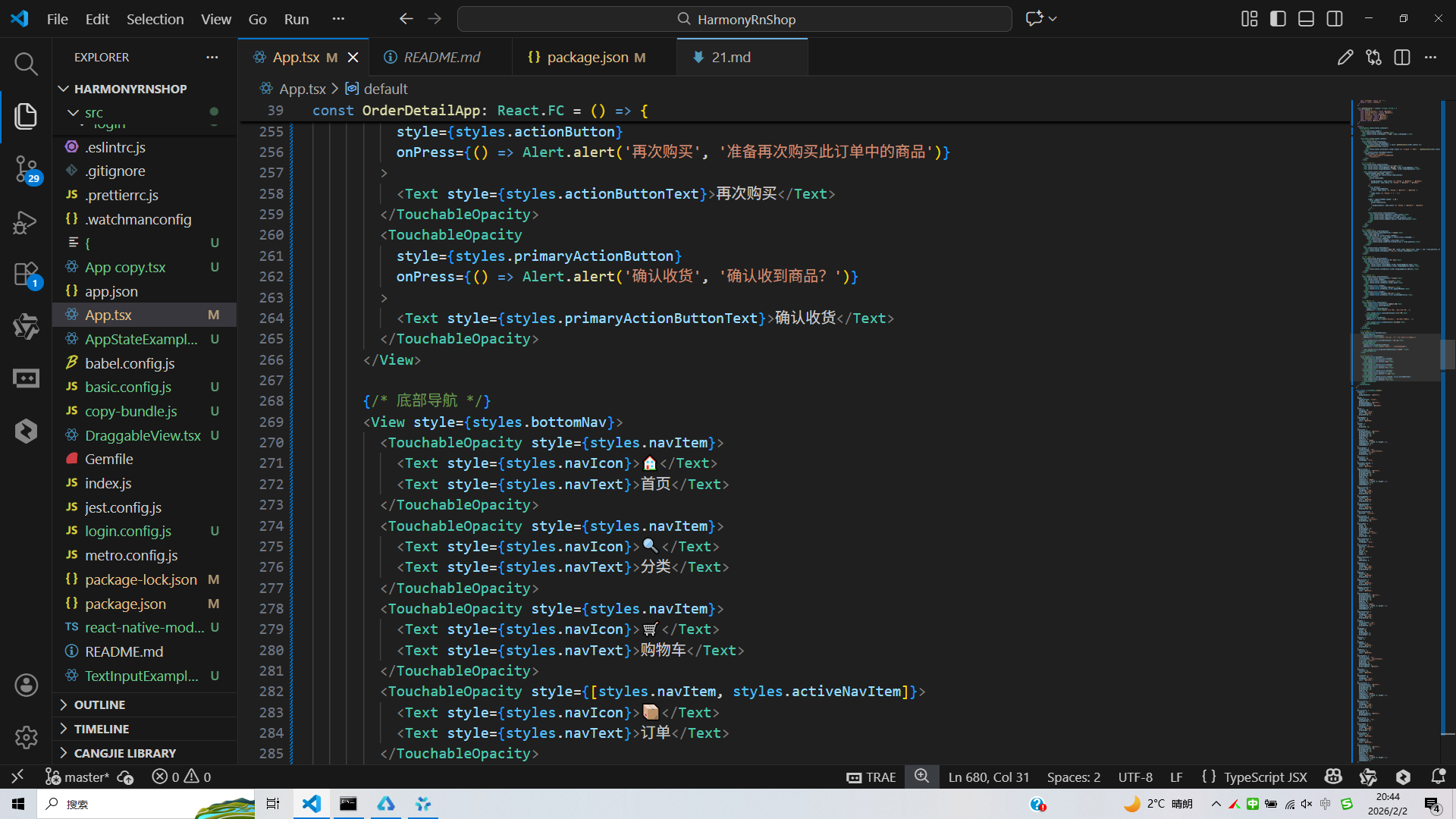
打包
接下来通过打包命令npn run harmony将reactNative的代码打包成为bundle,这样可以进行在开源鸿蒙OpenHarmony中进行使用。
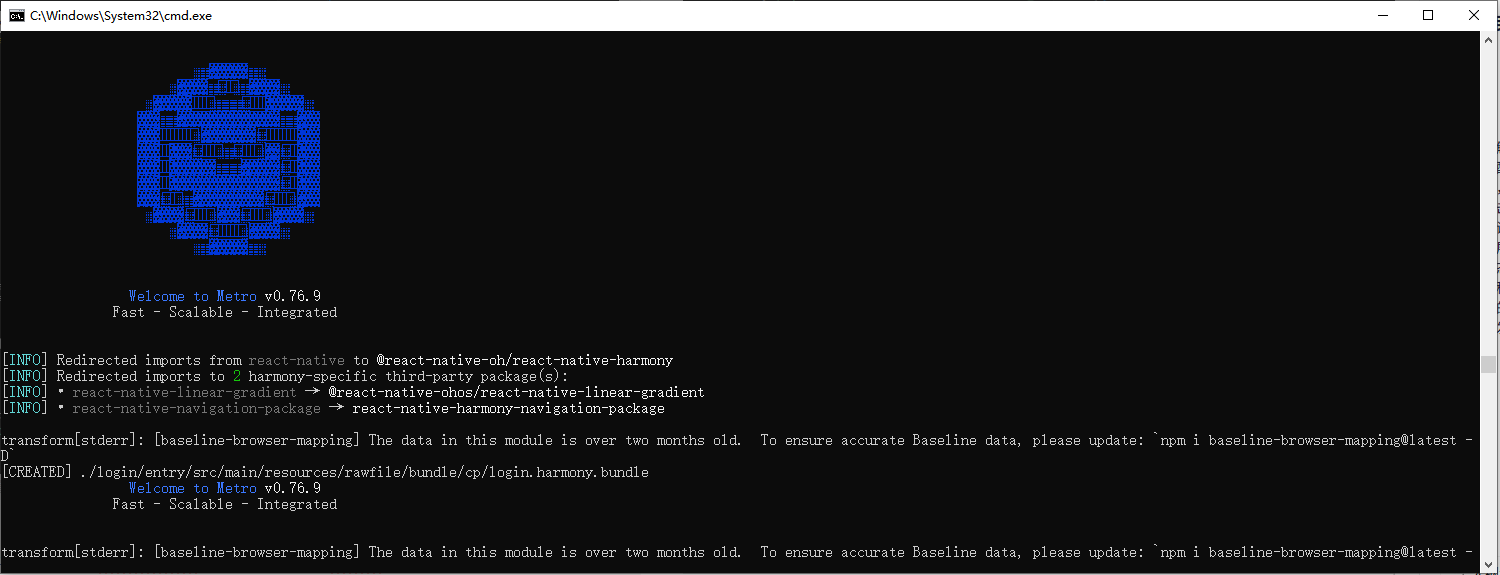
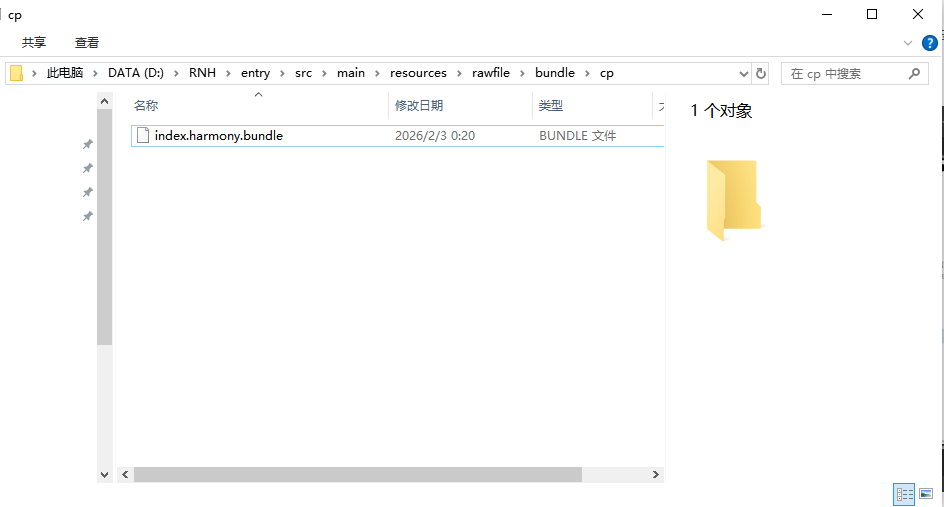
打包之后再将打包后的鸿蒙OpenHarmony文件拷贝到鸿蒙的DevEco-Studio工程目录去:
最后运行效果图如下显示: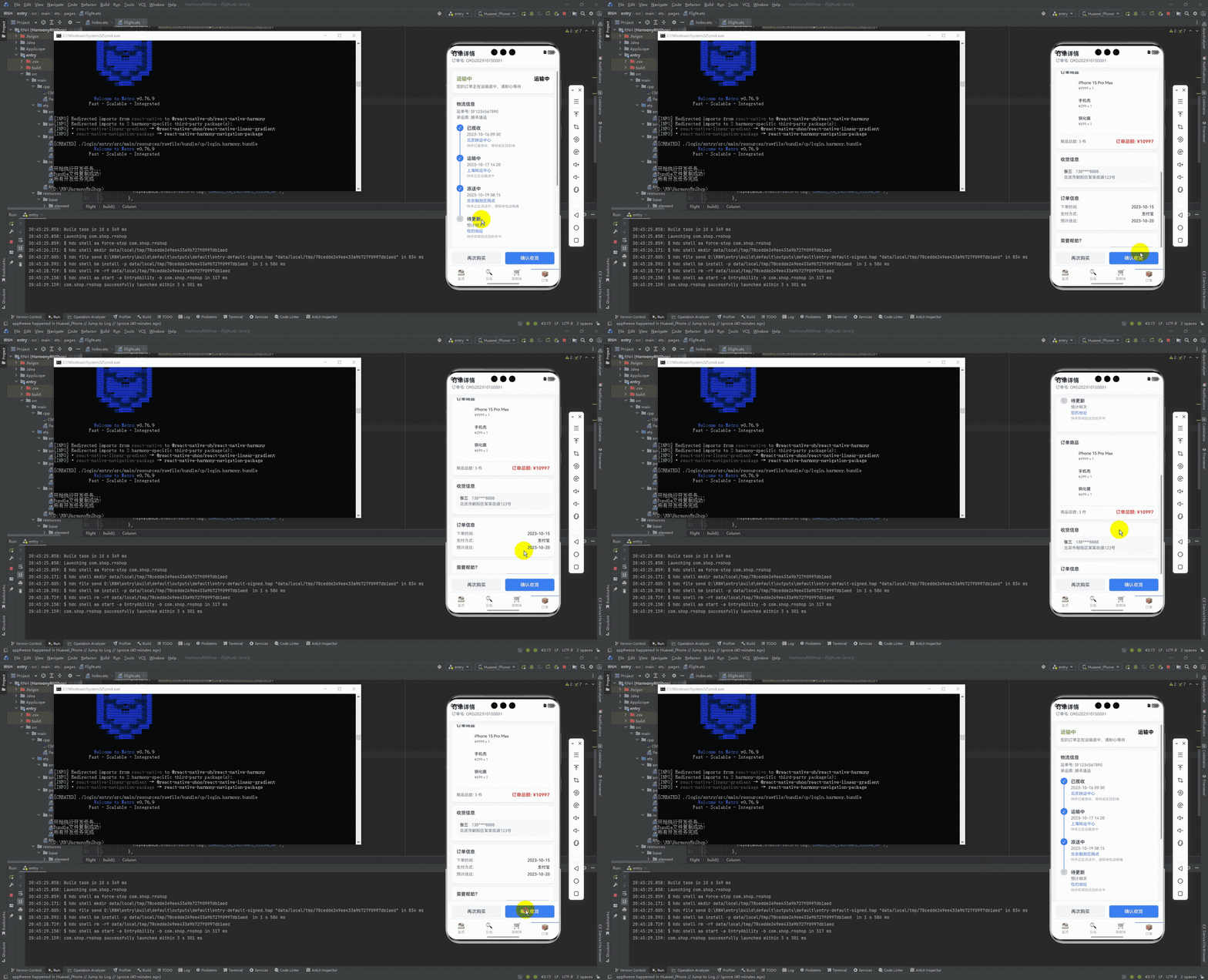
本文深入探讨了基于React Native的电商订单详情与物流跟踪系统实现方案。系统采用TypeScript构建了完整的数据模型,包括物流节点(LogisticsNode)和订单商品(OrderItem)类型,确保数据结构清晰且可扩展。通过React Hooks进行状态管理,实现了模块化和响应式的数据更新。UI层面采用卡片式布局和时间轴设计,直观展示订单状态、物流进度和商品信息。系统特别关注跨端兼容性,使用React Native核心组件和Base64图标确保在鸿蒙系统上的良好运行。该方案为电商应用提供了功能完善、用户体验良好的订单详情模块实现,并具备良好的可维护性和扩展性。
欢迎大家加入开源鸿蒙跨平台开发者社区,一起共建开源鸿蒙跨平台生态。

作为“人工智能6S店”的官方数字引擎,为AI开发者与企业提供一个覆盖软硬件全栈、一站式门户。
更多推荐
 11
11 0
0- 0


 已为社区贡献30条内容

所有评论(0)