
Flutter for OpenHarmony三国杀攻略App实战 - 鸿蒙适配与打包发布
随着华为鸿蒙系统的快速发展,Flutter for OpenHarmony为开发者提供了跨平台开发的新选择。本文将基于我们的三国杀攻略App项目,详细介绍如何进行鸿蒙系统适配、性能优化以及应用打包发布的完整流程。通过本文的详细介绍,我们完成了三国杀攻略App在鸿蒙系统上的完整适配和发布流程。从开发环境搭建到应用商店发布,每个环节都有相应的最佳实践。核心适配要点正确配置开发环境和依赖包实现系统特性检
前言
随着华为鸿蒙系统的快速发展,Flutter for OpenHarmony为开发者提供了跨平台开发的新选择。本文将基于我们的三国杀攻略App项目,详细介绍如何进行鸿蒙系统适配、性能优化以及应用打包发布的完整流程。
鸿蒙开发环境搭建
DevEco Studio 配置
# 1. 下载并安装DevEco Studio
# 官方下载地址:https://developer.harmonyos.com/cn/develop/deveco-studio

# 2. 配置SDK路径
export HARMONY_SDK_HOME=/path/to/harmony/sdk
export PATH=$PATH:$HARMONY_SDK_HOME/toolchains

# 3. 验证安装
hdc version
DevEco Studio 是鸿蒙应用开发的官方IDE,提供了完整的开发、调试和发布工具链。正确配置SDK路径和环境变量是后续开发的基础。
Flutter for OpenHarmony 环境
# pubspec.yaml 鸿蒙适配配置
name: sanguosha_strategy_app
description: 三国杀攻略App - 鸿蒙版本

version: 1.0.0+1

environment:
  sdk: '>=2.19.0 <4.0.0'
  flutter: ">=3.7.0"

dependencies:
  flutter:
    sdk: flutter

  # 鸿蒙兼容的依赖包
  cupertino_icons: ^1.0.2
  get: ^4.6.5
  flutter_screenutil: ^5.8.4
  shared_preferences: ^2.1.1

  # 鸿蒙特定依赖
  connectivity_plus: ^4.0.1
  device_info_plus: ^9.0.2
  package_info_plus: ^4.0.2

dev_dependencies:
  flutter_test:
    sdk: flutter
  flutter_lints: ^2.0.0

flutter:
  uses-material-design: true

  assets:
    - assets/images/
    - assets/icons/

  fonts:
    - family: HarmonyOS_Sans
      fonts:
        - asset: assets/fonts/HarmonyOS_Sans_Regular.ttf
        - asset: assets/fonts/HarmonyOS_Sans_Bold.ttf
          weight: 700
依赖包选择 需要确保与鸿蒙系统兼容。优先选择官方维护的包,避免使用平台特定的原生插件。鸿蒙系统推荐使用 HarmonyOS Sans 字体以获得最佳显示效果。
鸿蒙系统适配
系统特性检测
import 'dart:io';
import 'package:device_info_plus/device_info_plus.dart';

class PlatformHelper {
  static bool get isHarmonyOS => Platform.isAndroid && _isHarmonyDevice();
  static bool get isAndroid => Platform.isAndroid && !_isHarmonyDevice();
  static bool get isIOS => Platform.isIOS;

  static bool _isHarmonyDevice() {
    // 通过系统属性检测鸿蒙系统
    try {
      final result = Process.runSync('getprop', ['ro.build.version.harmony']);
      return result.stdout.toString().isNotEmpty;
    } catch (e) {
      return false;
    }
  }

  static Future<String> getSystemVersion() async {
    final deviceInfo = DeviceInfoPlugin();

    if (isHarmonyOS) {
      final harmonyInfo = await deviceInfo.androidInfo;
      return 'HarmonyOS ${harmonyInfo.version.release}';
    } else if (isAndroid) {
      final androidInfo = await deviceInfo.androidInfo;
      return 'Android ${androidInfo.version.release}';
    } else if (isIOS) {
      final iosInfo = await deviceInfo.iosInfo;
      return 'iOS ${iosInfo.systemVersion}';
    }

    return 'Unknown';
  }
}
系统特性检测 帮助应用识别运行环境,为不同平台提供差异化的功能和体验。鸿蒙系统基于Android内核,但有自己的特性和优化。
界面适配优化
class HarmonyUIAdapter {
  // 鸿蒙系统推荐的颜色方案
  static const Color harmonyBlue = Color(0xFF007DFF);
  static const Color harmonyGreen = Color(0xFF00C853);
  static const Color harmonyRed = Color(0xFFFA2A2D);
  static const Color harmonyOrange = Color(0xFFFF6500);

  // 获取平台适配的主题
  static ThemeData getTheme() {
    if (PlatformHelper.isHarmonyOS) {
      return ThemeData(
        primarySwatch: MaterialColor(0xFF007DFF, {
          50: harmonyBlue.withOpacity(0.1),
          100: harmonyBlue.withOpacity(0.2),
          200: harmonyBlue.withOpacity(0.3),
          300: harmonyBlue.withOpacity(0.4),
          400: harmonyBlue.withOpacity(0.5),
          500: harmonyBlue,
          600: harmonyBlue.withOpacity(0.7),
          700: harmonyBlue.withOpacity(0.8),
          800: harmonyBlue.withOpacity(0.9),
          900: harmonyBlue,
        }),
        fontFamily: 'HarmonyOS_Sans',
        appBarTheme: const AppBarTheme(
          backgroundColor: harmonyBlue,
          elevation: 0,
          centerTitle: true,
        ),
        elevatedButtonTheme: ElevatedButtonThemeData(
          style: ElevatedButton.styleFrom(
            backgroundColor: harmonyBlue,
            shape: RoundedRectangleBorder(
              borderRadius: BorderRadius.circular(8),
            ),
          ),
        ),
      );
    }

    // 默认Material Design主题
    return ThemeData(
      primarySwatch: Colors.blue,
      fontFamily: 'Roboto',
    );
  }

  // 获取平台适配的图标
  static IconData getBackIcon() {
    if (PlatformHelper.isHarmonyOS) {
      return Icons.arrow_back_ios; // 鸿蒙风格的返回图标
    }
    return Icons.arrow_back;
  }

  // 获取平台适配的动画曲线
  static Curve getAnimationCurve() {
    if (PlatformHelper.isHarmonyOS) {
      return Curves.easeInOutCubic; // 鸿蒙推荐的动画曲线
    }
    return Curves.easeInOut;
  }
}
界面适配 遵循鸿蒙系统的设计规范,使用推荐的颜色、字体和动画效果。这种适配让应用在鸿蒙设备上有更原生的体验。
导航栏适配
class HarmonyNavigationBar extends StatelessWidget {
final List<NavigationItem> items;
final int currentIndex;
final ValueChanged<int> onTap;
const HarmonyNavigationBar({
Key? key,
required this.items,
required this.currentIndex,
required this.onTap,
}) : super(key: key);
Widget build(BuildContext context) {
if (PlatformHelper.isHarmonyOS) {
return _buildHarmonyStyle();
}
return _buildMaterialStyle();
}
Widget _buildHarmonyStyle() {
return Container(
height: 60.h,
decoration: BoxDecoration(
color: Colors.white,
boxShadow: [
BoxShadow(
color: Colors.black.withOpacity(0.1),
blurRadius: 8,
offset: const Offset(0, -2),
),
],
),
child: Row(
children: items.asMap().entries.map((entry) {
final index = entry.key;
final item = entry.value;
final isSelected = index == currentIndex;
return Expanded(
child: GestureDetector(
onTap: () => onTap(index),
child: Container(
padding: EdgeInsets.symmetric(vertical: 8.h),
child: Column(
mainAxisSize: MainAxisSize.min,
children: [
Icon(
item.icon,
color: isSelected
? HarmonyUIAdapter.harmonyBlue
: Colors.grey,
size: 24.sp,
),
SizedBox(height: 4.h),
Text(
item.label,
style: TextStyle(
fontSize: 10.sp,
color: isSelected
? HarmonyUIAdapter.harmonyBlue
: Colors.grey,
fontFamily: 'HarmonyOS_Sans',
),
),
],
),
),
),
);
}).toList(),
),
);
}
Widget _buildMaterialStyle() {
return BottomNavigationBar(
items: items.map((item) => BottomNavigationBarItem(
icon: Icon(item.icon),
label: item.label,
)).toList(),
currentIndex: currentIndex,
onTap: onTap,
type: BottomNavigationBarType.fixed,
);
}
}
class NavigationItem {
final IconData icon;
final String label;
const NavigationItem({required this.icon, required this.label});
}
导航栏适配 为鸿蒙系统提供了专门的样式实现,使用鸿蒙的设计语言和交互方式。这种差异化设计提升了用户体验。
性能优化适配
内存管理优化
class HarmonyMemoryManager {
  static void optimizeForHarmony() {
    if (!PlatformHelper.isHarmonyOS) return;

    // 鸿蒙系统内存优化配置
    _configureImageCache();
    _optimizeGarbageCollection();
    _setupMemoryWarningListener();
  }

  static void _configureImageCache() {
    // 根据鸿蒙设备特性调整图片缓存
    PaintingBinding.instance.imageCache.maximumSize = 100;
    PaintingBinding.instance.imageCache.maximumSizeBytes = 50 << 20; // 50MB
  }

  static void _optimizeGarbageCollection() {
    // 定期触发垃圾回收,适应鸿蒙内存管理
    Timer.periodic(const Duration(minutes: 5), (timer) {
      if (PlatformHelper.isHarmonyOS) {
        // 清理不必要的缓存
        PaintingBinding.instance.imageCache.clear();
        // 建议系统进行垃圾回收
        _suggestGC();
      }
    });
  }

  static void _suggestGC() {
    // 通过平台通道建议系统进行垃圾回收
    try {
      const platform = MethodChannel('harmony/memory');
      platform.invokeMethod('suggestGC');
    } catch (e) {
      debugPrint('GC建议失败: $e');
    }
  }

  static void _setupMemoryWarningListener() {
    // 监听系统内存警告
    const platform = MethodChannel('harmony/memory');
    platform.setMethodCallHandler((call) async {
      if (call.method == 'onMemoryWarning') {
        _handleMemoryWarning();
      }
    });
  }

  static void _handleMemoryWarning() {
    // 处理内存警告
    PaintingBinding.instance.imageCache.clear();
    // 清理应用缓存
    CacheManager.clearAll();
    debugPrint('收到内存警告,已清理缓存');
  }
}
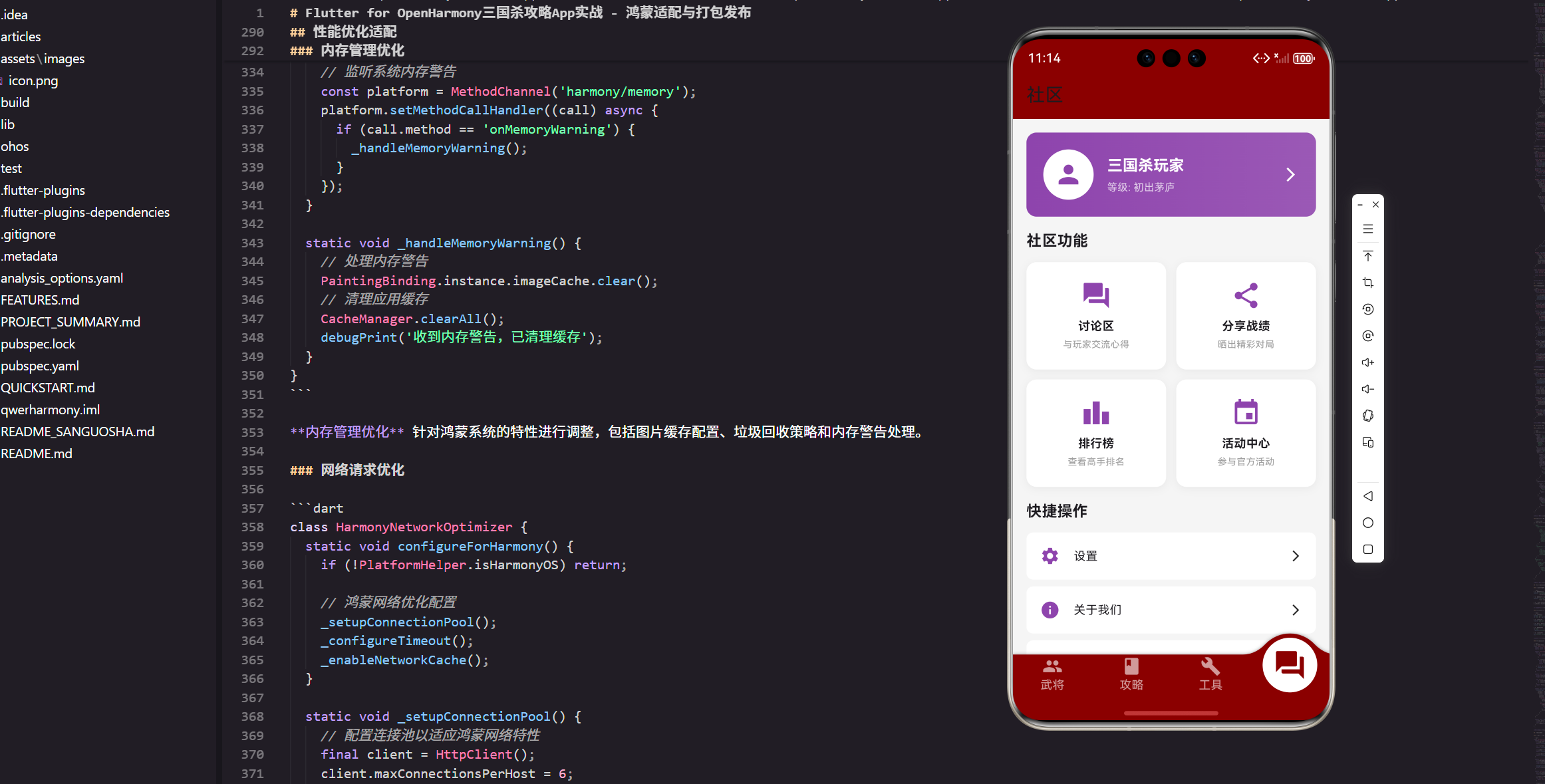
内存管理优化 针对鸿蒙系统的特性进行调整,包括图片缓存配置、垃圾回收策略和内存警告处理。
网络请求优化
class HarmonyNetworkOptimizer {
  static void configureForHarmony() {
    if (!PlatformHelper.isHarmonyOS) return;

    // 鸿蒙网络优化配置
    _setupConnectionPool();
    _configureTimeout();
    _enableNetworkCache();
  }

  static void _setupConnectionPool() {
    // 配置连接池以适应鸿蒙网络特性
    final client = HttpClient();
    client.maxConnectionsPerHost = 6;
    client.connectionTimeout = const Duration(seconds: 10);
    client.idleTimeout = const Duration(seconds: 30);
  }

  static void _configureTimeout() {
    // 根据鸿蒙网络环境调整超时时间
    ApiClient.setTimeouts(
      connectTimeout: 15000, // 鸿蒙设备网络连接可能较慢
      receiveTimeout: 20000,
      sendTimeout: 15000,
    );
  }

  static void _enableNetworkCache() {
    // 启用网络缓存以减少数据使用
    ApiClient.enableCache(
      maxAge: const Duration(minutes: 10),
      maxStale: const Duration(hours: 1),
    );
  }
}
网络优化 考虑了鸿蒙设备的网络特性,调整连接池配置和超时时间,提升网络请求的成功率和用户体验。
应用打包配置
鸿蒙应用配置
// ohos/entry/src/main/module.json5
{
  "module": {
    "name": "entry",
    "type": "entry",
    "description": "$string:module_desc",
    "mainElement": "EntryAbility",
    "deviceTypes": [
      "phone",
      "tablet",
      "2in1"
    ],
    "deliveryWithInstall": true,
    "installationFree": false,
    "pages": "$profile:main_pages",
    "abilities": [
      {
        "name": "EntryAbility",
        "srcEntry": "./ets/entryability/EntryAbility.ets",
        "description": "$string:EntryAbility_desc",
        "icon": "$media:icon",
        "label": "$string:EntryAbility_label",
        "startWindowIcon": "$media:icon",
        "startWindowBackground": "$color:start_window_background",
        "exported": true,
        "skills": [
          {
            "entities": [
              "entity.system.home"
            ],
            "actions": [
              "action.system.home"
            ]
          }
        ]
      }
    ],
    "requestPermissions": [
      {
        "name": "ohos.permission.INTERNET",
        "reason": "$string:permission_internet_reason",
        "usedScene": {
          "abilities": [
            "EntryAbility"
          ],
          "when": "inuse"
        }
      },
      {
        "name": "ohos.permission.WRITE_EXTERNAL_STORAGE",
        "reason": "$string:permission_storage_reason",
        "usedScene": {
          "abilities": [
            "EntryAbility"
          ],
          "when": "inuse"
        }
      }
    ]
  }
}
应用配置 定义了鸿蒙应用的基本信息、权限申请和设备支持类型。合理的权限配置确保应用能够正常运行并通过应用商店审核。
构建脚本配置
// ohos/build-profile.json5
{
  "app": {
    "signingConfigs": [
      {
        "name": "default",
        "type": "HarmonyOS",
        "material": {
          "certpath": "path/to/your/certificate.p12",
          "storePassword": "your_store_password",
          "keyAlias": "your_key_alias",
          "keyPassword": "your_key_password",
          "profile": "path/to/your/profile.p7b",
          "signAlg": "SHA256withECDSA",
          "hashAlg": "SHA256"
        }
      }
    ],
    "products": [
      {
        "name": "default",
        "signingConfig": "default",
        "compileSdkVersion": 9,
        "compatibleSdkVersion": 9,
        "runtimeOS": "HarmonyOS"
      }
    ]
  },
  "modules": [
    {
      "name": "entry",
      "srcPath": "./entry",
      "targets": [
        {
          "name": "default",
          "applyToProducts": [
            "default"
          ]
        }
      ]
    }
  ]
}
构建配置 包含了签名证书、SDK版本和编译目标的设置。正确的签名配置是应用发布的前提条件。
应用签名与发布
签名证书生成
# 1. 生成密钥对
keytool -genkeypair -alias sanguosha_key -keyalg RSA -keysize 2048 \
        -validity 365 -keystore sanguosha.p12 -storetype PKCS12

# 2. 生成证书签名请求
keytool -certreq -alias sanguosha_key -keystore sanguosha.p12 \
        -file sanguosha.csr

# 3. 配置签名信息
# 在DevEco Studio中配置签名证书路径和密码
签名证书 是应用身份的标识,需要妥善保管。开发阶段可以使用调试证书,发布时必须使用正式的发布证书。
应用打包流程
# 1. 清理项目
flutter clean
cd ohos && ./gradlew clean && cd ..

# 2. 获取依赖
flutter pub get

# 3. 构建鸿蒙应用
flutter build ohos --release

# 4. 生成HAP包
cd ohos
./gradlew assembleRelease

# 5. 验证HAP包
hdc install entry-default-signed.hap
打包流程 包括清理、依赖获取、构建和签名等步骤。每个步骤都需要确保无错误才能继续下一步。
应用商店发布
// 应用版本管理
class AppVersionManager {
  static const String currentVersion = '1.0.0';
  static const int buildNumber = 1;

  static Future<bool> checkForUpdate() async {
    try {
      final response = await http.get(
        Uri.parse('https://api.example.com/version/check'),
      );

      if (response.statusCode == 200) {
        final data = json.decode(response.body);
        final latestVersion = data['latest_version'];
        return _isNewerVersion(latestVersion, currentVersion);
      }
    } catch (e) {
      debugPrint('检查更新失败: $e');
    }
    return false;
  }

  static bool _isNewerVersion(String latest, String current) {
    final latestParts = latest.split('.').map(int.parse).toList();
    final currentParts = current.split('.').map(int.parse).toList();

    for (int i = 0; i < latestParts.length; i++) {
      if (latestParts[i] > currentParts[i]) return true;
      if (latestParts[i] < currentParts[i]) return false;
    }
    return false;
  }

  static void showUpdateDialog(BuildContext context) {
    showDialog(
      context: context,
      builder: (context) => AlertDialog(
        title: const Text('发现新版本'),
        content: const Text('是否前往应用商店更新?'),
        actions: [
          TextButton(
            onPressed: () => Navigator.pop(context),
            child: const Text('稍后'),
          ),
          ElevatedButton(
            onPressed: () {
              Navigator.pop(context);
              _openAppStore();
            },
            child: const Text('立即更新'),
          ),
        ],
      ),
    );
  }

  static void _openAppStore() {
    // 跳转到华为应用市场
    const url = 'appmarket://details?id=com.example.sanguosha';
    // 实现URL启动逻辑
  }
}
版本管理 包括版本检查、更新提醒和应用商店跳转功能。这些功能帮助用户及时获取最新版本。
测试与调试
鸿蒙设备测试
class HarmonyTestHelper {
  static Future<void> runCompatibilityTests() async {
    // 系统兼容性测试
    await _testSystemFeatures();

    // 性能测试
    await _testPerformance();

    // 界面适配测试
    await _testUIAdaptation();

    // 网络功能测试
    await _testNetworkFeatures();
  }

  static Future<void> _testSystemFeatures() async {
    // 测试系统特性检测
    final isHarmony = PlatformHelper.isHarmonyOS;
    final version = await PlatformHelper.getSystemVersion();

    debugPrint('系统检测: $isHarmony, 版本: $version');
    assert(isHarmony || PlatformHelper.isAndroid || PlatformHelper.isIOS);
  }

  static Future<void> _testPerformance() async {
    // 性能基准测试
    final stopwatch = Stopwatch()..start();

    // 模拟复杂操作
    for (int i = 0; i < 1000; i++) {
      await Future.delayed(const Duration(microseconds: 1));
    }

    stopwatch.stop();
    final elapsed = stopwatch.elapsedMilliseconds;

    debugPrint('性能测试: ${elapsed}ms');
    assert(elapsed < 1000, '性能测试超时');
  }

  static Future<void> _testUIAdaptation() async {
    // 测试UI适配
    final theme = HarmonyUIAdapter.getTheme();
    final backIcon = HarmonyUIAdapter.getBackIcon();
    final curve = HarmonyUIAdapter.getAnimationCurve();

    assert(theme != null);
    assert(backIcon != null);
    assert(curve != null);

    debugPrint('UI适配测试通过');
  }

  static Future<void> _testNetworkFeatures() async {
    // 测试网络功能
    try {
      final response = await http.get(Uri.parse('https://httpbin.org/get'));
      assert(response.statusCode == 200);
      debugPrint('网络测试通过');
    } catch (e) {
      debugPrint('网络测试失败: $e');
      rethrow;
    }
  }
}
测试框架 确保应用在鸿蒙设备上的兼容性和性能表现。全面的测试覆盖减少了发布后的问题。
发布后维护
崩溃监控
class HarmonyCrashReporter {
  static void init() {
    FlutterError.onError = (FlutterErrorDetails details) {
      _reportError(details.exception, details.stack);
    };

    PlatformDispatcher.instance.onError = (error, stack) {
      _reportError(error, stack);
      return true;
    };
  }

  static void _reportError(Object error, StackTrace? stack) {
    // 收集设备信息
    final deviceInfo = {
      'platform': PlatformHelper.isHarmonyOS ? 'HarmonyOS' : 'Android',
      'version': 'unknown', // 异步获取
      'app_version': AppVersionManager.currentVersion,
      'timestamp': DateTime.now().toIso8601String(),
    };

    // 发送崩溃报告
    _sendCrashReport({
      'error': error.toString(),
      'stack': stack.toString(),
      'device_info': deviceInfo,
    });
  }

  static void _sendCrashReport(Map<String, dynamic> report) {
    // 发送到崩溃收集服务
    http.post(
      Uri.parse('https://api.example.com/crash-report'),
      headers: {'Content-Type': 'application/json'},
      body: json.encode(report),
    ).catchError((e) {
      debugPrint('发送崩溃报告失败: $e');
    });
  }
}
崩溃监控 帮助开发者及时发现和修复问题,提升应用的稳定性和用户体验。
总结
通过本文的详细介绍,我们完成了三国杀攻略App在鸿蒙系统上的完整适配和发布流程。从开发环境搭建到应用商店发布,每个环节都有相应的最佳实践。
核心适配要点:
- 正确配置开发环境和依赖包
- 实现系统特性检测和界面适配
- 针对鸿蒙系统进行性能优化
- 完成应用签名和打包流程
- 建立完善的测试和监控体系
这套完整的适配方案让我们的应用能够在鸿蒙生态中提供优秀的用户体验。在最后一篇文章中,我们将对整个项目进行总结和展望。
欢迎加入开源鸿蒙跨平台社区:https://openharmonycrossplatform.csdn.net

作为“人工智能6S店”的官方数字引擎,为AI开发者与企业提供一个覆盖软硬件全栈、一站式门户。
更多推荐


 26
26 0
0- 0


 已为社区贡献4条内容

所有评论(0)