
Flutter for OpenHarmony 适配:mango_shop 页面布局的鸿蒙多设备屏幕适配方案
OpenHarmony 作为一个全场景分布式操作系统,支持多种设备类型,包括手机、平板、智能穿戴设备等。这意味着 Flutter 应用在 OpenHarmony 平台上需要适配不同尺寸和形状的屏幕。提高用户体验:为不同尺寸的设备提供最佳的布局体验增强跨平台兼容性:确保应用在 OpenHarmony 平台上表现出色提高代码可维护性:使用统一的适配方案,减少平台特定代码提升应用性能:通过性能优化,确保
Flutter for OpenHarmony 适配:mango_shop 页面布局的鸿蒙多设备屏幕适配方案
作者:爱吃大芒果
个人主页 爱吃大芒果
本文所属专栏Flutter
更多专栏
Ascend C 算子开发教程(进阶)
鸿蒙集成
OpenAgents
openJiuwen
从0到1自学C++
多设备屏幕适配概述
OpenHarmony 作为一个全场景分布式操作系统,支持多种设备类型,包括手机、平板、智能穿戴设备等。这意味着 Flutter 应用在 OpenHarmony 平台上需要适配不同尺寸和形状的屏幕。
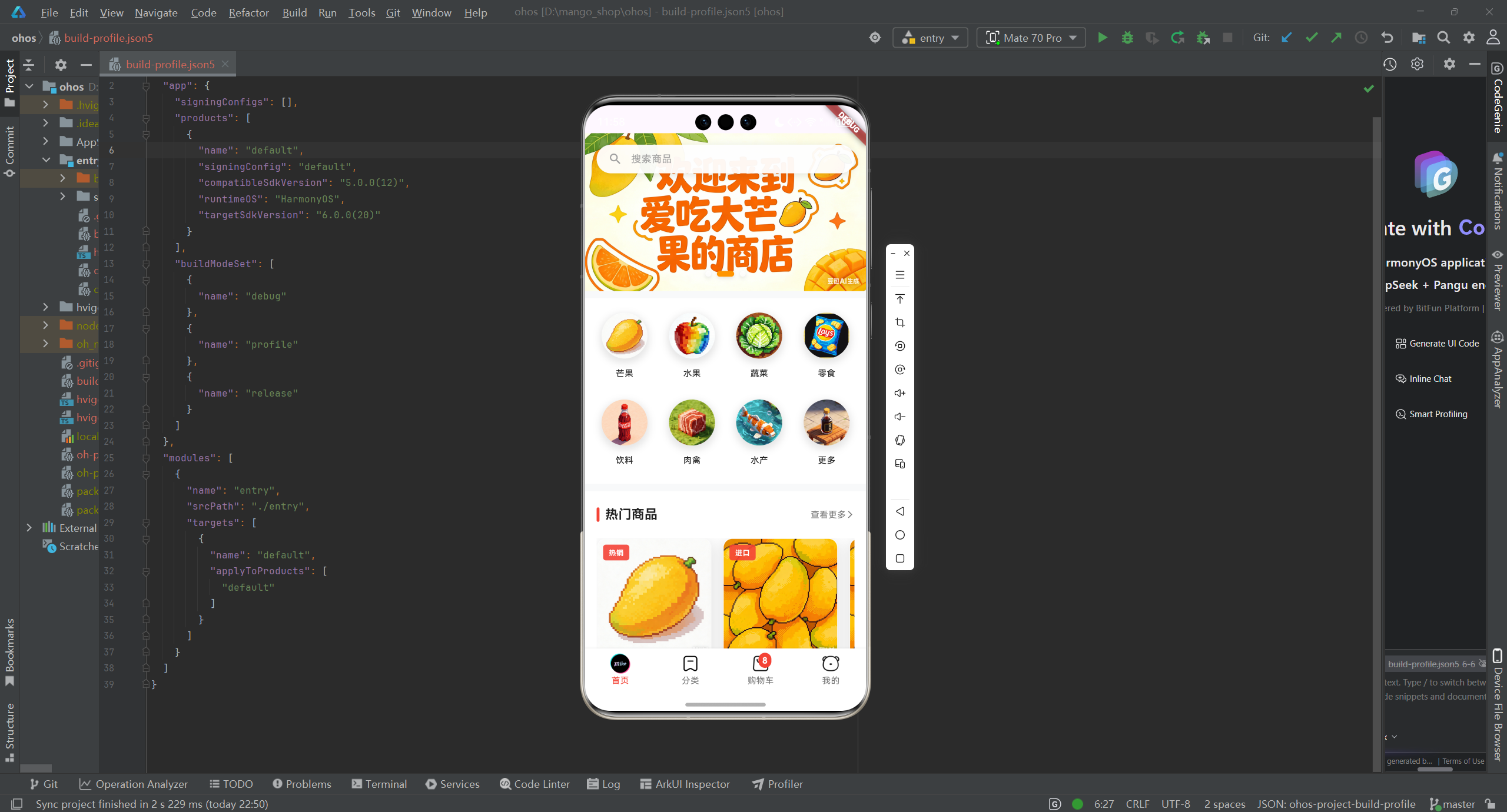
当前布局实现分析
通过对 mango_shop 项目的分析,我们发现:
-
基本布局实现:
- 使用
ListView实现垂直滚动布局 - 使用
Stack实现轮播图和搜索栏的叠加布局 - 使用
Container和Padding控制间距和尺寸 - 硬编码了一些尺寸值,如
height: 40、padding: EdgeInsets.all(16)等
- 使用
-
存在的问题:
- 缺少对不同屏幕尺寸的适配
- 硬编码的尺寸值可能在不同设备上表现不一致
- 没有针对 OpenHarmony 平台的特殊适配
- 缺少响应式布局的实现
多设备屏幕适配方案
1. 屏幕尺寸分类
根据 OpenHarmony 支持的设备类型,我们可以将屏幕尺寸分为以下几类:
| 设备类型 | 屏幕宽度范围 | 适配策略 |
|---|---|---|
| 智能穿戴 | < 360px | 简化布局,只显示核心内容 |
| 手机 | 360px - 720px | 标准布局,适应不同屏幕比例 |
| 平板 | 720px - 1280px | 扩展布局,利用更多屏幕空间 |
| 智慧屏 | > 1280px | 桌面布局,多列显示内容 |
2. 响应式布局实现
2.1 布局工具类
// lib/utils/responsive/responsive.dart
import 'package:flutter/material.dart';

class Responsive {
  // 获取屏幕尺寸
  static Size getScreenSize(BuildContext context) {
    return MediaQuery.of(context).size;
  }

  // 获取屏幕宽度
  static double getScreenWidth(BuildContext context) {
    return getScreenSize(context).width;
  }

  // 获取屏幕高度
  static double getScreenHeight(BuildContext context) {
    return getScreenSize(context).height;
  }

  // 获取屏幕方向
  static Orientation getOrientation(BuildContext context) {
    return MediaQuery.of(context).orientation;
  }

  // 判断是否为横屏
  static bool isLandscape(BuildContext context) {
    return getOrientation(context) == Orientation.landscape;
  }

  // 判断是否为竖屏
  static bool isPortrait(BuildContext context) {
    return getOrientation(context) == Orientation.portrait;
  }

  // 判断是否为小屏幕(智能穿戴)
  static bool isSmallScreen(BuildContext context) {
    return getScreenWidth(context) < 360;
  }

  // 判断是否为中等屏幕(手机)
  static bool isMediumScreen(BuildContext context) {
    final width = getScreenWidth(context);
    return width >= 360 && width < 720;
  }

  // 判断是否为大屏幕(平板)
  static bool isLargeScreen(BuildContext context) {
    final width = getScreenWidth(context);
    return width >= 720 && width < 1280;
  }

  // 判断是否为超大屏幕(智慧屏)
  static bool isExtraLargeScreen(BuildContext context) {
    return getScreenWidth(context) >= 1280;
  }

  // 根据屏幕尺寸获取适配值
  static double getResponsiveValue(BuildContext context, {
    required double smallScreenValue,
    required double mediumScreenValue,
    required double largeScreenValue,
    required double extraLargeScreenValue,
  }) {
    if (isSmallScreen(context)) {
      return smallScreenValue;
    } else if (isMediumScreen(context)) {
      return mediumScreenValue;
    } else if (isLargeScreen(context)) {
      return largeScreenValue;
    } else {
      return extraLargeScreenValue;
    }
  }

  // 获取响应式字体大小
  static double getResponsiveFontSize(BuildContext context, double baseSize) {
    final width = getScreenWidth(context);
    // 根据屏幕宽度缩放字体大小
    return baseSize * (width / 375); // 以 375px 屏幕宽度为基准
  }

  // 获取响应式边距
  static double getResponsiveMargin(BuildContext context, double baseMargin) {
    final width = getScreenWidth(context);
    // 根据屏幕宽度缩放边距
    return baseMargin * (width / 375); // 以 375px 屏幕宽度为基准
  }
}
2.2 响应式布局组件
// lib/components/responsive/responsive_layout.dart
import 'package:flutter/material.dart';
import 'package:mango_shop/utils/responsive/responsive.dart';
class ResponsiveLayout extends StatelessWidget {
final Widget smallScreen;
final Widget mediumScreen;
final Widget largeScreen;
final Widget extraLargeScreen;
const ResponsiveLayout({
Key? key,
required this.smallScreen,
required this.mediumScreen,
required this.largeScreen,
required this.extraLargeScreen,
}) : super(key: key);
Widget build(BuildContext context) {
return LayoutBuilder(
builder: (context, constraints) {
if (Responsive.isSmallScreen(context)) {
return smallScreen;
} else if (Responsive.isMediumScreen(context)) {
return mediumScreen;
} else if (Responsive.isLargeScreen(context)) {
return largeScreen;
} else {
return extraLargeScreen;
}
},
);
}
}
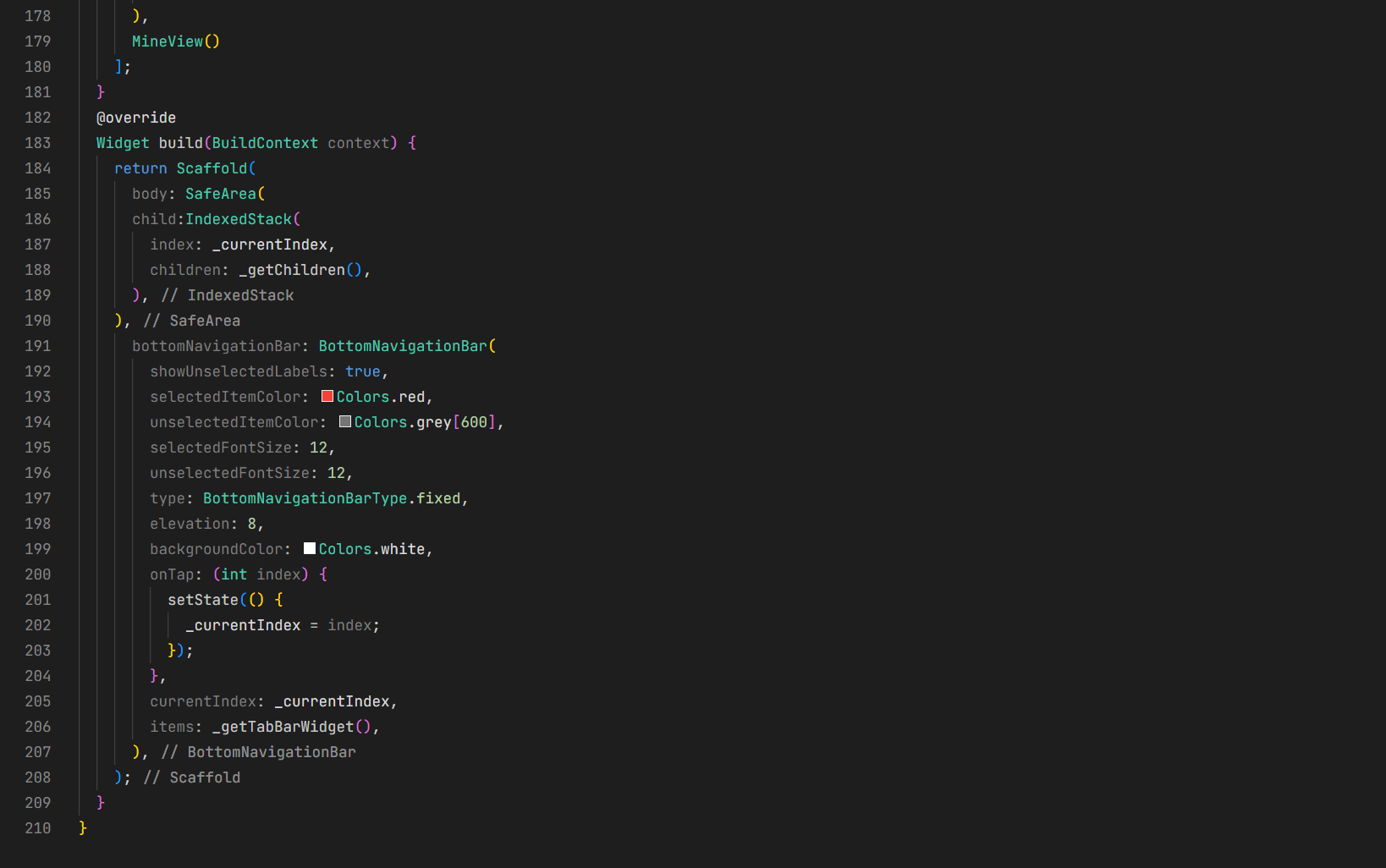
3. 页面布局适配
3.1 首页布局适配
// lib/pages/Home/index.dart
import 'package:flutter/material.dart';
import 'package:mango_shop/components/Home/MgSlider/MgSlider.dart';
import 'package:mango_shop/components/Home/MgCategory/MgCategory.dart';
import 'package:mango_shop/components/Home/MgHot/MgHot.dart';
import 'package:mango_shop/components/Home/MgSuggestion/MgSuggestion.dart';
import 'package:mango_shop/components/Home/MgMoreList/MgMoreList.dart';
import 'package:mango_shop/components/responsive/responsive_layout.dart';
import 'package:mango_shop/utils/colors.dart';
import 'package:mango_shop/utils/responsive/responsive.dart';
import 'package:mango_shop/routes/navigation_service.dart';
import 'package:mango_shop/routes/router.dart';
class HomeView extends StatelessWidget {
const HomeView({Key? key}) : super(key: key);
Widget build(BuildContext context) {
return Scaffold(
backgroundColor: AppColors.background,
body: ResponsiveLayout(
smallScreen: _buildSmallScreenLayout(context),
mediumScreen: _buildMediumScreenLayout(context),
largeScreen: _buildLargeScreenLayout(context),
extraLargeScreen: _buildExtraLargeScreenLayout(context),
),
);
}
// 小屏幕布局(智能穿戴)
Widget _buildSmallScreenLayout(BuildContext context) {
return ListView(
padding: EdgeInsets.zero,
children: [
// 简化的轮播图
Container(
height: 120,
child: Mgslider(),
),
// 简化的分类导航
Container(
padding: EdgeInsets.all(12),
child: Text('分类导航', style: TextStyle(fontSize: 16, fontWeight: FontWeight.bold)),
),
// 简化的热门商品
Container(
padding: EdgeInsets.all(12),
child: Text('热门商品', style: TextStyle(fontSize: 16, fontWeight: FontWeight.bold)),
),
SizedBox(height: 20),
],
);
}
// 中等屏幕布局(手机)
Widget _buildMediumScreenLayout(BuildContext context) {
return ListView(
padding: EdgeInsets.zero,
children: [
// 轮播图和搜索栏
Stack(
children: [
// 轮播图
Container(
width: double.infinity,
child: Mgslider(),
),
// 透明搜索栏(置顶)
Positioned(
top: 16,
left: 16,
right: 16,
child: _buildSearchBar(context),
),
],
),
// 分类导航
Mgcategory(),
// 热门商品
Mghot(),
// 推荐商品
Mgsuggestion(),
// 更多商品列表
MgmoreList(),
SizedBox(height: 32),
],
);
}
// 大屏幕布局(平板)
Widget _buildLargeScreenLayout(BuildContext context) {
return ListView(
padding: EdgeInsets.zero,
children: [
// 轮播图和搜索栏
Stack(
children: [
// 轮播图
Container(
width: double.infinity,
height: 280,
child: Mgslider(),
),
// 透明搜索栏(置顶)
Positioned(
top: 24,
left: 24,
right: 24,
child: _buildSearchBar(context, height: 48),
),
],
),
// 分类导航和热门商品(并排显示)
Padding(
padding: EdgeInsets.all(24),
child: Row(
crossAxisAlignment: CrossAxisAlignment.start,
children: [
// 分类导航(占 1/3 宽度)
Expanded(
flex: 1,
child: Mgcategory(),
),
SizedBox(width: 24),
// 热门商品(占 2/3 宽度)
Expanded(
flex: 2,
child: Mghot(),
),
],
),
),
// 推荐商品
Mgsuggestion(),
// 更多商品列表(4列布局)
Container(
padding: EdgeInsets.all(24),
child: GridView.builder(
shrinkWrap: true,
physics: NeverScrollableScrollPhysics(),
gridDelegate: SliverGridDelegateWithFixedCrossAxisCount(
crossAxisCount: 4,
mainAxisSpacing: 20,
crossAxisSpacing: 20,
childAspectRatio: 0.9,
),
itemCount: 8,
itemBuilder: (context, index) {
// 构建商品卡片
return _buildProductCard(context);
},
),
),
SizedBox(height: 48),
],
);
}
// 超大屏幕布局(智慧屏)
Widget _buildExtraLargeScreenLayout(BuildContext context) {
return SingleChildScrollView(
padding: EdgeInsets.zero,
child: Column(
children: [
// 顶部导航栏
Container(
padding: EdgeInsets.all(24),
child: Row(
mainAxisAlignment: MainAxisAlignment.spaceBetween,
children: [
Text('Mango Shop', style: TextStyle(fontSize: 24, fontWeight: FontWeight.bold)),
Row(
children: [
_buildSearchBar(context, width: 400, height: 48),
SizedBox(width: 24),
ElevatedButton(
onPressed: () {},
child: Text('登录'),
),
],
),
],
),
),
// 轮播图
Container(
height: 320,
child: Mgslider(),
),
// 主要内容区域(三列布局)
Container(
padding: EdgeInsets.all(32),
child: Row(
crossAxisAlignment: CrossAxisAlignment.start,
children: [
// 左侧分类导航
Expanded(
flex: 1,
child: Container(
padding: EdgeInsets.all(24),
decoration: BoxDecoration(
color: Colors.white,
borderRadius: BorderRadius.circular(8),
),
child: Mgcategory(),
),
),
SizedBox(width: 32),
// 中间内容区域
Expanded(
flex: 2,
child: Column(
children: [
Mghot(),
SizedBox(height: 32),
Mgsuggestion(),
],
),
),
SizedBox(width: 32),
// 右侧推荐区域
Expanded(
flex: 1,
child: Container(
padding: EdgeInsets.all(24),
decoration: BoxDecoration(
color: Colors.white,
borderRadius: BorderRadius.circular(8),
),
child: Column(
crossAxisAlignment: CrossAxisAlignment.start,
children: [
Text('为您推荐', style: TextStyle(fontSize: 18, fontWeight: FontWeight.bold)),
SizedBox(height: 24),
// 推荐商品列表
Column(
children: List.generate(5, (index) => _buildSideProductCard(context)),
),
],
),
),
),
],
),
),
// 更多商品区域
Container(
padding: EdgeInsets.all(32),
child: Column(
crossAxisAlignment: CrossAxisAlignment.start,
children: [
Text('更多商品', style: TextStyle(fontSize: 20, fontWeight: FontWeight.bold)),
SizedBox(height: 24),
GridView.builder(
shrinkWrap: true,
physics: NeverScrollableScrollPhysics(),
gridDelegate: SliverGridDelegateWithFixedCrossAxisCount(
crossAxisCount: 5,
mainAxisSpacing: 24,
crossAxisSpacing: 24,
childAspectRatio: 0.9,
),
itemCount: 10,
itemBuilder: (context, index) {
return _buildProductCard(context);
},
),
],
),
),
SizedBox(height: 48),
],
),
);
}
// 构建搜索栏
Widget _buildSearchBar(BuildContext context, {double? width, double height = 40}) {
return GestureDetector(
onTap: () {
// 搜索栏点击事件
NavigationService.navigateTo(RouteNames.search);
},
child: AnimatedScale(
duration: Duration(milliseconds: 100),
scale: 1.0,
child: Container(
width: width,
height: height,
decoration: BoxDecoration(
color: AppColors.white.withOpacity(0.95),
borderRadius: BorderRadius.circular(height / 2),
boxShadow: [
BoxShadow(
color: AppColors.black.withOpacity(0.1),
blurRadius: 8,
offset: Offset(0, 2),
),
],
),
child: Row(
children: [
SizedBox(width: 16),
Icon(Icons.search, color: AppColors.textHint, size: height * 0.5),
SizedBox(width: 12),
Text('搜索商品', style: TextStyle(color: AppColors.textHint, fontSize: height * 0.35)),
],
),
),
),
);
}
// 构建商品卡片
Widget _buildProductCard(BuildContext context) {
return Container(
decoration: BoxDecoration(
color: Colors.white,
borderRadius: BorderRadius.circular(8),
boxShadow: [
BoxShadow(
color: Colors.grey[200]!,
spreadRadius: 1,
blurRadius: 3,
offset: Offset(0, 1),
),
],
),
child: Column(
crossAxisAlignment: CrossAxisAlignment.start,
children: [
Container(
height: 120,
decoration: BoxDecoration(
borderRadius: BorderRadius.vertical(top: Radius.circular(8)),
image: DecorationImage(
image: AssetImage('lib/assets/220c3184-fec6-4c46-8606-67015ed201cc.png'),
fit: BoxFit.cover,
),
),
),
Padding(
padding: EdgeInsets.all(12),
child: Column(
crossAxisAlignment: CrossAxisAlignment.start,
children: [
Text('海南芒果', style: TextStyle(fontSize: 14, fontWeight: FontWeight.w500)),
SizedBox(height: 8),
Text('¥19.9', style: TextStyle(fontSize: 16, fontWeight: FontWeight.bold, color: Colors.red)),
],
),
),
],
),
);
}
// 构建侧边商品卡片
Widget _buildSideProductCard(BuildContext context) {
return Container(
margin: EdgeInsets.only(bottom: 16),
padding: EdgeInsets.all(12),
decoration: BoxDecoration(
color: Colors.white,
borderRadius: BorderRadius.circular(8),
border: Border.all(color: Colors.grey[100]!),
),
child: Row(
children: [
Container(
width: 60,
height: 60,
decoration: BoxDecoration(
borderRadius: BorderRadius.circular(4),
image: DecorationImage(
image: AssetImage('lib/assets/220c3184-fec6-4c46-8606-67015ed201cc.png'),
fit: BoxFit.cover,
),
),
),
SizedBox(width: 12),
Expanded(
child: Column(
crossAxisAlignment: CrossAxisAlignment.start,
children: [
Text('海南芒果', style: TextStyle(fontSize: 14, fontWeight: FontWeight.w500)),
SizedBox(height: 4),
Text('¥19.9', style: TextStyle(fontSize: 14, fontWeight: FontWeight.bold, color: Colors.red)),
],
),
),
],
),
);
}
}
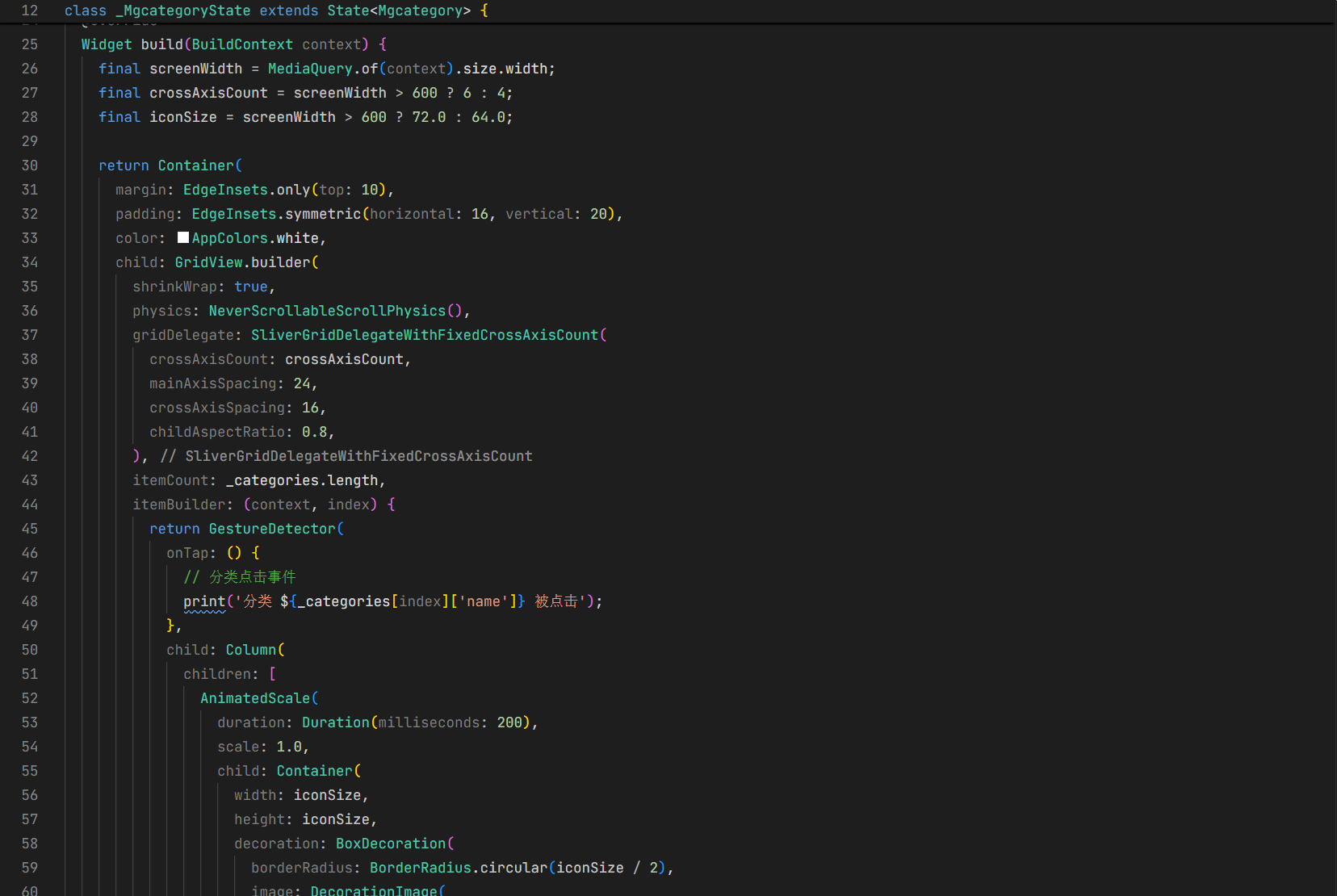
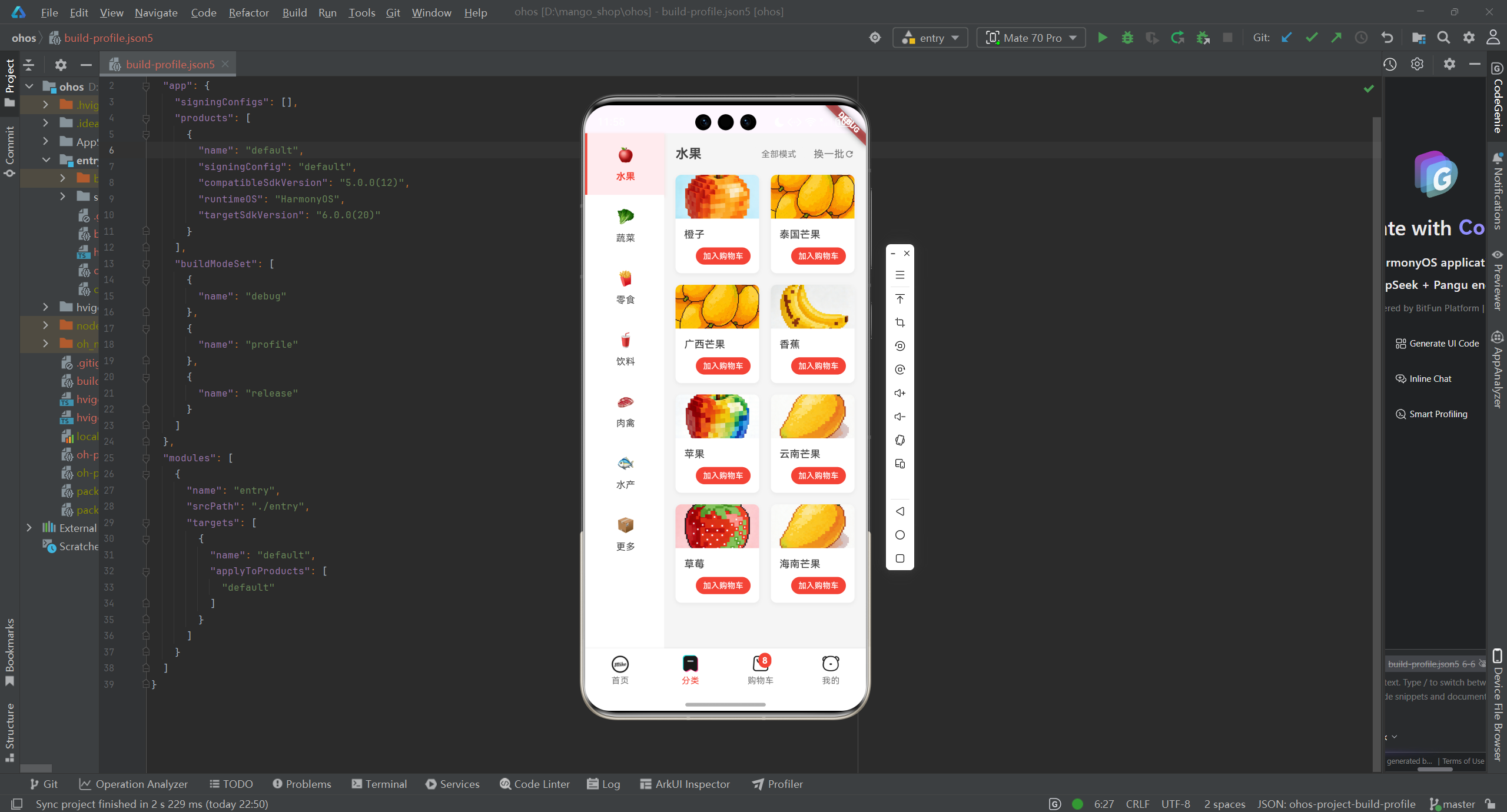
3.2 分类导航适配
// lib/components/Home/MgCategory/MgCategory.dart
import 'package:flutter/material.dart';
import 'package:mango_shop/utils/colors.dart';
import 'package:mango_shop/utils/responsive/responsive.dart';
class Mgcategory extends StatelessWidget {
const Mgcategory({Key? key}) : super(key: key);
Widget build(BuildContext context) {
final screenWidth = MediaQuery.of(context).size.width;
final crossAxisCount = Responsive.isSmallScreen(context) ? 3 :
Responsive.isMediumScreen(context) ? 4 :
Responsive.isLargeScreen(context) ? 5 : 6;
final iconSize = Responsive.getResponsiveValue(context,
smallScreenValue: 48,
mediumScreenValue: 64,
largeScreenValue: 72,
extraLargeScreenValue: 80,
);
final categories = [
{'name': '芒果', 'icon': 'lib/assets/220c3184-fec6-4c46-8606-67015ed201cc.png'},
{'name': '水果', 'icon': 'lib/assets/苹果.png'},
{'name': '蔬菜', 'icon': 'lib/assets/白菜.png'},
{'name': '零食', 'icon': 'lib/assets/薯片.png'},
{'name': '饮料', 'icon': 'lib/assets/可乐.png'},
{'name': '肉禽', 'icon': 'lib/assets/猪肉.png'},
{'name': '水产', 'icon': 'lib/assets/鱼.png'},
{'name': '更多', 'icon': 'lib/assets/调味品.png'},
];
return Container(
margin: EdgeInsets.only(top: 10),
padding: EdgeInsets.symmetric(horizontal: 16, vertical: 20),
color: AppColors.white,
child: GridView.builder(
shrinkWrap: true,
physics: NeverScrollableScrollPhysics(),
gridDelegate: SliverGridDelegateWithFixedCrossAxisCount(
crossAxisCount: crossAxisCount,
mainAxisSpacing: 24,
crossAxisSpacing: 16,
childAspectRatio: 0.8,
),
itemCount: categories.length,
itemBuilder: (context, index) {
return GestureDetector(
onTap: () {
// 分类点击事件
print('分类 ${categories[index]['name']} 被点击');
},
child: Column(
children: [
AnimatedScale(
duration: Duration(milliseconds: 200),
scale: 1.0,
child: Container(
width: iconSize,
height: iconSize,
decoration: BoxDecoration(
borderRadius: BorderRadius.circular(iconSize / 2),
image: DecorationImage(
image: AssetImage(categories[index]['icon']!),
fit: BoxFit.cover,
),
boxShadow: [
BoxShadow(
color: AppColors.black.withOpacity(0.1),
spreadRadius: 2,
blurRadius: 8,
offset: Offset(0, 4),
),
],
),
),
),
SizedBox(height: 12),
Text(
categories[index]['name']!,
style: TextStyle(
fontSize: Responsive.getResponsiveFontSize(context, 12),
color: AppColors.textPrimary,
),
textAlign: TextAlign.center,
),
],
),
);
},
),
);
}
}
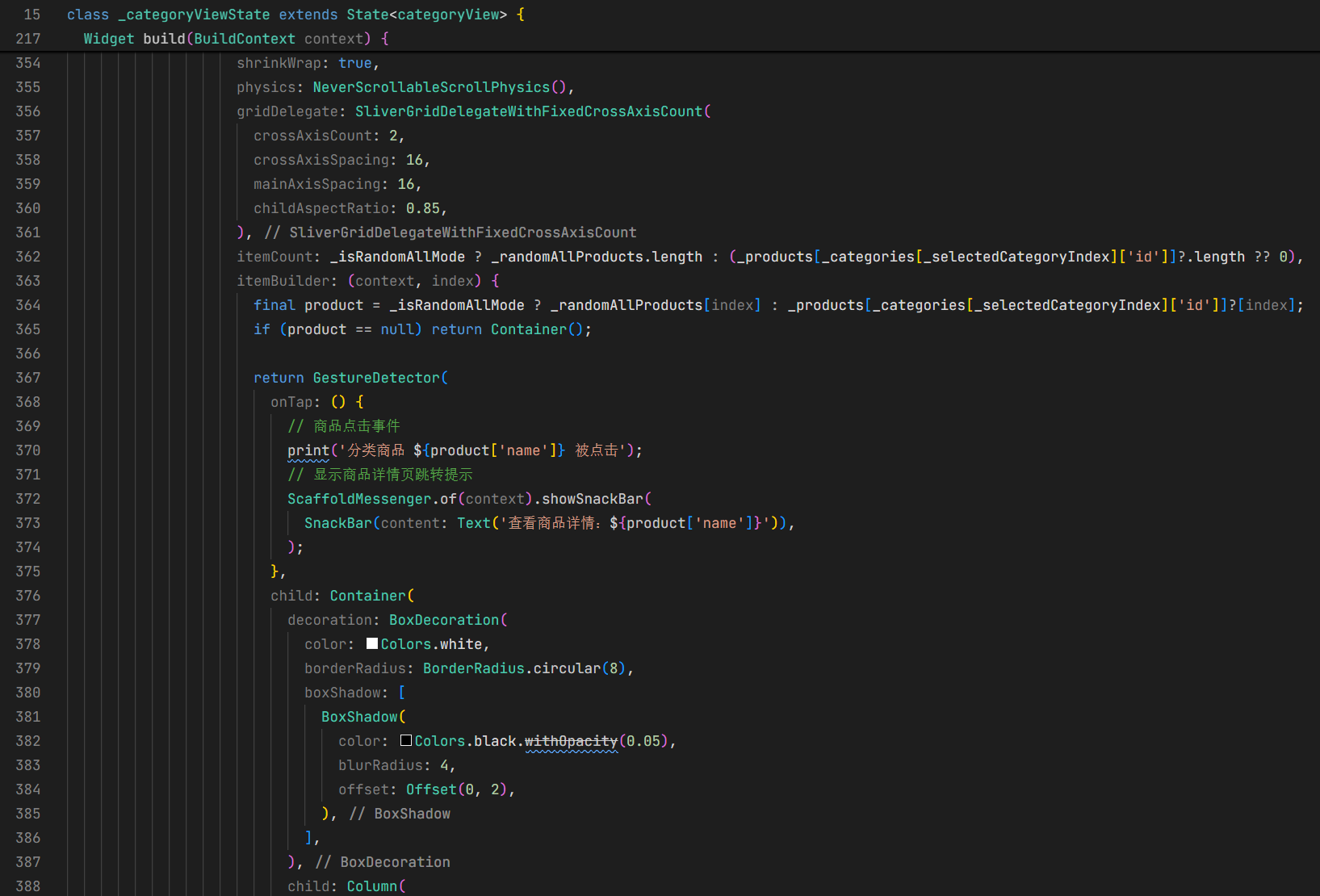
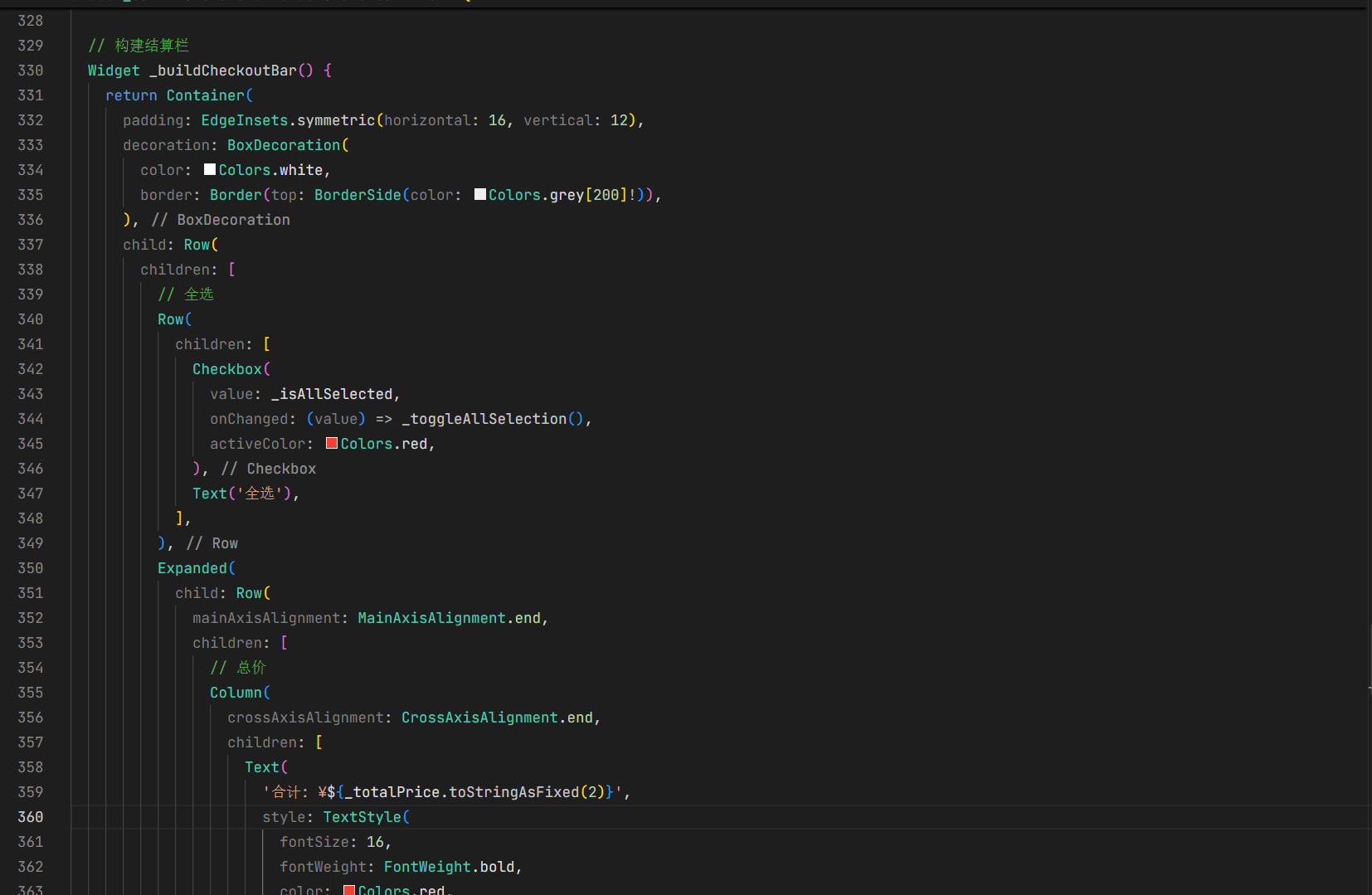
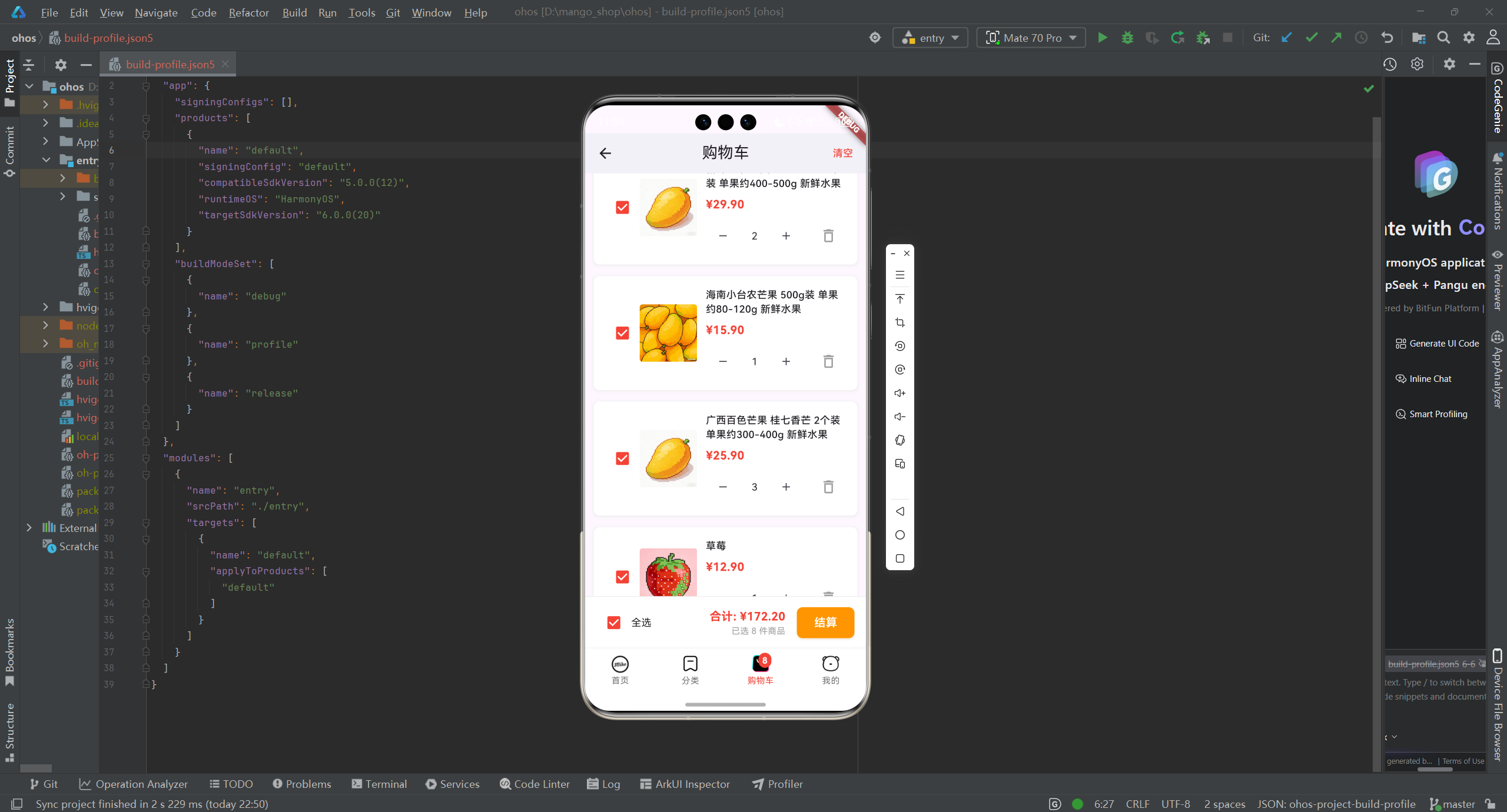
3.3 购物车页面适配
// lib/pages/Cart/index.dart
import 'package:flutter/material.dart';
import 'package:flutter_riverpod/flutter_riverpod.dart';
import 'package:mango_shop/providers/cart_provider.dart';
import 'package:mango_shop/components/responsive/responsive_layout.dart';
import 'package:mango_shop/utils/colors.dart';
import 'package:mango_shop/utils/responsive/responsive.dart';
class CartView extends ConsumerWidget {
const CartView({Key? key}) : super(key: key);
Widget build(BuildContext context, WidgetRef ref) {
return Scaffold(
appBar: AppBar(
title: const Text('购物车'),
centerTitle: true,
backgroundColor: Colors.white,
elevation: 1,
),
body: ResponsiveLayout(
smallScreen: _buildSmallScreenLayout(context, ref),
mediumScreen: _buildMediumScreenLayout(context, ref),
largeScreen: _buildLargeScreenLayout(context, ref),
extraLargeScreen: _buildExtraLargeScreenLayout(context, ref),
),
);
}
// 小屏幕布局(智能穿戴)
Widget _buildSmallScreenLayout(BuildContext context, WidgetRef ref) {
return Center(
child: Text('购物车功能在小屏幕设备上暂不可用'),
);
}
// 中等屏幕布局(手机)
Widget _buildMediumScreenLayout(BuildContext context, WidgetRef ref) {
final cartState = ref.watch(cartProvider);
final cartNotifier = ref.read(cartProvider.notifier);
return cartState.items.isEmpty
? _buildEmptyCart(context)
: Column(
children: [
Expanded(
child: ListView.builder(
itemCount: cartState.items.length,
itemBuilder: (context, index) {
final item = cartState.items[index];
return _buildCartItem(context, item, cartNotifier);
},
),
),
_buildCheckoutBar(context, ref, cartNotifier),
],
);
}
// 大屏幕布局(平板)
Widget _buildLargeScreenLayout(BuildContext context, WidgetRef ref) {
final cartState = ref.watch(cartProvider);
final cartNotifier = ref.read(cartProvider.notifier);
if (cartState.items.isEmpty) {
return _buildEmptyCart(context);
}
return Row(
children: [
// 购物车商品列表(占 70% 宽度)
Expanded(
flex: 7,
child: ListView.builder(
itemCount: cartState.items.length,
itemBuilder: (context, index) {
final item = cartState.items[index];
return Container(
margin: EdgeInsets.symmetric(horizontal: 24, vertical: 12),
child: _buildCartItem(context, item, cartNotifier),
);
},
),
),
// 结算栏(固定宽度 300px)
Container(
width: 300,
decoration: BoxDecoration(
borderLeft: BorderSide(color: Colors.grey[200]!),
color: Colors.white,
),
padding: EdgeInsets.all(24),
child: _buildLargeScreenCheckout(context, ref, cartNotifier),
),
],
);
}
// 超大屏幕布局(智慧屏)
Widget _buildExtraLargeScreenLayout(BuildContext context, WidgetRef ref) {
final cartState = ref.watch(cartProvider);
final cartNotifier = ref.read(cartProvider.notifier);
if (cartState.items.isEmpty) {
return _buildEmptyCart(context);
}
return Row(
children: [
// 购物车商品列表(占 80% 宽度)
Expanded(
flex: 8,
child: GridView.builder(
padding: EdgeInsets.all(24),
gridDelegate: SliverGridDelegateWithFixedCrossAxisCount(
crossAxisCount: 2,
mainAxisSpacing: 24,
crossAxisSpacing: 24,
childAspectRatio: 1.2,
),
itemCount: cartState.items.length,
itemBuilder: (context, index) {
final item = cartState.items[index];
return _buildGridCartItem(context, item, cartNotifier);
},
),
),
// 结算栏(固定宽度 350px)
Container(
width: 350,
decoration: BoxDecoration(
borderLeft: BorderSide(color: Colors.grey[200]!),
color: Colors.white,
),
padding: EdgeInsets.all(32),
child: _buildLargeScreenCheckout(context, ref, cartNotifier),
),
],
);
}
// 构建空购物车
Widget _buildEmptyCart(BuildContext context) {
return Center(
child: Column(
mainAxisAlignment: MainAxisAlignment.center,
children: [
Image.asset(
'lib/assets/ic_public_cart_normal.png',
width: 100,
height: 100,
color: Colors.grey[300],
),
const SizedBox(height: 20),
const Text('购物车是空的', style: TextStyle(color: Colors.grey, fontSize: 16)),
const SizedBox(height: 20),
ElevatedButton(
onPressed: () {
// 跳转到首页
Navigator.pushNamed(context, '/');
},
child: const Text('去购物'),
style: ElevatedButton.styleFrom(
backgroundColor: AppColors.primary,
foregroundColor: AppColors.white,
padding: const EdgeInsets.symmetric(horizontal: 40, vertical: 12),
elevation: 2,
shadowColor: AppColors.primary.withOpacity(0.3),
shape: RoundedRectangleBorder(
borderRadius: BorderRadius.circular(8),
),
),
),
],
),
);
}
// 构建购物车商品项
Widget _buildCartItem(BuildContext context, dynamic item, dynamic cartNotifier) {
return Container(
padding: EdgeInsets.all(16),
margin: EdgeInsets.symmetric(horizontal: 12, vertical: 8),
decoration: BoxDecoration(
color: Colors.white,
borderRadius: BorderRadius.circular(8),
boxShadow: [
BoxShadow(
color: Colors.grey[200]!,
spreadRadius: 1,
blurRadius: 3,
offset: Offset(0, 1),
),
],
),
child: Row(
children: [
// 选择框
Checkbox(
value: item.isSelected,
onChanged: (value) => cartNotifier.toggleItemSelection(item.id),
activeColor: Colors.red,
),
// 商品图片
Container(
width: 80,
height: 80,
decoration: BoxDecoration(
borderRadius: BorderRadius.circular(4),
image: DecorationImage(
image: AssetImage(item.image),
fit: BoxFit.cover,
),
),
),
SizedBox(width: 12),
// 商品信息
Expanded(
child: Column(
crossAxisAlignment: CrossAxisAlignment.start,
children: [
Text(
item.name,
maxLines: 2,
overflow: TextOverflow.ellipsis,
style: TextStyle(fontSize: 14, fontWeight: FontWeight.w500),
),
SizedBox(height: 8),
Text(
'¥${item.price.toStringAsFixed(2)}',
style: TextStyle(
fontSize: 16,
fontWeight: FontWeight.bold,
color: Colors.red,
),
),
SizedBox(height: 8),
Row(
mainAxisAlignment: MainAxisAlignment.spaceBetween,
children: [
// 数量控制
Row(
children: [
IconButton(
onPressed: () => cartNotifier.updateQuantity(item.id, item.quantity - 1),
icon: Icon(Icons.remove, size: 18),
constraints: BoxConstraints(minWidth: 30),
),
Container(
width: 40,
alignment: Alignment.center,
child: Text(item.quantity.toString()),
),
IconButton(
onPressed: () => cartNotifier.updateQuantity(item.id, item.quantity + 1),
icon: Icon(Icons.add, size: 18),
constraints: BoxConstraints(minWidth: 30),
),
],
),
// 删除按钮
IconButton(
onPressed: () => cartNotifier.removeItem(item.id),
icon: Icon(Icons.delete_outline, color: Colors.grey),
),
],
),
],
),
),
],
),
);
}
// 构建网格布局的购物车商品项
Widget _buildGridCartItem(BuildContext context, dynamic item, dynamic cartNotifier) {
return Container(
padding: EdgeInsets.all(20),
decoration: BoxDecoration(
color: Colors.white,
borderRadius: BorderRadius.circular(8),
boxShadow: [
BoxShadow(
color: Colors.grey[200]!,
spreadRadius: 1,
blurRadius: 3,
offset: Offset(0, 1),
),
],
),
child: Column(
crossAxisAlignment: CrossAxisAlignment.start,
children: [
// 商品图片
Container(
height: 150,
decoration: BoxDecoration(
borderRadius: BorderRadius.circular(4),
image: DecorationImage(
image: AssetImage(item.image),
fit: BoxFit.cover,
),
),
),
SizedBox(height: 16),
// 商品信息
Text(
item.name,
maxLines: 2,
overflow: TextOverflow.ellipsis,
style: TextStyle(fontSize: 16, fontWeight: FontWeight.w500),
),
SizedBox(height: 12),
Text(
'¥${item.price.toStringAsFixed(2)}',
style: TextStyle(
fontSize: 18,
fontWeight: FontWeight.bold,
color: Colors.red,
),
),
SizedBox(height: 16),
// 底部操作栏
Row(
mainAxisAlignment: MainAxisAlignment.spaceBetween,
children: [
// 数量控制
Row(
children: [
IconButton(
onPressed: () => cartNotifier.updateQuantity(item.id, item.quantity - 1),
icon: Icon(Icons.remove),
),
Container(
width: 40,
alignment: Alignment.center,
child: Text(item.quantity.toString(), style: TextStyle(fontSize: 16)),
),
IconButton(
onPressed: () => cartNotifier.updateQuantity(item.id, item.quantity + 1),
icon: Icon(Icons.add),
),
],
),
// 删除按钮
IconButton(
onPressed: () => cartNotifier.removeItem(item.id),
icon: Icon(Icons.delete_outline, color: Colors.grey),
),
],
),
],
),
);
}
// 构建结算栏
Widget _buildCheckoutBar(BuildContext context, WidgetRef ref, dynamic cartNotifier) {
final totalPrice = ref.watch(cartTotalPriceProvider);
final selectedCount = ref.watch(cartSelectedCountProvider);
final isAllSelected = ref.watch(cartIsAllSelectedProvider);
return Container(
padding: EdgeInsets.symmetric(horizontal: 16, vertical: 12),
decoration: BoxDecoration(
color: Colors.white,
border: Border(top: BorderSide(color: Colors.grey[200]!)),
),
child: Row(
children: [
// 全选
Row(
children: [
Checkbox(
value: isAllSelected,
onChanged: (value) => cartNotifier.toggleAllSelection(),
activeColor: Colors.red,
),
const Text('全选'),
],
),
Expanded(
child: Row(
mainAxisAlignment: MainAxisAlignment.end,
children: [
// 总价
Column(
crossAxisAlignment: CrossAxisAlignment.end,
children: [
Text(
'合计: ¥${totalPrice.toStringAsFixed(2)}',
style: TextStyle(
fontSize: 16,
fontWeight: FontWeight.bold,
color: Colors.red,
),
),
Text(
'已选 ${selectedCount} 件商品',
style: TextStyle(fontSize: 12, color: Colors.grey),
),
],
),
SizedBox(width: 16),
// 结算按钮
ElevatedButton(
onPressed: selectedCount > 0
? () {
// 结算逻辑
}
: null,
child: const Text('结算'),
style: ElevatedButton.styleFrom(
backgroundColor: AppColors.primary,
foregroundColor: AppColors.white,
padding: EdgeInsets.symmetric(horizontal: 24, vertical: 10),
elevation: 2,
shadowColor: AppColors.primary.withOpacity(0.3),
shape: RoundedRectangleBorder(
borderRadius: BorderRadius.circular(8),
),
),
),
],
),
),
],
),
);
}
// 构建大屏幕结算栏
Widget _buildLargeScreenCheckout(BuildContext context, WidgetRef ref, dynamic cartNotifier) {
final cartState = ref.watch(cartProvider);
final totalPrice = ref.watch(cartTotalPriceProvider);
final selectedCount = ref.watch(cartSelectedCountProvider);
final isAllSelected = ref.watch(cartIsAllSelectedProvider);
return Column(
crossAxisAlignment: CrossAxisAlignment.start,
children: [
Text('购物车总计', style: TextStyle(fontSize: 18, fontWeight: FontWeight.bold)),
SizedBox(height: 24),
// 商品数量
Row(
mainAxisAlignment: MainAxisAlignment.spaceBetween,
children: [
Text('商品数量'),
Text('${cartState.items.length} 件'),
],
),
SizedBox(height: 12),
// 已选数量
Row(
mainAxisAlignment: MainAxisAlignment.spaceBetween,
children: [
Text('已选数量'),
Text('${selectedCount} 件'),
],
),
SizedBox(height: 12),
// 总计
Row(
mainAxisAlignment: MainAxisAlignment.spaceBetween,
children: [
Text('总计', style: TextStyle(fontSize: 16, fontWeight: FontWeight.bold)),
Text('¥${totalPrice.toStringAsFixed(2)}', style: TextStyle(fontSize: 18, fontWeight: FontWeight.bold, color: Colors.red)),
],
),
SizedBox(height: 32),
// 全选
Row(
children: [
Checkbox(
value: isAllSelected,
onChanged: (value) => cartNotifier.toggleAllSelection(),
activeColor: Colors.red,
),
const Text('全选'),
],
),
SizedBox(height: 32),
// 结算按钮
SizedBox(
width: double.infinity,
child: ElevatedButton(
onPressed: selectedCount > 0
? () {
// 结算逻辑
}
: null,
child: Text('结算 ${selectedCount} 件商品'),
style: ElevatedButton.styleFrom(
backgroundColor: AppColors.primary,
foregroundColor: AppColors.white,
padding: EdgeInsets.symmetric(vertical: 16),
elevation: 2,
shadowColor: AppColors.primary.withOpacity(0.3),
shape: RoundedRectangleBorder(
borderRadius: BorderRadius.circular(8),
),
),
),
),
],
);
}
}
4. OpenHarmony 特定适配
4.1 平台感知布局
// lib/utils/platform/adapter.dart
import 'dart:io';

class PlatformAdapter {
  // 判断当前平台
  static bool get isOpenHarmony {
    return Platform.environment.containsKey('OHOS') ||
           Platform.operatingSystem.toLowerCase() == 'openharmony';
  }

  // 获取平台特定的布局策略
  static bool useAdaptiveLayout {
    return isOpenHarmony;
  }

  // 获取平台特定的字体缩放因子
  static double get fontSizeScaleFactor {
    return isOpenHarmony ? 1.0 : 1.0;
  }

  // 获取平台特定的边距缩放因子
  static double get marginScaleFactor {
    return isOpenHarmony ? 1.0 : 1.0;
  }

  // 获取平台特定的最大宽度限制
  static double get maxWidthLimit {
    return isOpenHarmony ? double.infinity : double.infinity;
  }
}
4.2 OpenHarmony 布局组件
// lib/components/platform/ohos_layout.dart
import 'package:flutter/material.dart';
import 'package:mango_shop/utils/platform/adapter.dart';
class OhosLayout extends StatelessWidget {
final Widget child;
final bool useAdaptiveLayout;
const OhosLayout({
Key? key,
required this.child,
this.useAdaptiveLayout = true,
}) : super(key: key);
Widget build(BuildContext context) {
if (PlatformAdapter.isOpenHarmony && useAdaptiveLayout) {
// OpenHarmony 特定的布局适配
return Container(
constraints: BoxConstraints(
maxWidth: PlatformAdapter.maxWidthLimit,
),
child: child,
);
}
return child;
}
}
5. 性能优化
5.1 布局性能优化
-
使用 const 构造器:
- 对不变的 widget 使用 const 构造器
- 避免在 build 方法中创建新的对象
-
使用 RepaintBoundary:
- 对频繁重绘的 widget 使用 RepaintBoundary 隔离
- 减少不必要的重绘
-
使用 SizedBox 代替 Container:
- 对于简单的尺寸控制,使用 SizedBox 代替 Container
- 减少布局计算开销
-
使用ListView.builder:
- 对于长列表,使用 ListView.builder 而不是 ListView
- 实现懒加载,减少内存使用
5.2 响应式布局性能优化
-
缓存响应式值:
- 缓存计算出的响应式值,避免重复计算
- 使用 const 或 final 变量存储计算结果
-
避免在 build 方法中进行复杂计算:
- 将复杂的计算移到 initState 或 didChangeDependencies 中
- 使用 Provider 或 Riverpod 管理计算状态
-
使用 LayoutBuilder 优化:
- 对于需要根据父容器尺寸调整的布局,使用 LayoutBuilder
- 避免使用 MediaQuery 进行频繁的尺寸查询
测试与调试
1. 布局适配测试
-
不同屏幕尺寸测试:
- 使用不同尺寸的模拟器或真机测试布局适配
- 测试从手机到平板的布局过渡
-
屏幕旋转测试:
- 测试横屏和竖屏模式下的布局适配
- 确保旋转时布局能够正确调整
-
OpenHarmony 平台测试:
- 在 OpenHarmony 设备上测试布局适配
- 确保与其他平台的布局表现一致
2. 调试工具
-
Flutter DevTools:
- 使用 Flutter DevTools 分析布局性能
- 监控重建次数和布局计算时间
-
可视化调试:
- 使用 Flutter 的可视化调试工具查看布局边界
- 识别布局问题和优化空间
-
性能分析:
- 使用性能分析工具监控布局性能
- 识别性能瓶颈并进行优化
总结与展望
通过本文介绍的页面布局适配方案,我们可以:
- 提高用户体验:为不同尺寸的设备提供最佳的布局体验
- 增强跨平台兼容性:确保应用在 OpenHarmony 平台上表现出色
- 提高代码可维护性:使用统一的适配方案,减少平台特定代码
- 提升应用性能:通过性能优化,确保布局在各种设备上都能流畅运行
未来,可以考虑:
- 更智能的布局适配:使用机器学习算法,根据用户使用习惯自动调整布局
- 更多设备类型的适配:支持更多 OpenHarmony 生态设备,如折叠屏、卷轴屏等
- 布局动画优化:在布局切换时添加平滑的动画效果
- 可访问性优化:确保布局适配满足可访问性要求,支持不同需求的用户
Flutter for OpenHarmony 为跨平台应用开发提供了新的可能性,通过合理的布局适配方案,可以构建出在所有设备上都表现出色的应用。
欢迎加入开源鸿蒙跨平台社区:开源鸿蒙跨平台开发者社区

作为“人工智能6S店”的官方数字引擎,为AI开发者与企业提供一个覆盖软硬件全栈、一站式门户。
更多推荐


 4
4 0
0- 0


 已为社区贡献8条内容

所有评论(0)