
DeepSeek-R1-Distill-Qwen-32B在昇腾A800T A2上使用mindie镜像部署与benchmark性能测试
1.MindIE镜像准备
1)进入昇腾社区镜像仓库选择对应版本MindIe镜像进行拉取。(前提:服务器环境可联网)https://www.hiascend.com/developer/ascendhub/detail/af85b724a7e5469ebd7ea13c3439d48f
docker pull --platform=arm64 swr.cn-south-1.myhuaweicloud.com/ascendhub/mindie:2.2.RC1-800I-A2-py311-openeuler24.03-lts

注:可能需要注册社区账号后进行下载
2)容器拉起
docker run -it -d --net=host --shm-size=128g \
--privileged \
--name DeepSeek-R1-Distill-Qwen-32B \#模型名称
--device=/dev/davinci_manager \
--device=/dev/hisi_hdc \
--device=/dev/devmm_svm \
-v /usr/local/Ascend/driver:/usr/local/Ascend/driver:ro \
-v /usr/local/sbin:/usr/local/sbin:ro \
-v /data1/DeepSeek-R1-Distill-Qwen-32B:/data1/DeepSeek-R1-Distill-Qwen-32B \#容器挂载目录,根据实际路径挂载
swr.cn-south-1.myhuaweicloud.com/ascendhub/mindie:2.2.RC1-800I-A2-py311-openeuler24.03-lts bash
2.DeepSeek-R1-Distill-Qwen-32B权重文件准备
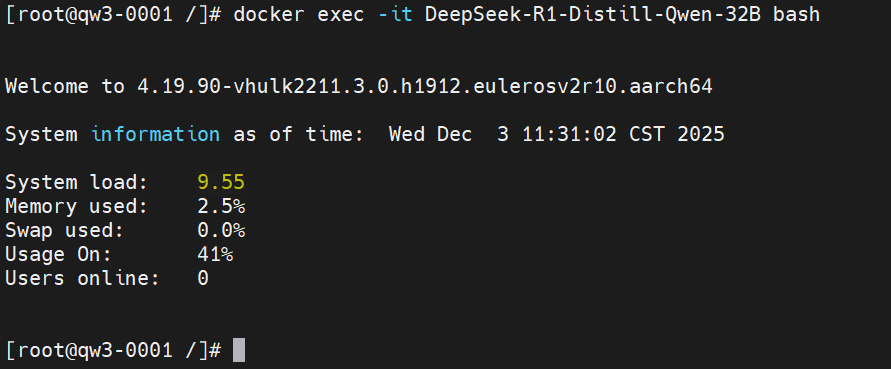
容器登录:docker exec -it DeepSeek-R1-Distill-Qwen-32B bash
安装ModelScope SDK 来进行模型的下载(https://www.modelscope.cn/models/deepseek-ai/DeepSeek-R1-Distill-Qwen-32B/summary)
ModelScope安装:
pip install modelscope

模型下载:
modelscope download --model deepseek-ai/DeepSeek-R1-Distill-Qwen-32B --local_dir /data1/DeepSeek-R1-Distill-Qwen-32B

3.推理服务拉起
mindie配置文件修改:
容器环境/usr/local/Ascend/mindie/latest/mindie-service/目录下执行vi conf/config.json
{
...
"ServerConfig" :
{
...
"port" : 1040, #自定义
"managementPort" : 1041, #自定义
"metricsPort" : 1042, #自定义
...
"httpsEnabled" : false,
...
},

"BackendConfig": {
...
"npuDeviceIds" : [[0,1,2,3]],
...
"ModelDeployConfig":
{
"truncation" : false,
"ModelConfig" : [
{
...
"modelName" : "qwen",
"modelWeightPath" : "/data/datasets/DeepSeek-R1-Distill-Qwen-32B",
"worldSize" : 4,
...
}
]
},
}
}
执行nohup ./bin/mindieservice_daemon > output.log 2>&1 &拉起服务
服务启动成功success后开始进行性能测试
4.benchmark性能测试
性能测试前设置文件权限:
chmod 640 /usr/local/lib/python3.11/site-packages/mindieclient/python/config/config.json
chmod 640 /usr/local/lib/python3.11/site-packages/mindiebenchmark/config/config.json
chmod 640 /usr/local/lib/python3.11/site-packages/mindiebenchmark/config/synthetic_config.json
添加环境变量:
export MINDIE_LOG_TO_STDOUT="benchmark:1; client:1"
使用合成数据(synthetic)进行性能测试样例
benchmark \
--DatasetType "synthetic" \
--ModelName DeepSeek-R1-Distill-Qwen-32B \
--ModelPath "/data1/DeepSeek-R1-Distill-Qwen-32B" \
--TestType vllm_client \
--Http http://127.0.0.1:1025 \
--ManagementHttp http://127.0.0.1:1026 \
--Concurrency 0 \
--MaxOutputLen 2048 \
--TaskKind stream \
--Tokenizer True \
--SyntheticConfigPath /usr/local/lib/python3.11/site-packages/mindiebenchmark/config/synthetic_config.json
结果示例: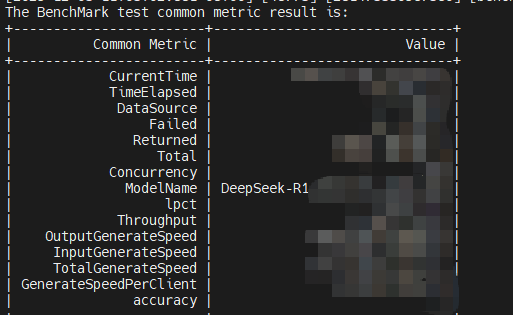

作为“人工智能6S店”的官方数字引擎,为AI开发者与企业提供一个覆盖软硬件全栈、一站式门户。
更多推荐
 8
8 0
0- 0


 已为社区贡献1条内容

所有评论(0)